C SERIES USER’S MANUAL
20
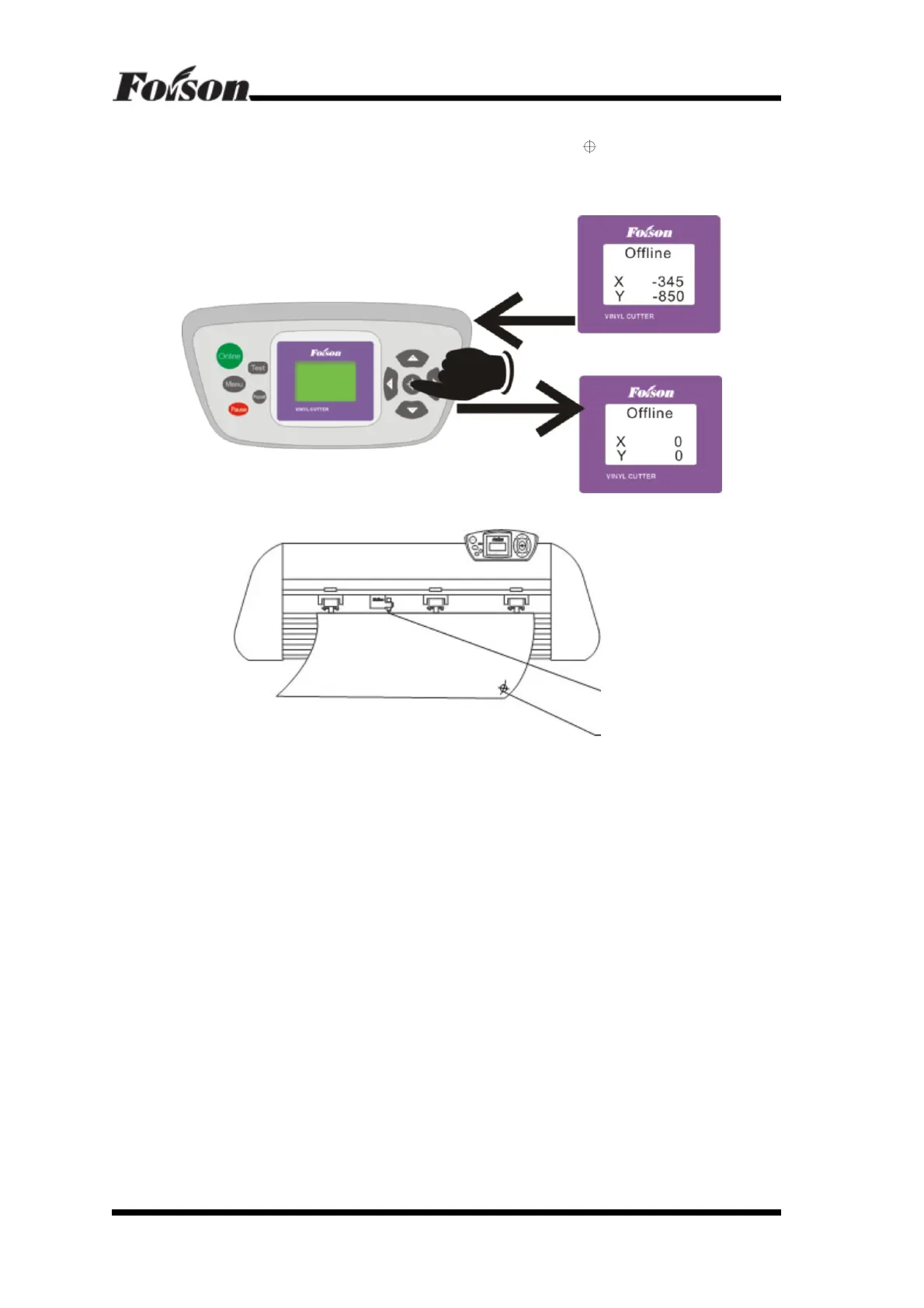
6.1.3 Original Point Setting
When the carriage needs to move to the original point, press “
”, X and Y value will
set to “0”. Then the new original point is set. The cutter will begin working at the new
original point.
The relationship between Absolute Original Point and random original point:
6.1.4 Bounded system
The cutter adopts advance optical coupler bounded system. The following introduces
how the optical coupler takes effect.
1. Move the carriage to the left side (right side) of the cutter; if the cutter exceeds the
work area, the limit switch takes effect automatically to prevent the carriage strike to
the cutter side. Move the carriage to right (left), the limit switch will lose effect.
2. When the cutter is working, if the work area set in the software is too large and cause
the carriage move to the left and exceed the work area, the bounded system will
activate automatically. The cutter will stop working and the LCD displays Pause
(shown as followings). The cutter shall restart and current job can be neither save or
continue working.
Hints: In the software, please don’t set the work area that exceeds the effect work area. Also
please pay attention to position between the original point and left side of the cutter to
prevent the bounded system takes effect.
Random Original Point
Absolute Original



 To Next Page