C SERIES USER’S MANUAL
21
6.1.5 Back to the original point automatically
When turn on the machine, the carriage will back to the original point automatically.
6.1.6 Reset Default parameter
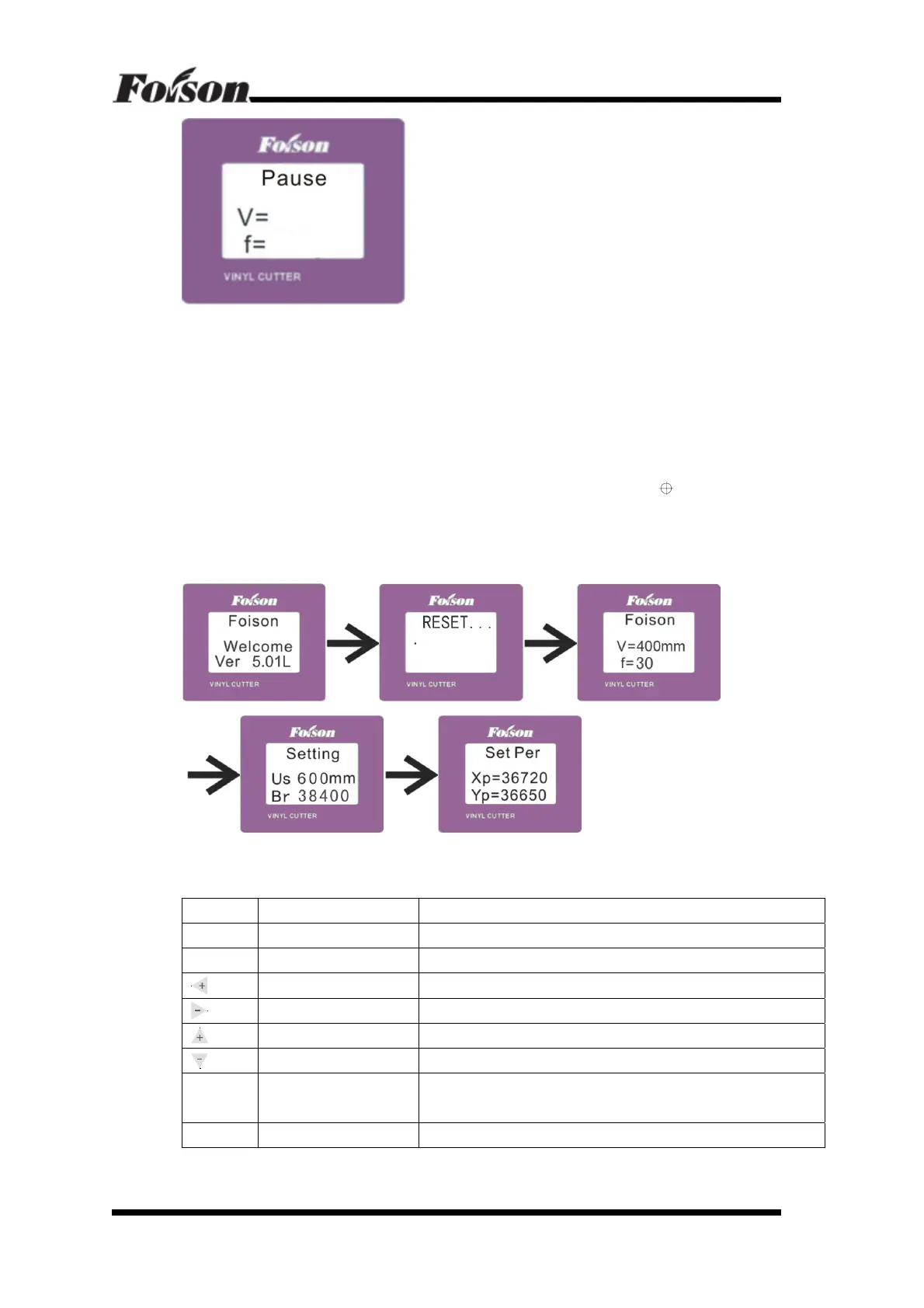
Generally speaking ,. You do not need change the scales (Set Per Xp=36720
Yp=36650) . If the customer changed this incaution and want to go back to the default
parameter , just reset the deafult parameter as following :
Turn on the machine, LCD will show “Foison Welcome Ver 5.01L”, press
(origin
setting button) two seconds, then it will appear “RESET”, at that time, the machine is
resetting default parameter. See default parameter as following:
“v=400mm f=30”; “Us=600mm Br=38400”; “Xp=367200 Yp=36650”.
6.2 Online Keyboard Function Definition
1
st
Level Menu Keyboard Definition
Button Function Description
Online Online/Offline Press once to switch to offline status
Menu Menu Switch Press once and enter into Setting menu
Knife Force Increase Press once, the knife force increases by 1 , it totally has 160 steps
Knife Force Decrease Press once, the knife force decrease by 1 , it totally has 160 steps
Cutting Speed Increase Press once, the cutting speed will increase by 50mm/s
Cutting Speed Decrease Press once, the cutting speed will decrease by 50mm/s
Pause Pause/Resume
If either speed or knife force is not optimized, press Pause once to
pause working, after adjusting, press once to resume working
Repeat Knife drop/raise Press once for knife dropping and press again knife raising



 To Next Page