C SERIES USER’S MANUAL
36
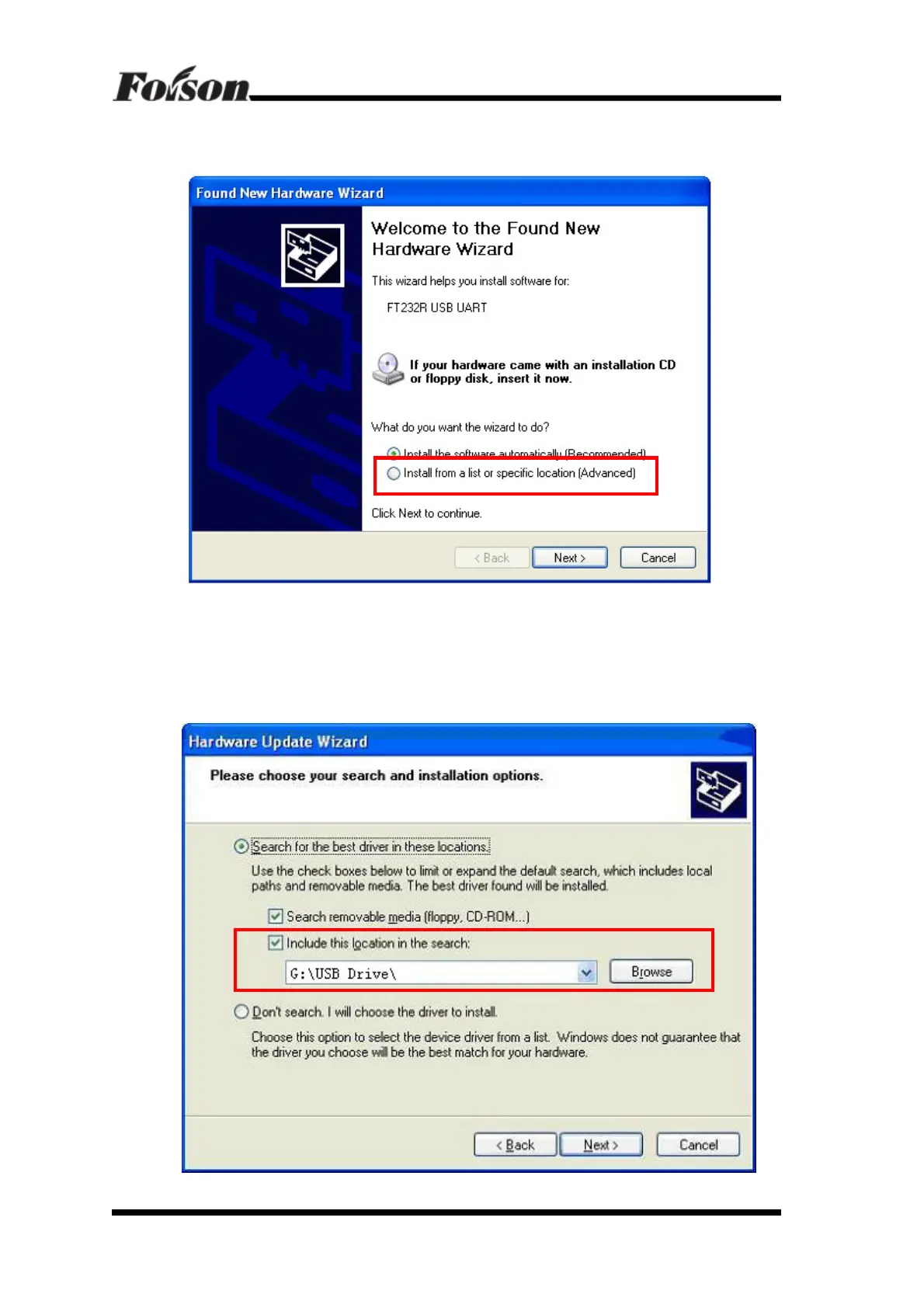
computer with USB cable, will prompt find new hardware on the lower right
corner of the screen, show as follow dialog box
Please select the second one “Install from a list or specific location (Advanced)”:
Click ‘Next’, find CD-ROM drive letter, and find out in USB Driver folder (for
example: G: / USB Driver /)
Click ‘Next’, show as follow



 To Next Page