C SERIES USER’S MANUAL
41
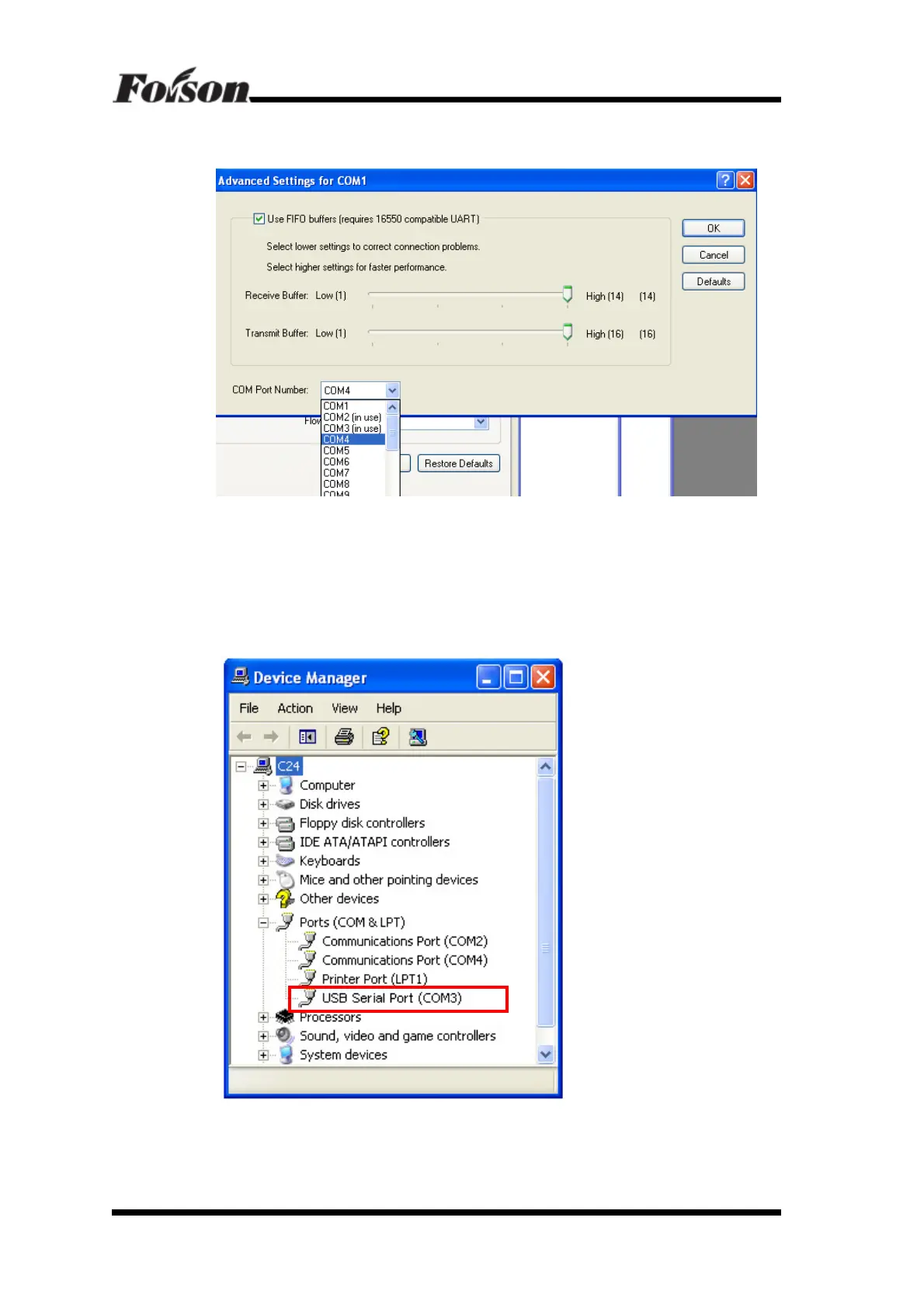
2. Click Advanced and enter port selection, shown as followings, then select COM4,
click OK.
Now COM1 has changed to COM4 successfully, but in Device Manager interface you do
not see COM1 change to COM4. At this moment you only need to close Device Manager,
then reopen it again. So you will find COM1 changed to COM4.
Change COM3 of USB to COM1 by the same way. After you change it successfully, you
will see the following:



 To Next Page