01134592 – REF20/25 LB, PH, BB 7
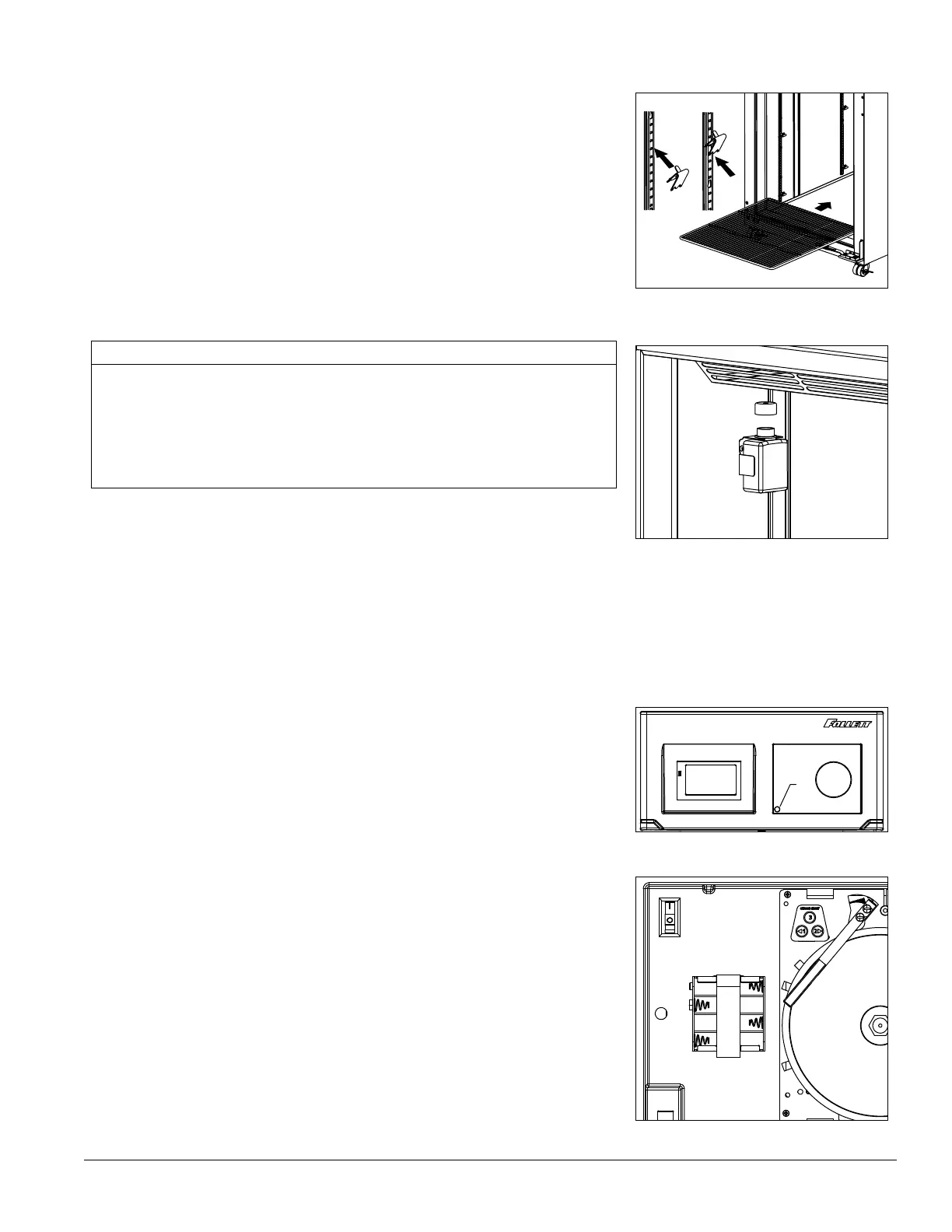
Install shelves (if equipped) and power up
Fig. 3
1. If refrigerator is equipped with shelves, remove bag containing shelf
supports and position them in desired locations on each pilaster
and insert shelves (Fig. 3).
2. Plug refrigerator into a 115 V 60 Hz 15A dedicated outlet.
Fill product bottle
Fig. 4
ATTENTION INSTALLER
§ It is imperative that the top/bottom probe bottle be lled with a solution
that your facility uses to ensure proper operation of unit.
§ Units are equipped with a third-party monitor installation port.
Customers are required to refer to CDC Vaccine and Handling Toolkit
(cdc.gov) for proper placement of the probe within the cabinet to
ensure proper performance.
1. Remove probe and cap from the top bottle and ll with glycerine
supplied with unit (e.g., 50% glycerine and 50% water) (Fig. 4).
Replace cap and reinsert probe sensor.
2. If equipped with a bottom probe, perform same procedure for
bottom bottle.
3. Adhere supplied probe wire clips (x4, packaged with manual) to
inside wall leading to the probe bottle.
4. Route probe wire into clips and close the clips.
Power the Unit
Fig. 5
1. Press lower left corner of front facade door to access power switch
inside (Fig. 5.1).
Fig. 6
2. Press power switch to turn unit on (Fig. 6.1).
3. Connect wiring harness to back-up battery pack and connect 9 V
chart recorder back-up battery (if equipped).
2
1
3
1
1
2




 To Next Page