FoMaKo -
Focus Your Streaming www.fomako.net
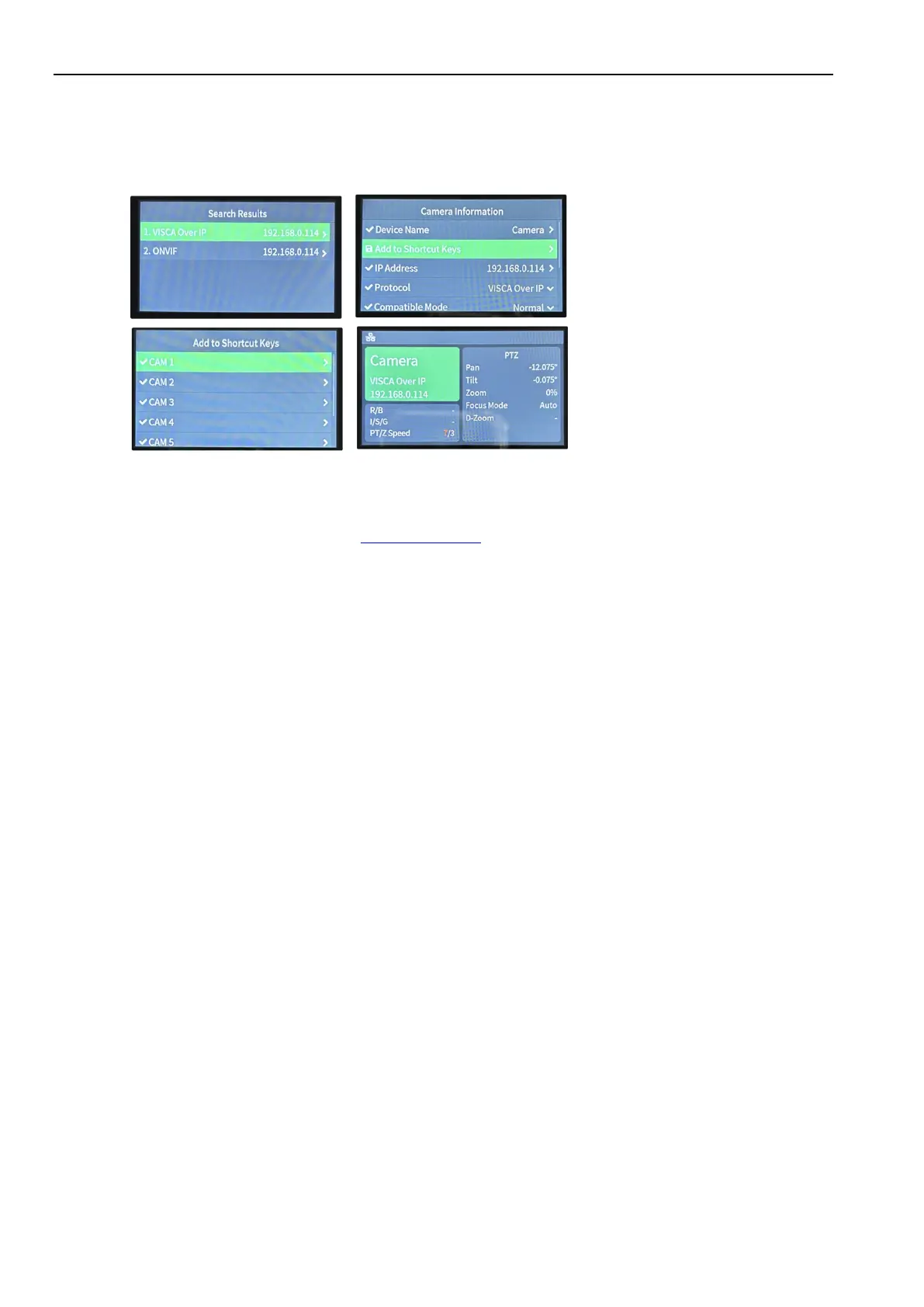
(2) Press “search” button on controller, it will show camera’s IP address
(3) Choose “VISCA Over IP” and press “Enter”
(4) Add to Shortcut Keys, you can assign 7 cameras to shortcut keys CAM1~CAM7
(5) Press CAM1~CAM7 to control the camera
If you need more supports, please contact us at: ivan@fomako.net, normally, we can reply you within 12hours.
FoMaKo Supports Team


 To Next Page