56
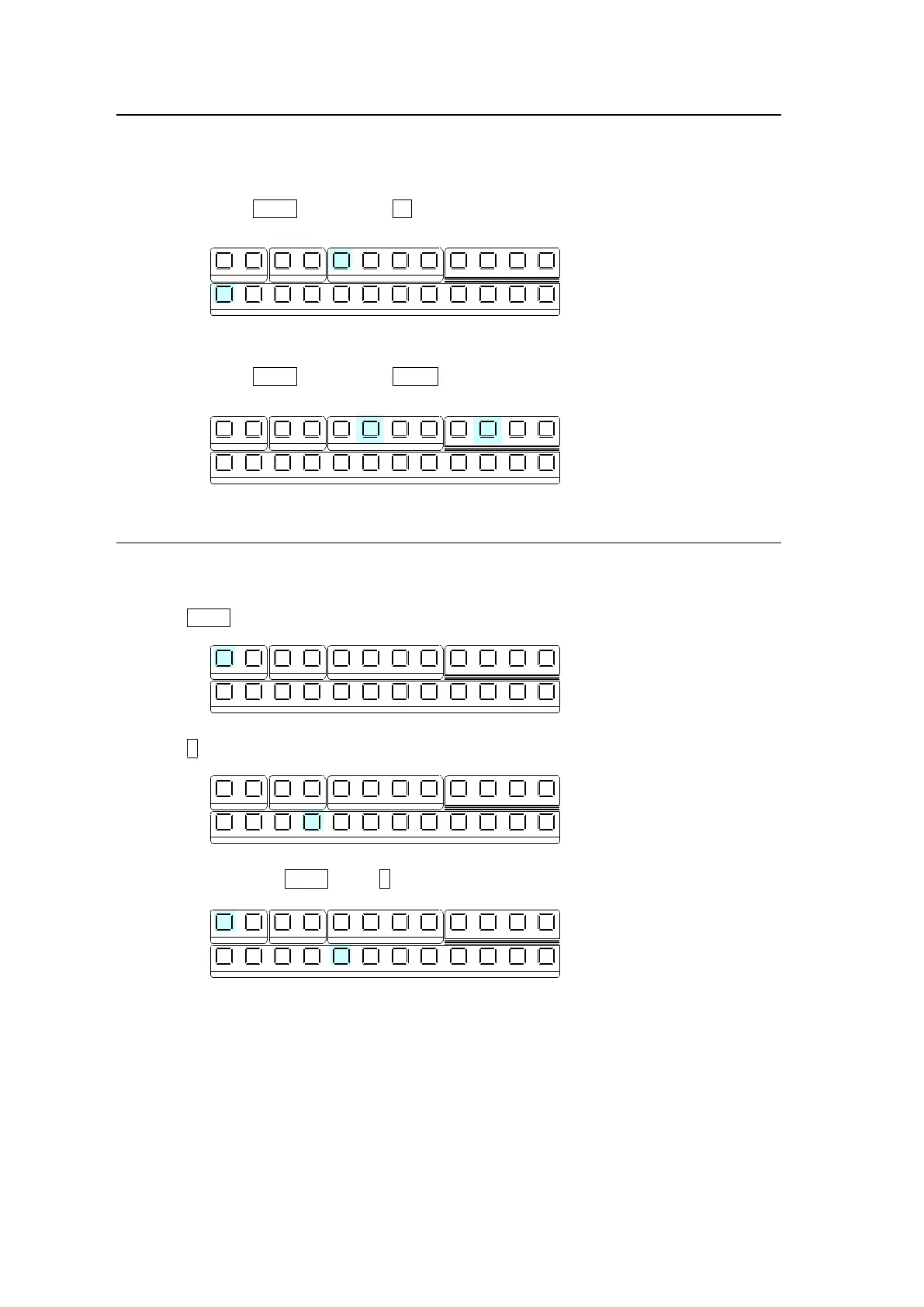
7-1-2. Selecting Video Sources for AUX1 to AUX4
(1) Press the desired AUX button.
(2) Press a desired button on the KEY/AUX bus.
Ex.1) To Select IN1 for AUX1
Press AUX1. Then press 1 (IN01) on the KEY/AUX.
Ex. 2) To Select PREV for AUX2
Press AUX2. Then press PREV on the KEY/AUX.
7-1-3. Selecting Video Sources for KEY and DSK
To select the bus button 4 video for KEY1 Insert (fill) and the bus button 5 video for KEY1
Source (key), proceed as follows.
(1) Press KEY1.
(2) Press 4 in the KEY/AUX bus to select the KEY1 Insert signal.
(3) While holding down KEY1, press 5 in the KEY/AUX bus to select the KEY1 Source signal.
Once insert and source signals are selected for a key or DSK, they are stored as a key pair
and when a key or DSK then selects an insert signal, the paired source signal is automatically
set.
See section 9-3-1. "Key Link."
1 1 1
1
2 2 2 3 4
2 3 4 5 6 7 8 9 10 11 12
KEYER DSK AUX
KEY/AUX
PGM PREV CLEAN MV
1 1 1
1
2 2 2 3 4
2 3 4 5 6 7 8 9 10 11 12
KEYER DSK AUX
KEY/AUX
PGM PREV CLEAN MV
1 1 1
1
2 2 2 3 4
2 3 4 5 6 7 8 9 10 11 12
KEYER DSK AUX
KEY/AUX
PGM PREV CLEAN MV
1 1 1
1
2 2 2 3 4
2 3 4 5 6 7 8 9 10 11 12
KEYER DSK AUX
KEY/AUX
PGM PREV CLEAN MV
1 1 1
1
2 2 2 3 4
2 3 4 5 6 7 8 9 10 11 12
KEYER DSK AUX
KEY/AUX
PGM PREV CLEAN MV



 To Next Page