35
Step 5
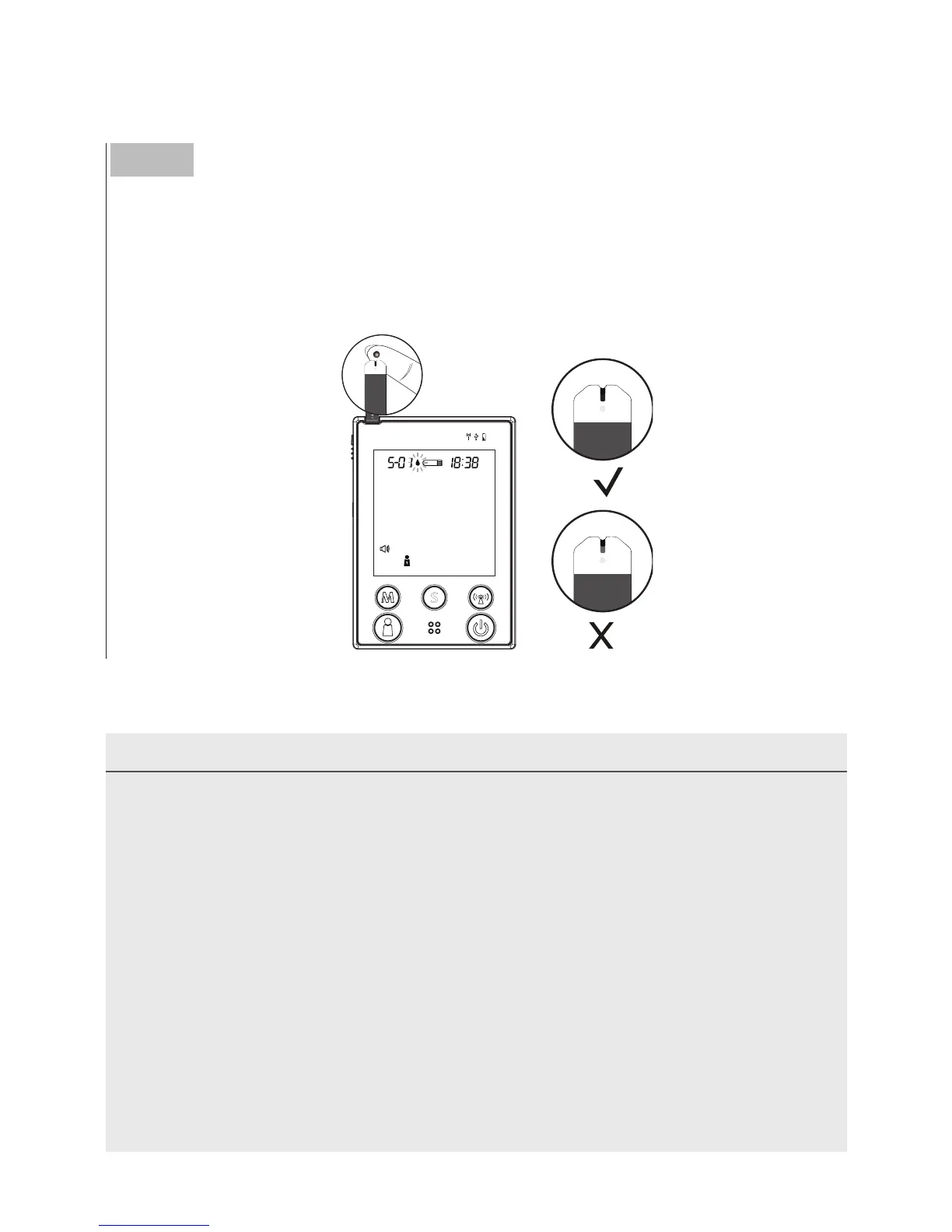
Apply the Sample
Hold the blood drop to touch the absorbent hole of the test strip.
Blood will be drawn in and after the confirmation window is complete-
ly filled, the monitor begins counting down.
NOTE
• Do not press the punctured site against the test strip or try to smear the
blood.
• If you do not apply a blood sample to the test strip within 3 minutes, the
monitor will automatically turn off. You must remove and reinsert the test
strip to start a new test.
• The confirmation window should be filled with blood before the monitor
begins to count down. NEVER try to add more blood to the tes
t strip after
your drop of blood has moved away. Discard the used test strip and retest
with a new one.
• If you have trouble filling the confirmation window, please contact your
health care professional or the local customer service for assistance.



 To Next Page