5100ex Calibration Manual
AutoCalibration of Granular Materials
33
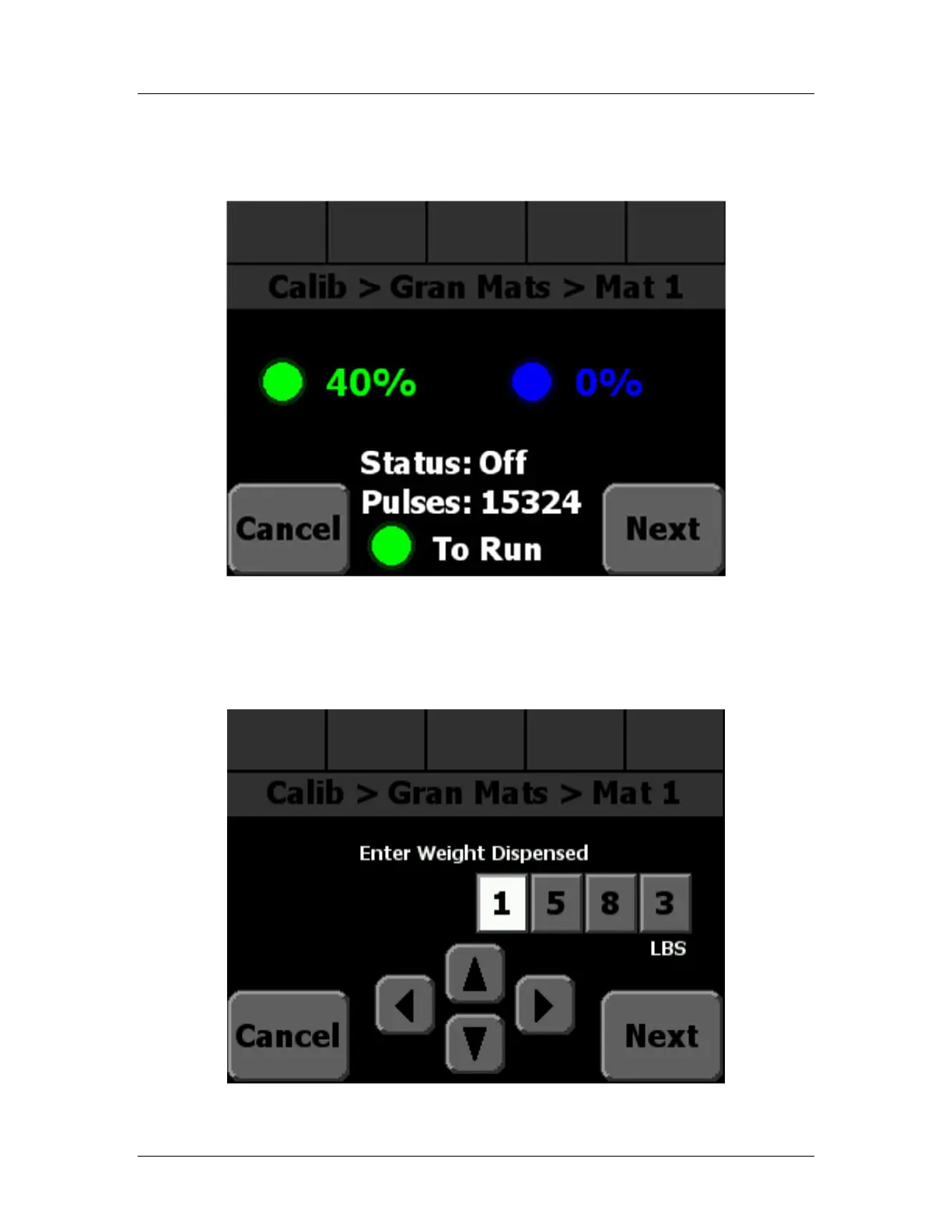
STEP 12: Press the green, Standby knob to stop dispensing material. The status should
change to “Off”, as shown in Figure 5. If your system is an Open Loop system
the pulses will be 0.
Figure 5: Granular AutoCal Screen after running
STEP 13: Press Next to continue to the next AutoCal screen. It should look like Figure 6
below:
Figure 6: Granular AutoCal Enter Weight


 To Next Page