5100ex Calibration Manual
Importing Calibration Settings
53
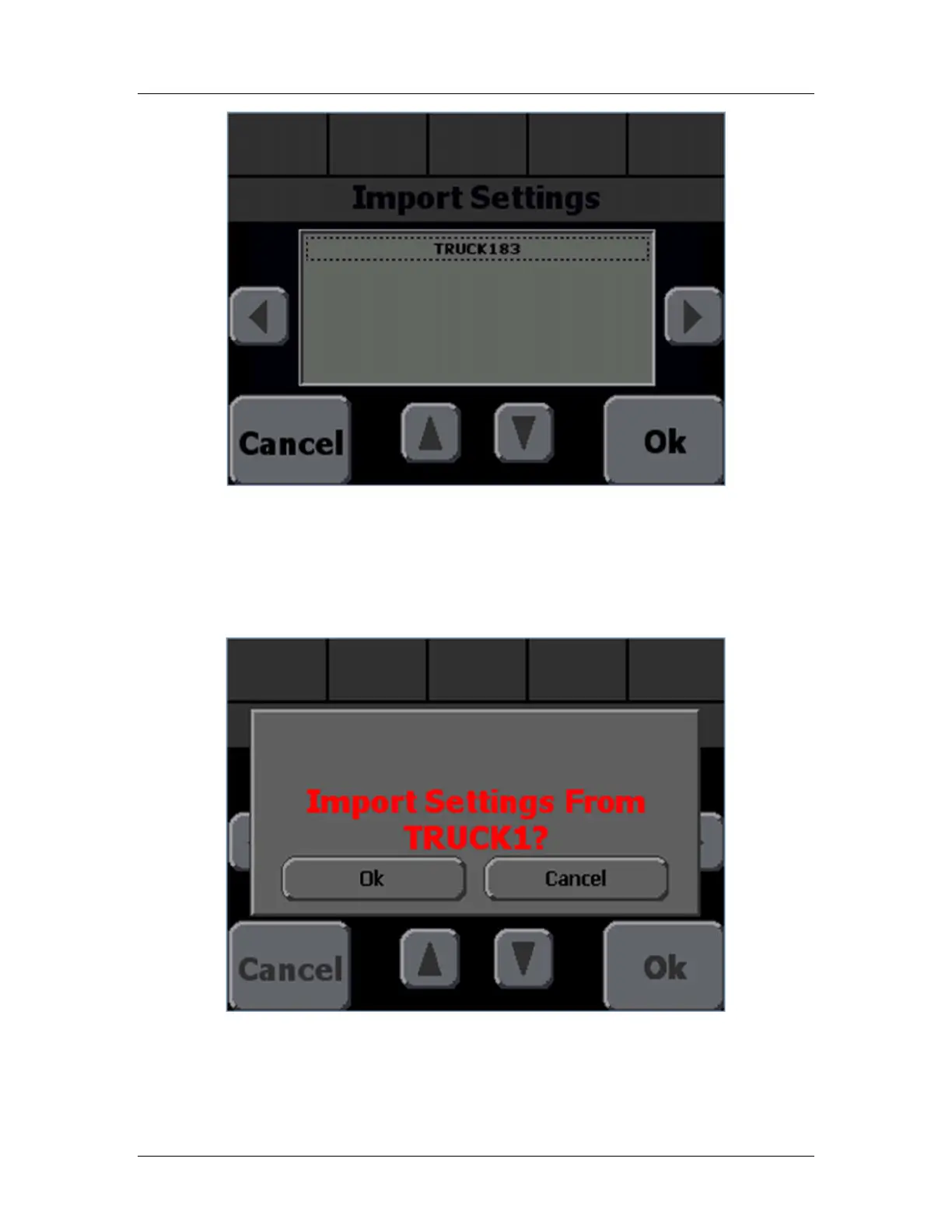
Figure 21: Import Settings screen with File Selector
STEP 13: Use the up and down arrow buttons to select an upgrade file to use. If more than
6 configuration files are available, use the page left and page right buttons on each side
of the box to see the other files.
STEP 14: Press the Ok button to select a file. A confirmation box similar to Figure 22 will
appear.
Figure 22: Import Settings File Confirmation
STEP 15: If the file listed is the correct file, press the Ok button to begin the import process
and Figure 23 will appear. Otherwise press Cancel and return to STEP 12:


 To Next Page