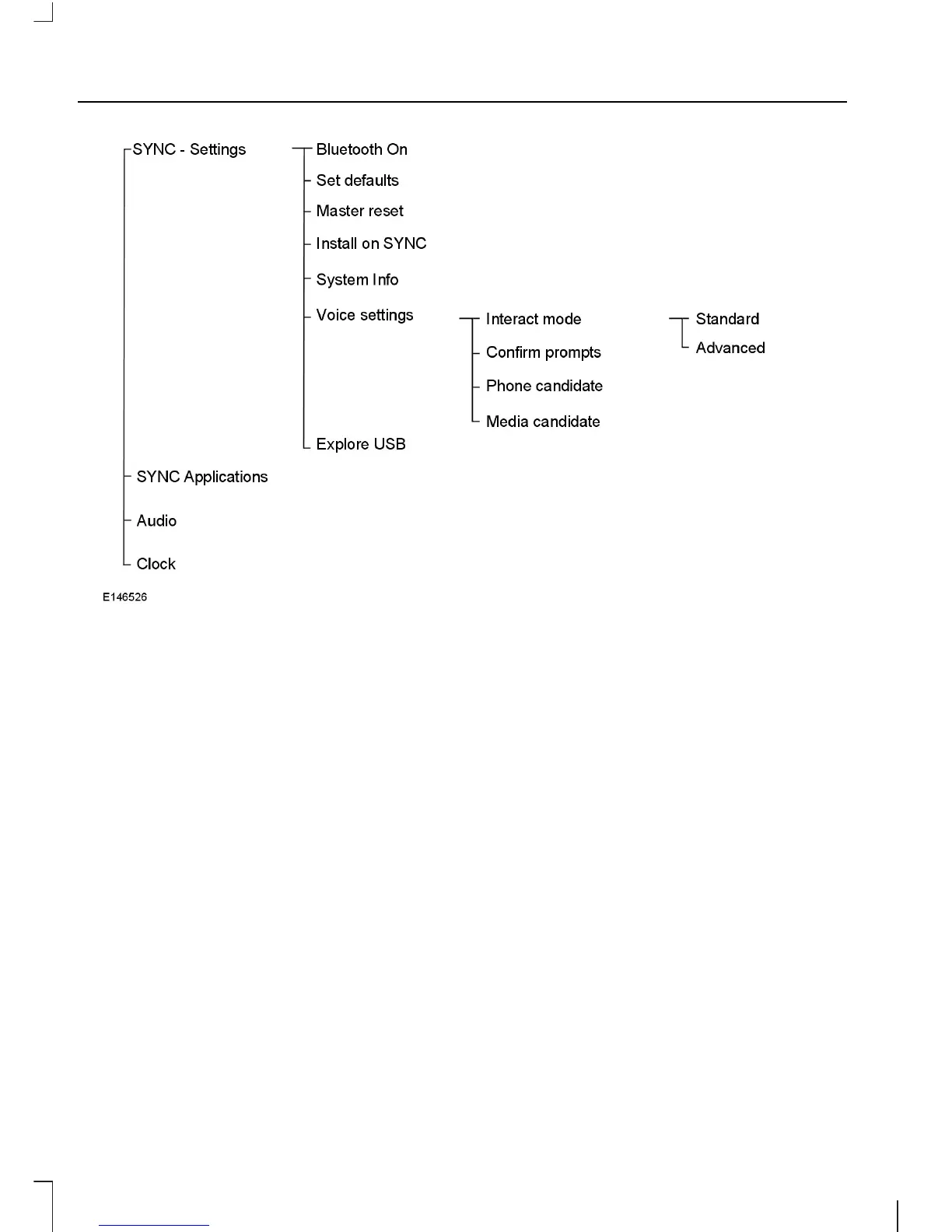
Bluetooth® On
Allows you to turn the Bluetooth® feature
on /off.
Set defaults
Allows you to return to the factory default
settings. This operation will NOT erase
your indexed information. (phonebook, call
history, text messages and paired devices)
Master reset
Allows you to completely erase ALL
information stored on SYNC (all
phonebook, call history, text messages and
all paired devices) and return to the factory
default settings.
Install on SYNC
Allows you to install applications you have
downloaded.
System Info
Allows you to access the Auto Version
number as well as the FDN number.
Voice settings
Allows you to customize your VR (Voice
Recognition) system to provide more or
less instruction and feedback. See Using
Voice Recognition (page 7).
Explore USB
Allows you to explore through all
supported digital media on your media
device connected to the USB port.
Menu Structure - Phone Settings
The SYNC® phone settings can be
accessed using the PHONE button on the
audio or navigation unit.
4
SYNC



 To Next Page