Forma Scientific, Inc.__________________________________________Installation/Start-up
3-6
Turn the incubator power switch ON. The ADD WATER warning light and audible
alarm will come on. Pressing the SET/SILENCE button on the alarm panel will
silence the audible alarm
Remove the adjusting screwdriver from the front of the control panel by pulling out
the black knob beneath the Sample Port. The black knob is the handle of the
adjusting screwdriver. Refer to Figure 4-2.
Push the SET/SILENCE button on the Monitor Alarm Module, and adjust the over
temp alarm setpoint to a setting 2° or 3° above the intended operating temperature.
(Refer to Section 3.13)
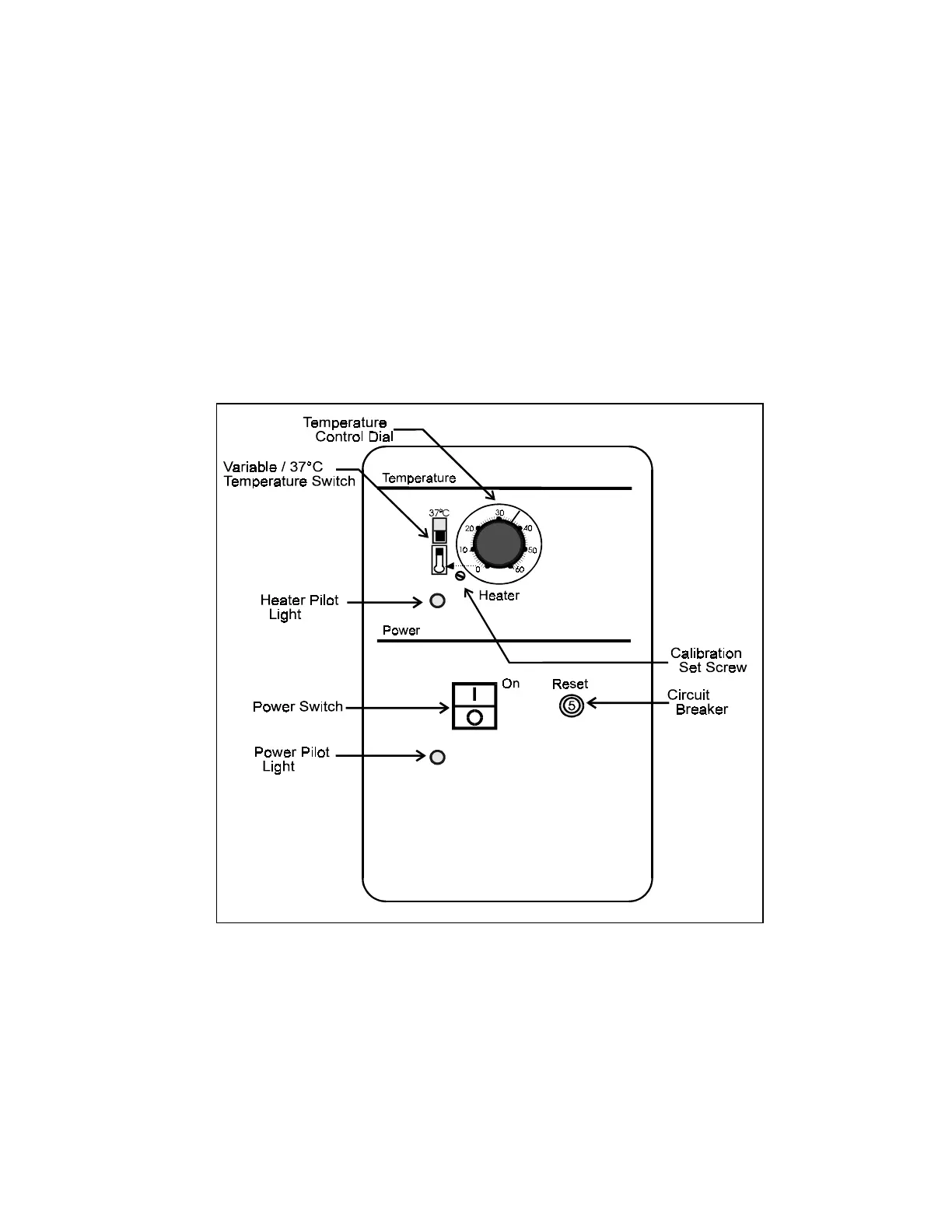
Electric Power and Temperature Control Module
Figure 3-2


 To Next Page