Forma Scientific, Inc.__________________________________________________Operation
4-3
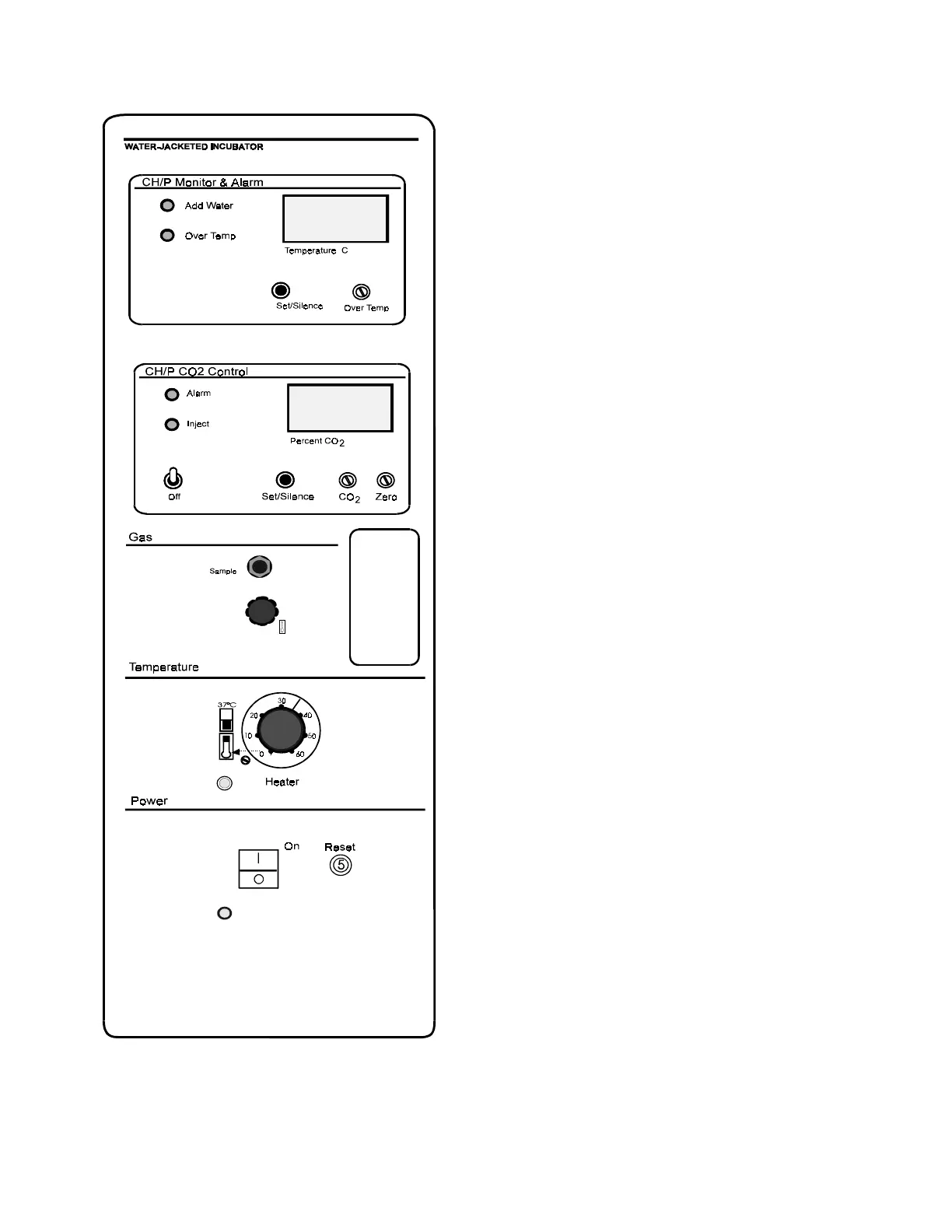
Figure 4-2
Control Panel
4.3 Control Panel (Figure 4-2)
Fill Fitting and Vent Hole
The fill fitting is located on the
center front of the unit, directly
above the door. This fitting is to
facilitate filling of the water jacket
without having to move the unit.
The vent hole, located adjacent
to the fill fitting, above the front
door, allows the air displaced by
water entering the jacket to escape.
It also prevents distortion of the
chamber by allowing air to escape
as the unit expands and contracts
during heating and cooling. Under
no circumstances should the vent be
plugged.
Power Switch and Pilot Light
The main power switch controls
the ON/OFF power to the unit. The
power pilot light is activated when
the power switch is on, and the unit
is receiving power.
Circuit Breaker (Reset)
The 5 amp circuit breaker for the
incubator (labeled Reset) can be
pushed to reset the incubator power
supply within a few seconds after
the breaker has tripped. If it trips a
second time, the unit should be
checked by a qualified electrician.


 To Next Page