EasyManua.ls Logo

Forma Scientific 3158 - User Manual

Forma Scientific 3158
84 pages
Print Icon
To Next Page IconTo Next Page
Loading...
Forma Scientific, Inc.
P.O. Box 649
Marietta, Ohio 45750
Telephone: (740) 373-4763
Telefax: (740) 373-4189
________________________________________
Models:
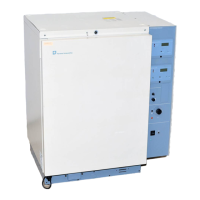
Single Chamber 3158, 3164, 3154, 3166
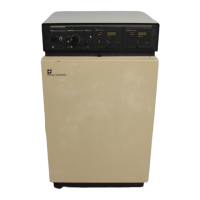
Dual Chamber 3326, 3336, 3354
Water Jacketed Incubator
Manual No. 7063158
Important!
Read this instruction manual.
Failure to read, understand and follow the instructions in this manual may result in
damage to the unit, injury to operating personnel and poor equipment performance.
Caution: All Internal Adjustments And Maintenance Must Be Performed By
Qualified Service Personnel.

Table of Contents

Questions and Answers

  • K
    kenneth33Aug 19, 2025
    What to do if pilot lights are not on and readouts are dark on Forma Scientific 3158 Accessories?
    • M
      Michael SinghAug 19, 2025
      If the pilot lights and readouts are dark on your Forma Scientific Accessories, several issues could be the cause. First, ensure the unit is plugged in and the main power switch is turned on. Also, check if the circuit breaker or outlet overload protection has tripped. Verify that there's voltage at the outlet. Finally, a defective incubator wiring might be the reason.
  • D
    Diana SmithAug 21, 2025
    What to do if CO2 display and FYRITE read 0% CO2 on Forma Scientific 3158 Accessories?
    • J
      Joel JohnsonAug 21, 2025
      If the CO2 display and FYRITE read 0% CO2, the setpoint is OK, the CO2 alarm is activated, and the CO2 inject light is on for your Forma Scientific Accessories, consider the following: there might be a loss of CO2 supply, a defective CO2 solenoid, or a clogged CO2 in-line filter.
  • T
    Tyler JohnsonAug 23, 2025
    Why does the CO2 alarm keep going off on my Forma Scientific 3158?
    • M
      Mary MccarthyAug 23, 2025
      If the CO2 alarm and light are on, and the alarm reactivates after being reset or disabled on your Forma Scientific Accessories, it could be because the CO2 level has deviated more than 1% from the setpoint or the CO2 supply has been interrupted. Other potential causes include a defective CO2 inject circuit, a defective CO2 solenoid, or a defective CO2 sensor fan.
  • M
    Melissa TaylorAug 26, 2025
    What does it mean if CO2 display and FYRITE readings differ on Forma Scientific 3158 Accessories?
    • J
      Jonathan RojasAug 26, 2025
      If the digital CO2 display and FYRITE read more than 1% different from the setpoint, but the CO2 alarm isn't on for your Forma Scientific Accessories, it's possible that the alarm is disabled. Other potential causes include a defective alarm circuit or a defective CO2 sampler or control.
  • D
    Darren EnglishAug 27, 2025
    Why is the CO2 level higher than the setpoint on Forma Scientific 3158 Accessories?
    • J
      Jaime Harris DDSAug 28, 2025
      If the actual CO2 level is higher than the setpoint and readout on your Forma Scientific Accessories, and re-zeroing only provides temporary relief, consider these possibilities: the CO2 sensor may be defective, or the CO2 control may be incorrectly calibrated.
  • S
    smithtinaAug 29, 2025
    What causes a dark CO2 indicator on Forma Scientific 3158?
    • R
      Rachel JonesAug 29, 2025
      If the CO2 system indicator and readout are dark, and there's no control of CO2 in the chamber even when the switch is on for your Forma Scientific Accessories, it could be due to a tripped circuit breaker, a defective switch or wiring, or a defective CO2 module.
  • K
    Kelly McphersonAug 31, 2025
    Why does the CO2 setpoint change by itself on Forma Scientific 3158?
    • S
      Scott BellAug 31, 2025
      If your Forma Scientific Accessories CO2 setpoint changes by itself, it might be due to a faulty CO2 potentiometer or a defective CO2 control.
  • V
    Victor SpenceSep 2, 2025
    Why is my CO2 display showing random numbers on Forma Scientific Accessories?
    • J
      Jon SnyderSep 2, 2025
      If the CO2 display shows a random number or decimal point on your Forma Scientific Accessories, it could be caused by a defective readout board, a defective output to the readout board from the CO2 control, or faulty interconnecting wiring.
  • J
    jamesgrahamSep 4, 2025
    Why does FYRITE read lower than the CO2 setpoint on Forma Scientific 3158 Accessories?
    • J
      james20Sep 5, 2025
      If the CO2 setpoint and display agree, but the FYRITE reads lower on your Forma Scientific Accessories, it could be that the FYRITE hasn't been zeroed, the wool filter in the FYRITE is dry, or the FYRITE fluid needs changing. Additionally, the chamber's absolute humidity might have decreased, the control might be incorrectly zeroed, or the CO2 sensor or control could be defective.
  • T
    Terry GonzalezSep 6, 2025
    What causes CO2 to overshoot the setpoint on Forma Scientific 3158 Accessories?
    • E
      Erin SpencerSep 6, 2025
      If the CO2 overshoots the setpoint badly on your Forma Scientific Accessories, it could be due to an inoperative CO2 sampler blower, a defective CO2 control, CO2 inlet pressure being too high, or the unit being in over temp.

Summary

Product Models

Incubator Model Identification

Lists the available incubator models.

General Safety Notes

Lockout;Tagout Safety Procedures

Details O.S.H.A. regulation 1910-147 for hazardous energy control.

Essential Safety Practices

Lists general safety rules like using PPE and following hygiene.

Routine Maintenance

Decontamination Kit Installation

Instructions for installing a decontamination kit.

Incubator Interior Disinfection

Steps for cleaning and disinfecting the incubator's inner surfaces.

Water Jacket Draining

Procedure for draining water from the incubator's water jacket.

CO2 Filter Replacement

Steps for replacing the CO2 filter.

Specifications

Model Specifications

Lists specifications for different incubator models.

Temperature and CO2 Specifications

Details temperature, alarm, and CO2 control parameters.

Auxiliary Equipment

Auxiliary Equipment List

Lists available optional accessories for the incubator.

FYRITE CO2 Analyzer Kit

Details the kit for checking chamber CO2 levels.

Parts List

Component Parts List

Lists stock numbers and descriptions of incubator parts.

Schematics

Installation and Start-Up

Location and Preliminary Disinfecting

Guidelines for selecting location and initial disinfection.

Component Installation

Installing stoppers, brackets, latches, and duct sheets.

Filling Procedures

Steps for filling water jacket and humidity reservoir.

Gas Supply Connection

Connecting gas supply with or without Gas Guard.

Setting Temperature and CO2

Procedures for setting chamber temperature and CO2 levels.

Over Temp Safety Setting

Instructions for setting the over-temperature safety thermostat.

Operation

Control Panel Overview

Detailed explanation of the incubator's control panel features.

CO2 Module Operation

Operation of the CO2 control system and its components.

Alarm;Monitor Module Operation

Operation of the alarm and temperature monitoring module.

Remote Alarm Relay System

How the incubator's alarms connect to external systems.

Recorder Output

How to connect a recorder for temperature and CO2 data.

General Troubleshooting

Pilot Lights and Readout Issues

Addresses issues with pilot lights and dark readouts when power is on.

CO2 System and Alarm Issues

Covers CO2 indicator, control, and alarm problems.

FYRITE vs. Display Discrepancy

Deals with discrepancies between CO2 display and FYRITE readings.

Persistent Alarm Issues

Addresses alarms sounding periodically or not activating when disabled.

CO2 Control Module Calibration

Minor CO2 Calibration Procedure

Steps for performing minor CO2 calibration with a test instrument.

Complete CO2 Control Calibration Procedure

Conditions and steps for a full CO2 control calibration.

Temperature Control Calibration

37°C Control Calibration

Calibrating the 37°C temperature setting.

Temperature Monitor Calibration

Calibrating the digital display to actual chamber temperature.

Component Replacement

Replacing the CO2 Sensor and Triac

Procedures for replacing the CO2 sensor and triac components.

Replacing Solenoid and Temperature Control

Steps for replacing CO2 solenoid and temperature control unit.

Replacing Pilot Lights and Thermistor

Instructions for replacing pilot lights and thermistor.

Replacing Fuse and Blower Motor

Procedures for replacing the fuse and blower motor assembly.

Forma Scientific 3158 Specifications

General IconGeneral
BrandForma Scientific
Model3158
CategoryAccessories
LanguageEnglish

Related product manuals