3D PRINT - FormLab 2 CHAPTER 2. START UP
2.3 Insert the resin cartridge
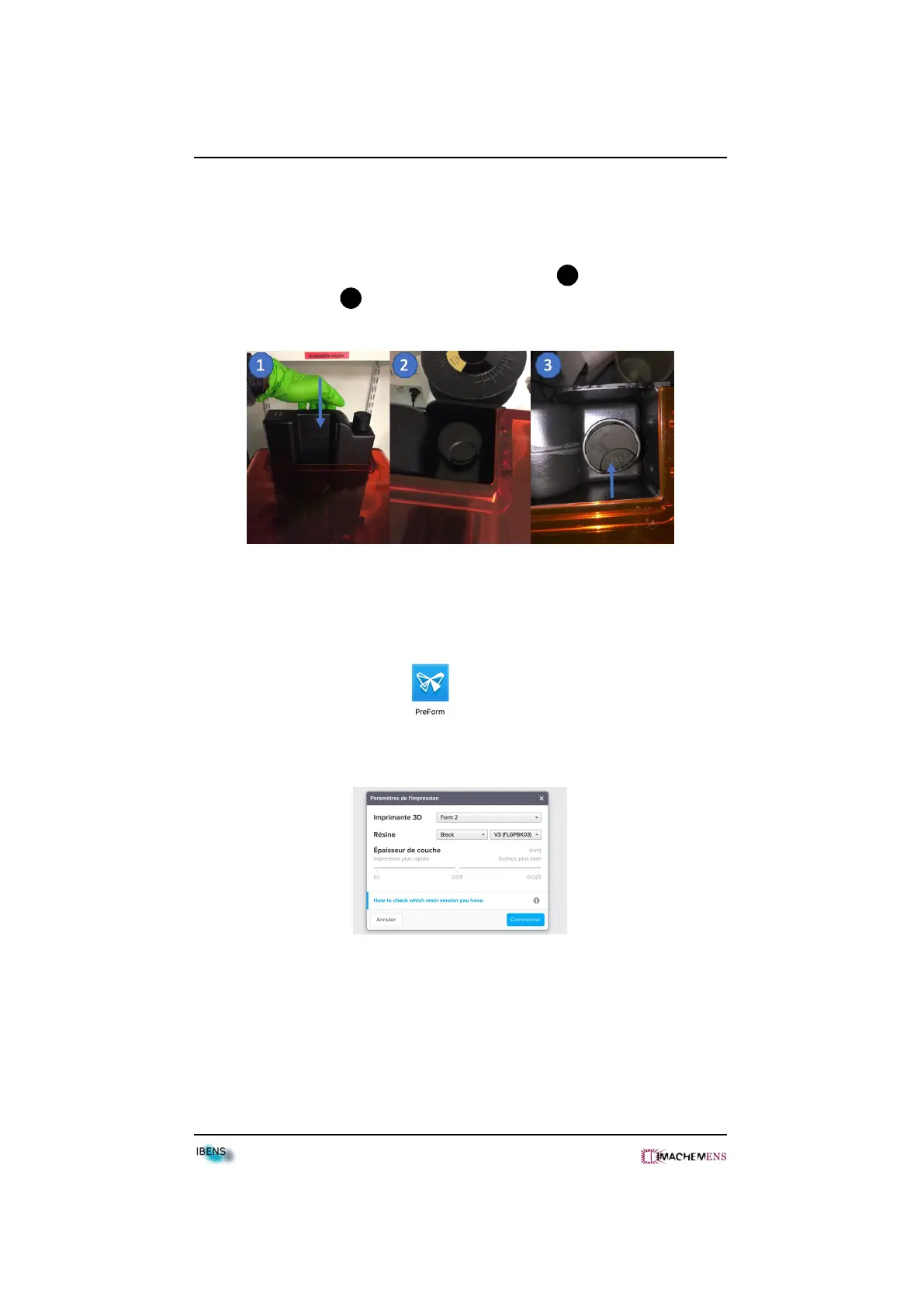
• Shake the cartridge.
• Insert the resin cartridge at the back of the printer 1 .
• Open the resin cap 3 .
2.4 Print
• Download Preform Software .
• Select your print parameter.
•Configure your object (orientation, support...).
10



 To Next Page