3D PRINT - FormLab 2 CHAPTER 1. SET UP
1.3 Remove the resin tank
Be careful: Wear gloves each step.
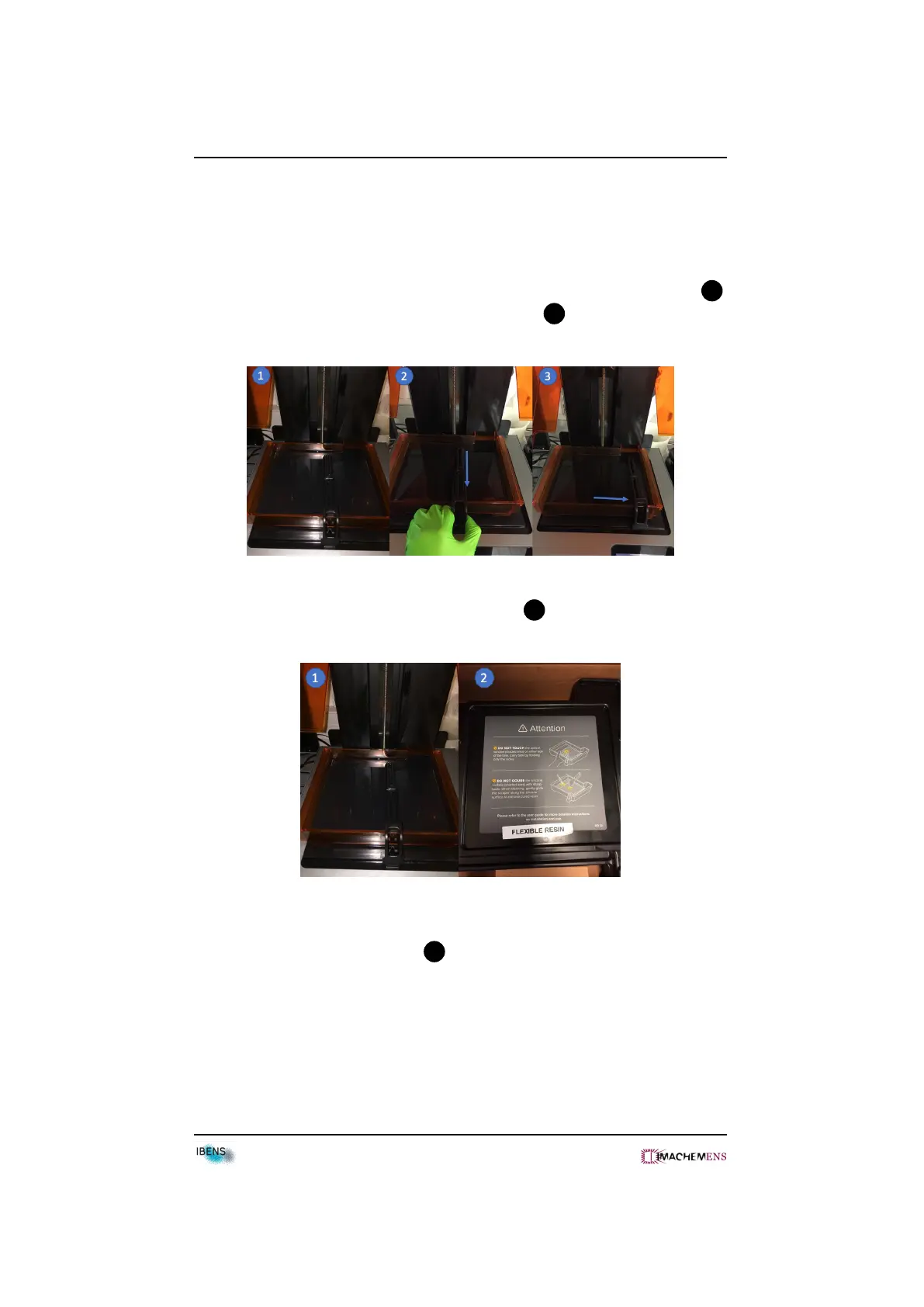
• Pull the wiper towards you and move up the wiper from the wiper mount 2 .
• Put the wiper on the right edge of the resin tank 3 .
• Cover the resin tank with the black plastic lid 2 .
• Remove the resin tank by pulling towards you.
• Put the resin tank into the box 2 .
• Put the resin tank into the cabinet.
5



 To Next Page