Introduction | 13
2.4 Fuse 1 user interface
For detailed guidance and visual assistance, visit support.formlabs.com.
The touchscreen displays print information (print job name, time remaining, layers printed),
settings, and error messages. The touchscreen serves as the user interface for the printer.
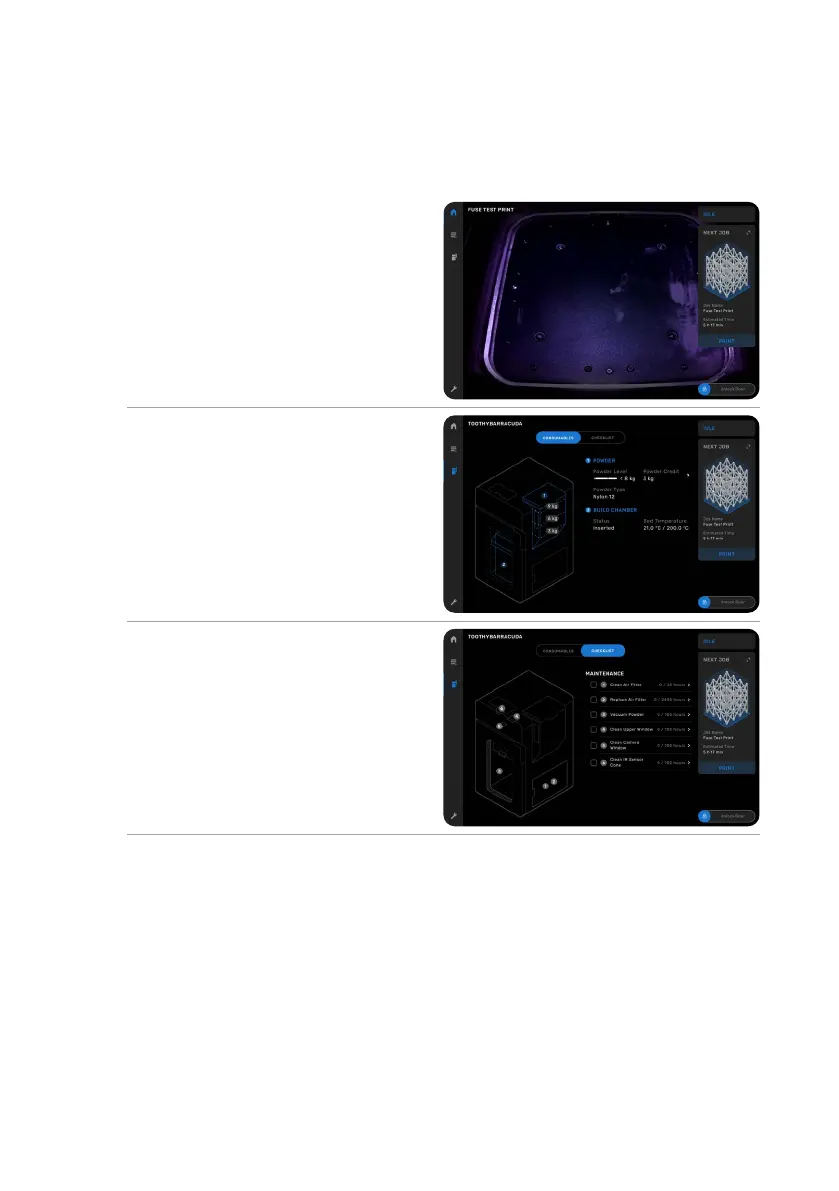
Tap the home icon in the left sidebar to
access the Home screen. A status card on
the right indicates if the Fuse 1 is idle, printing,
or cooling. Below the status card is the Next
Job card, which presents the next print job
in the queue. The slider to unlock the print
enclosure is located in the bottom-right corner
of the touchscreen.
Tap the printer icon in the left sidebar to access
the printer status screen. Readouts of the bed
temperature, hopper level, powder type, and
available credits can be found here.
The Fuse 1 requires periodic maintenance and
notifies users when a procedure is due. Each
procedure is accompanied by written and
visual instructions and organized in a checklist
with due tasks highlighted red. When a task is
completed, the Fuse 1 keeps track of procedure
intervals in the background.



 To Next Page