NT8 User's Guide | Chapter 8: Software Overview
Canvas tab has two different sections: experiment panel and plate view.
● Experiment Panel
● Plate View
The plate graphic represents the plate in use, providing the selected stock/protein
volume information as defined in Rock Maker.
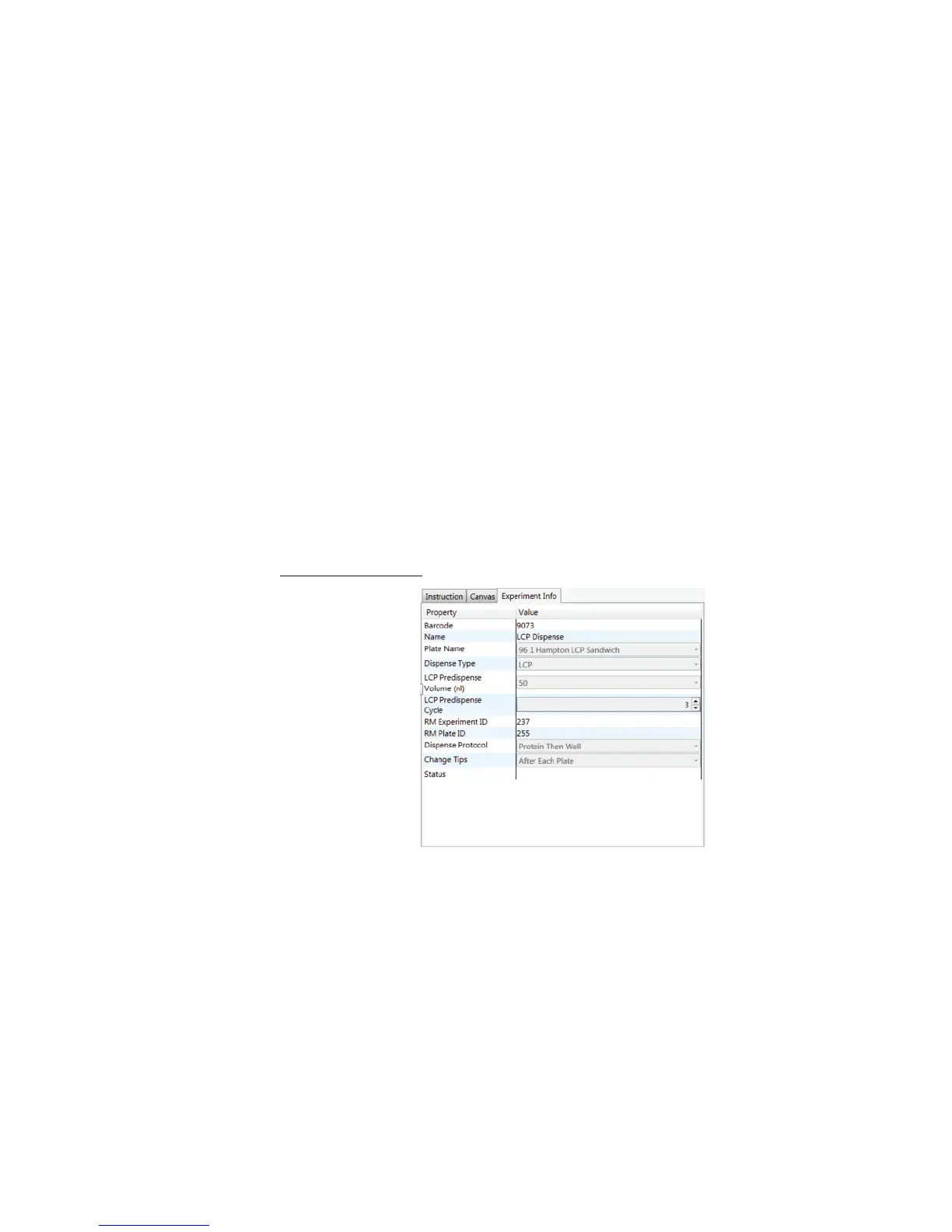
(C) Experiment Info tab
Experiment Info tab shows the detailed information of your experiments, as shown in the
following table.
Item Configurable? Description
Experiment N/A
● Stock Name: The stock name.
● Type: The experiment layer type as defined
in Rock Maker.
● Target: The dispense target as defined in
Rock Maker.
● Liquid Class: Shows you the liquid class of
the protein and well solutions used.
● Status: Tells you the current stock status.
Item Configurable? Description
Barcode N/A The experiment barcode number.
Name N/A The experiment name as defined in Rock Maker.
Plate Name
√
Provides various plate types. You can select the
desired plate type from the Plate Name list.
Dispense Type N/A Displays the dispense type. The dispense type
will change accordingly, depending on the Plate
Name that you choose.



 To Next Page