17
7. Connection Diagrams
7.1 Connect your STB to various systems
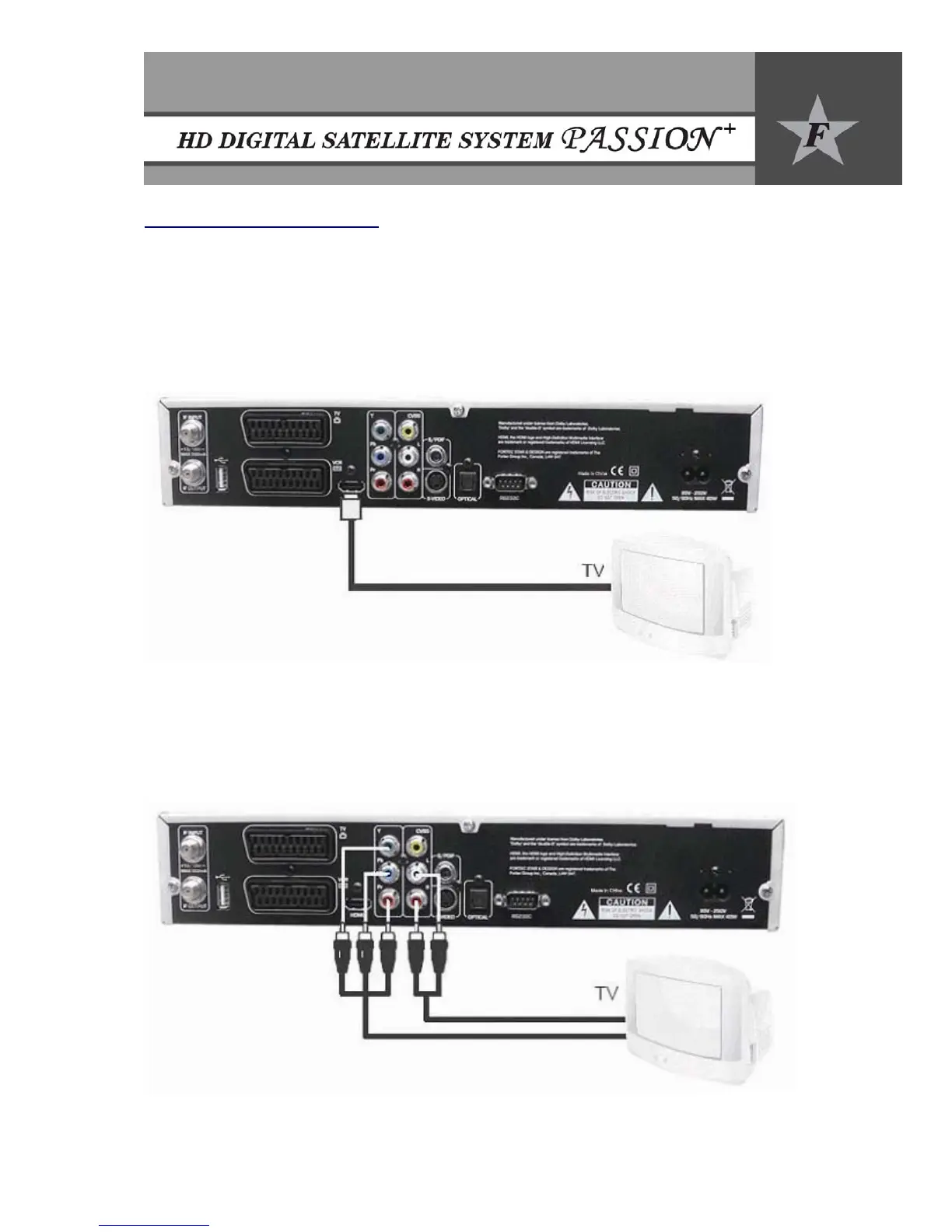
7.1.1 Connect STB to Digital TV Set - HDMI
• Connection to digital TV which can support HD resolution using HDMI port.
• Set STB’s video output mode to 1080i or 720p or 576p or 480p from the menu
• When connecting via HDMI, you do not need to connect audio cables.
7.1.2 Connect STB to Digital TV set - COMPONENT
• Connection to digital TV which can support HD resolution using YPbPr port.
• Component video separates the video into Y (green), Pb (blue), Pr (red) for enhanced video
quality.
• Set STB’s video output mode to 1080i or 720p or 576p or 480p from the menu.


 To Next Page