24
9.3 Default Channel loading
The receiver has the most popular channels already downloaded in the memory (this feature will
vary for the different regions and may not be available for all regions). To load the pre-stored
channels, simply press the GREEN button on the remote control. If your antenna settings don’t
support the satellites for all channels, you can delete the channels from the satellite you are not
using by using the Channel Edit menu (Delete the Channels by Satellite).
9.3.1 Satellite Scan Function
• After completing the Antenna Set up, you can press the yellow button for a quick satellite scan.
All channels from the selected satellite will be scanned (FTA + Scrambled).
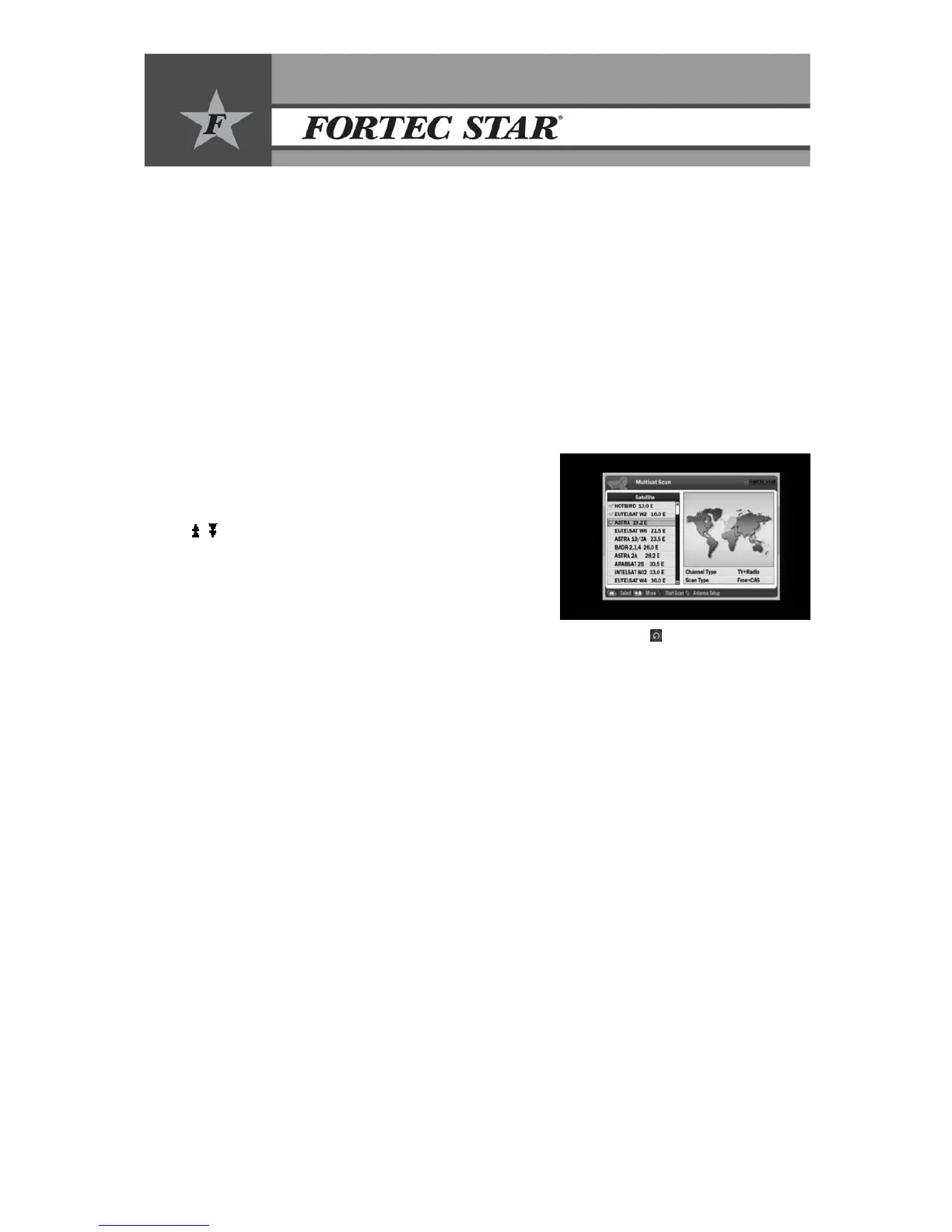
9.3.2 Multi-Satellite Scan Function
• If you would like to scan more than one satellite, after
completing the antenna setup menu, press the BLUE
button to access the Multi-Satellite Scan menu.
• Select the satellite you want to scan by using ▲/▼ &
/ buttons and then press OK button.
• Check mark indicates which satellites have been
selected for scanning.
• Select the type of channels to search (FTA, scrambled,
ALL or Network) by moving to the right with thef
button.
• If you need to go back to the satellite list (left column), press the Back(
) button.
• Press the RED button to start the scan.


 To Next Page