WWW.FOSCAM.COM FI8908/FI8908W User Manual
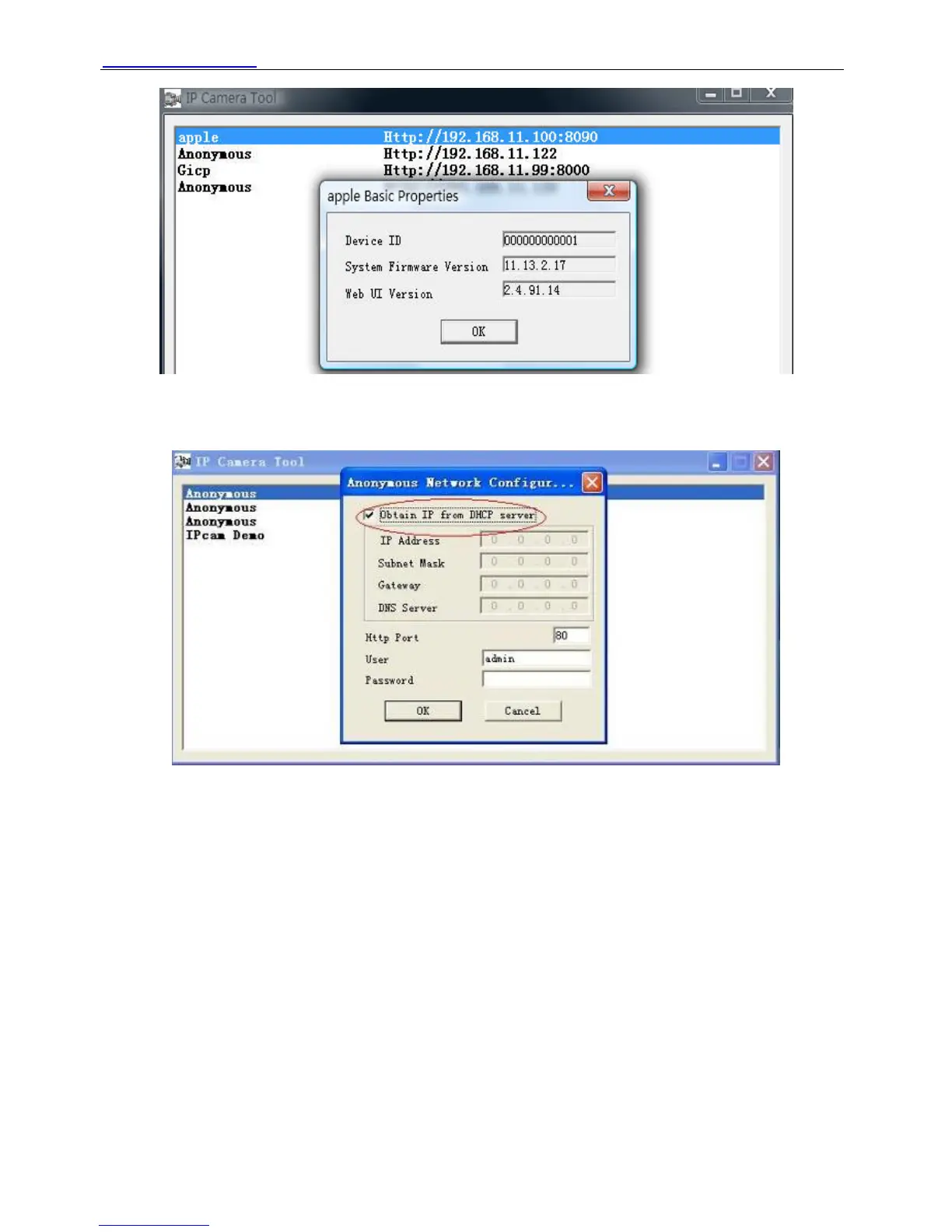
Figure 2.3
z Network Configuration
In this page, you can configure the Network parameters.
Figure 2.4
Obtain IP from DHCP server: If checked, the device will obtain IP from DHCP server. In other
words, the camera will have a dynamic IP. (Make sure the Router which the camera connects
has DHCP function and DHCP is enabled).
ShenZhen Foscam Intelligent Technology Co., Ltd
Tel: 86 755 2674 5668 Fax: 86 755 2674 5168
8



 To Next Page