WWW.FOSCAM.COM FI8908/FI8908W User Manual
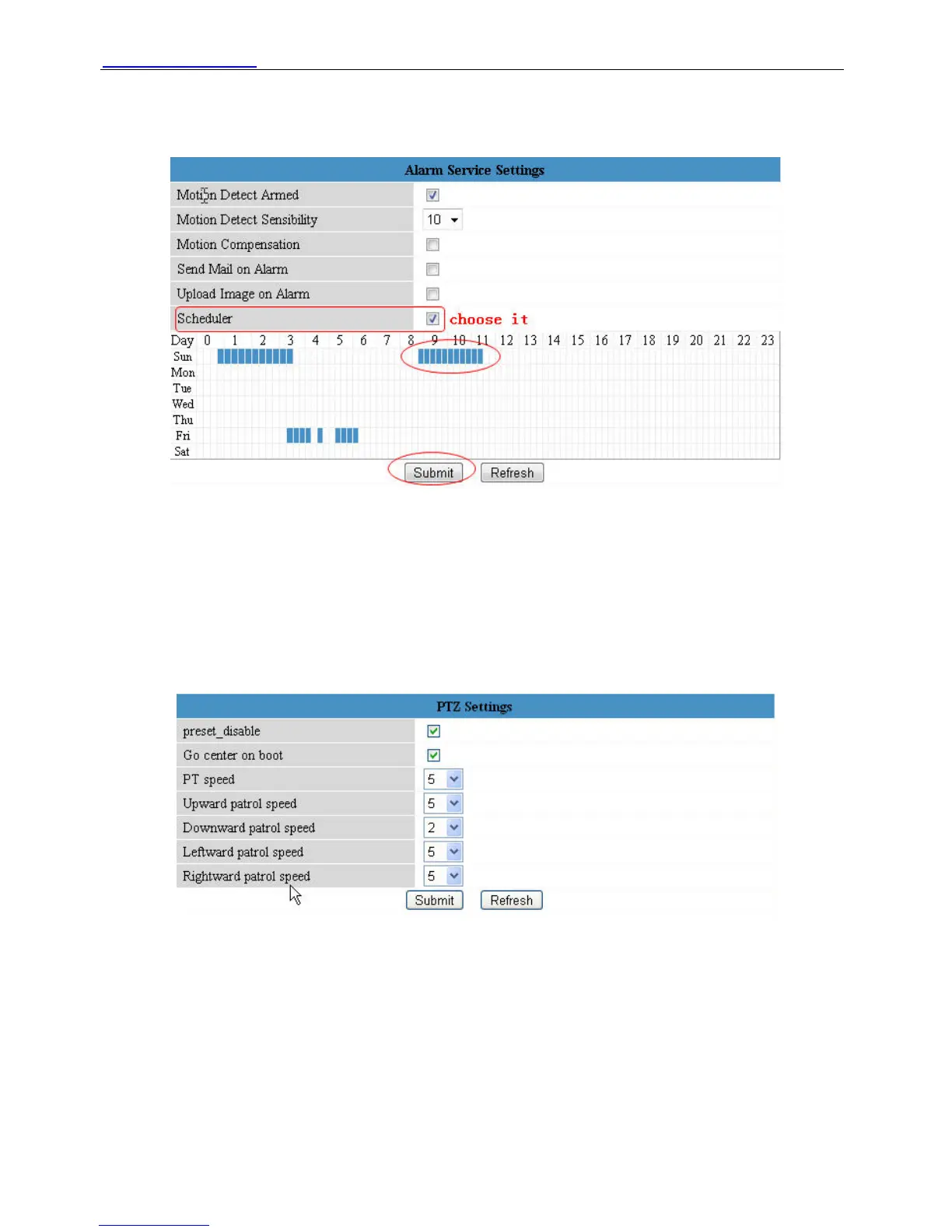
range. (Figure 3.28)
Click left button on the box of time range. It will turn blue. If you want delete it, just click left button
on it again. It will turn to gray.
Figure 3.28
3.13 PTZ Settings
Here you can set pan/tilt speed. Normally, PT speed is 5;The larger setting number, the lower
speed.Preset. Don’t enable the checkbox “disable preset” after you want to use the function of
preset, it will be effective when you reboot device
Figure 3.29
3.14 Upgrade Device Firmware
When you upgrade the camera, please upgrade system firmware first and then upgrade Web UI.
ShenZhen Foscam Intelligent Technology Co., Ltd
Tel: 86 755 2674 5668 Fax: 86 755 2674 5168
33



 To Next Page