WWW.FOSCAM.COM FI8908/FI8908W User Manual
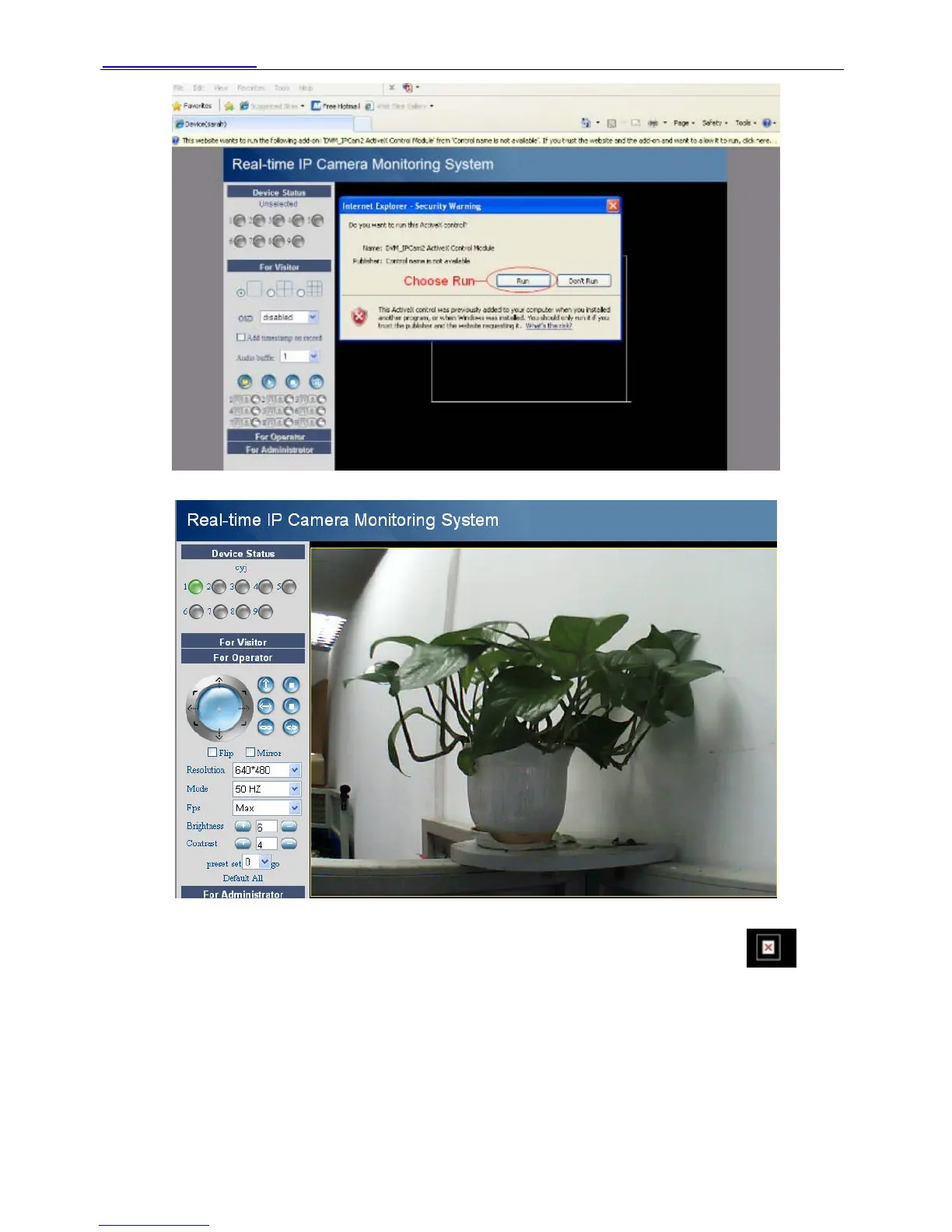
Figure 2.12
Figure 2.13
NOTE: If you could not view living video after run the activeX. Only a red cross in the
center of the video or just a black screen. Please change another port number to try. Don’t use
port 80.Use port 85, 8005 or 8100 to try.
Make sure that firewall or antivirus software on your computer does not block the activeX. If you
could not run the activeX as the way above, please shut down the firewall or antivirus to try
again.
For Firefox, Google chrome, safari or other standard browser.
Fill in user name and choose the second login mode to login.
ShenZhen Foscam Intelligent Technology Co., Ltd
Tel: 86 755 2674 5668 Fax: 86 755 2674 5168
13



 To Next Page