WWW.FOSCAM.COM FI8908/FI8908W User Manual
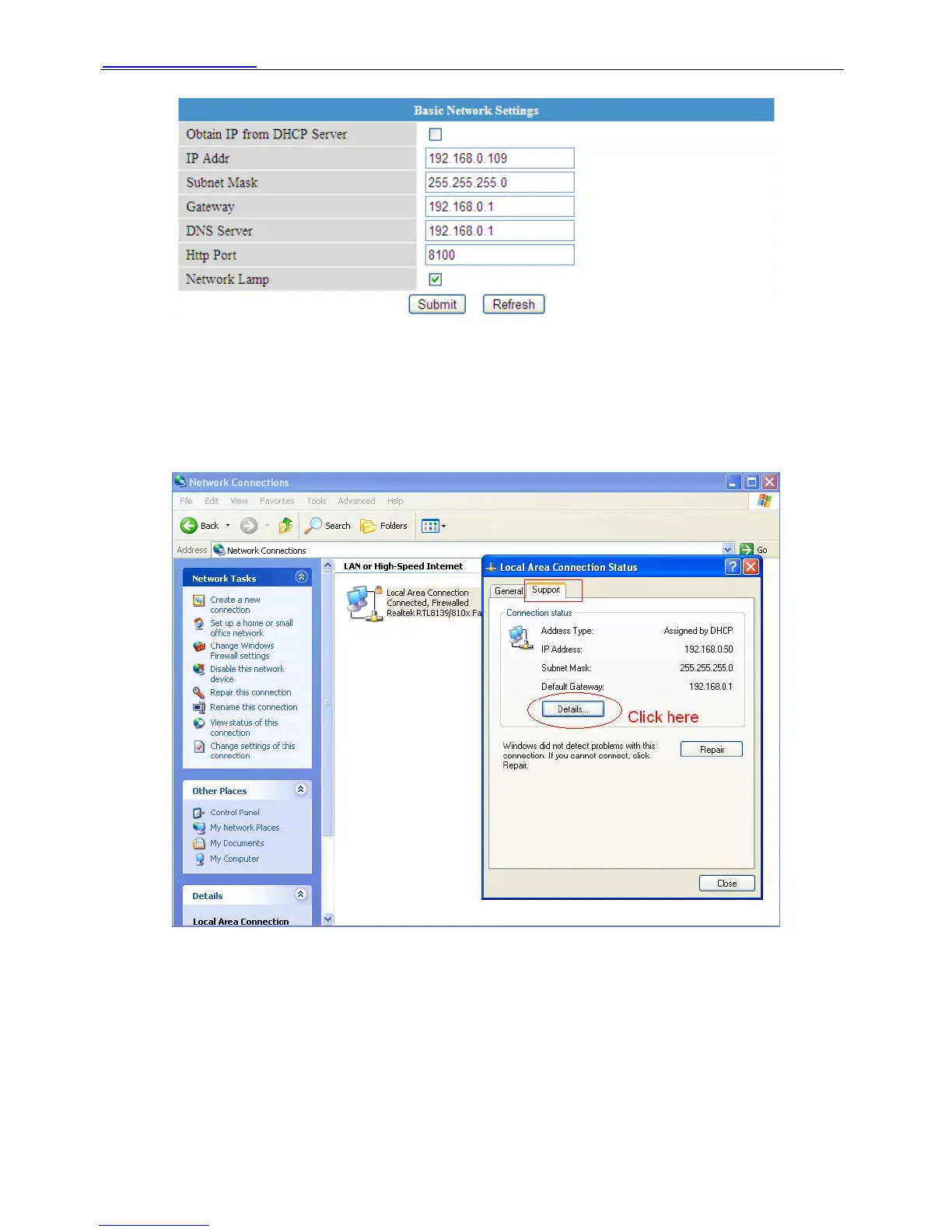
Figure 3.12
It is the same result if set these settings in IP Camera Tool. (Figure 2.5)
If you don’t know subnet mask, gateway and DNS server. You can check your computer’s local
area connection. It contains all the information.
The step is Control PanelÆNetwork ConnectionsÆDbclick Local Area Connections Æ
Choose SupportÆDetails. You will see all the information in it. (Figure 3.14)
Figure 3.13
ShenZhen Foscam Intelligent Technology Co., Ltd
Tel: 86 755 2674 5668 Fax: 86 755 2674 5168
26



 To Next Page