26
w
w
w
w
w
w
w
w
w
w
w
w
w
w
w
w
ww.foscam.
ww.foscam.
ww.foscam.
ww.foscam.
ww.foscam.
ww.foscam.
ww.foscam.
ww.foscam.
us
us
us
us
us
us
us
us
Foscam
Foscam
Foscam
Foscam Digital
Digital
Digital
Digital Technologies
Technologies
Technologies
Technologies LLC
LLC
LLC
LLC
Telephone:
Telephone:
Telephone:
Telephone: 1-800-930-0949
1-800-930-0949
1-800-930-0949
1-800-930-0949
26
26
26
26
3.6
3.6
3.6
3.6
3.6
3.6
3.6
3.6 Basic
Basic
Basic
Basic Network
Network
Network
Network Settings
Settings
Settings
Settings
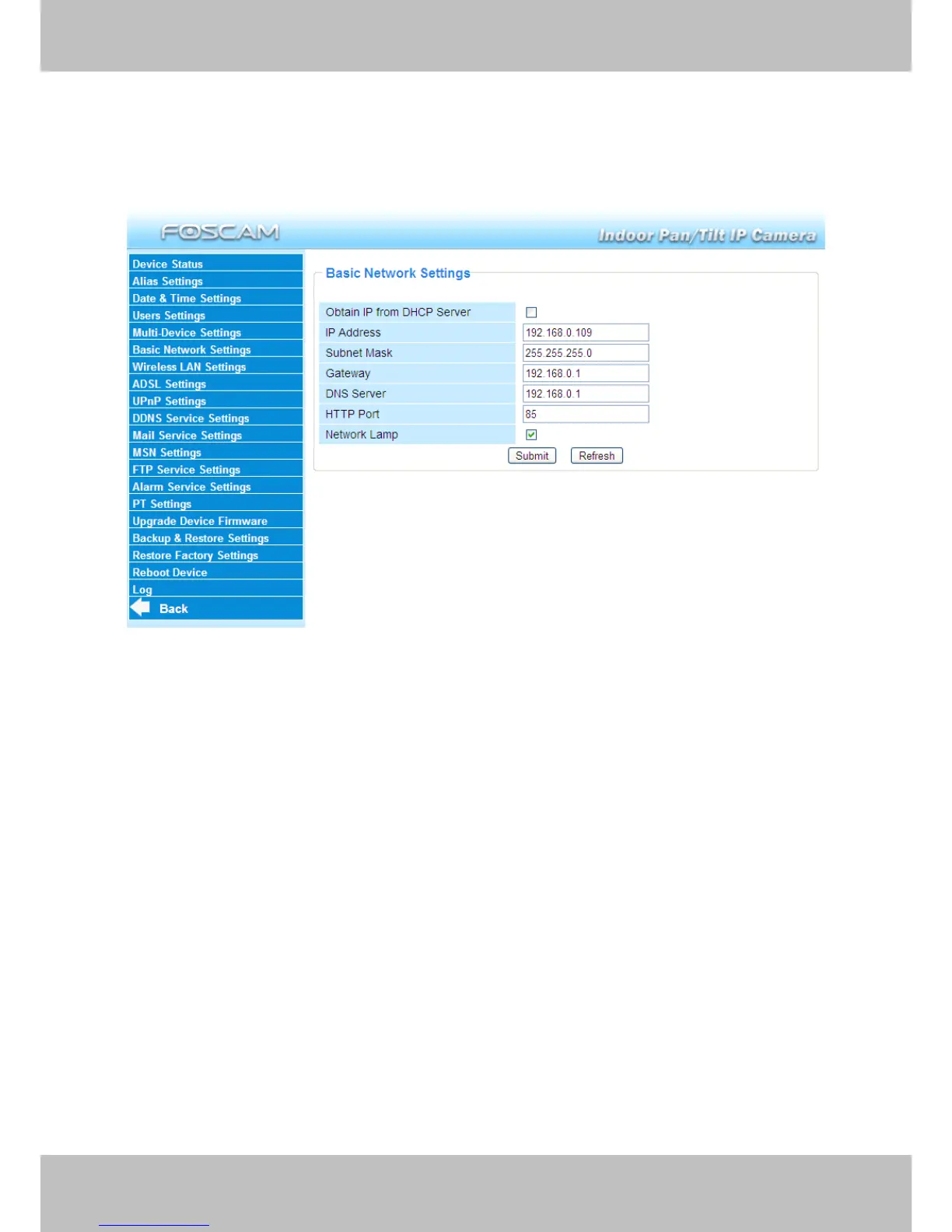
If you want to set a static IP for the camera, select Basic
Basic
Basic
Basic Network
Network
Network
Network Settings
Settings
Settings
Settings . Keep the camera in
the same subnet of your router or computer.
Figure 3.14
Changing settings here is the same as using the IP Camera Tool. (Figure 3.17/3.18)
It is recommended that you use the subnet mask, g ateway and DNS server from your locally
attached PC. If you don ’ t know the subnet mask, g ateway and DNS server, you can check your
computer ’ s local area connection as follows:
Control
Control
Control
Control Panel
Panel
Panel
Panel � Network
Network
Network
Network Connections
Connections
Connections
Connections � Local
Local
Local
Local Area
Area
Area
Area Connections
Connections
Connections
Connections � Choose
Support
Support
Support
Support � Details
Details
Details
Details .



 To Next Page