70
w
w
w
w
w
w
w
w
w
w
w
w
w
w
w
w
ww.foscam.
ww.foscam.
ww.foscam.
ww.foscam.
ww.foscam.
ww.foscam.
ww.foscam.
ww.foscam.
us
us
us
us
us
us
us
us
Foscam
Foscam
Foscam
Foscam Digital
Digital
Digital
Digital Technologies
Technologies
Technologies
Technologies LLC
LLC
LLC
LLC
Telephone:
Telephone:
Telephone:
Telephone: 1-800-930-0949
1-800-930-0949
1-800-930-0949
1-800-930-0949
70
70
70
70
Stream
Stream
Stream
Stream type:
type:
type:
type: It has two types: Main stream and Sub stream. For cell phones, we recommend
you to select Sub stream to get more fluent video.
Step
Step
Step
Step 3:
3:
3:
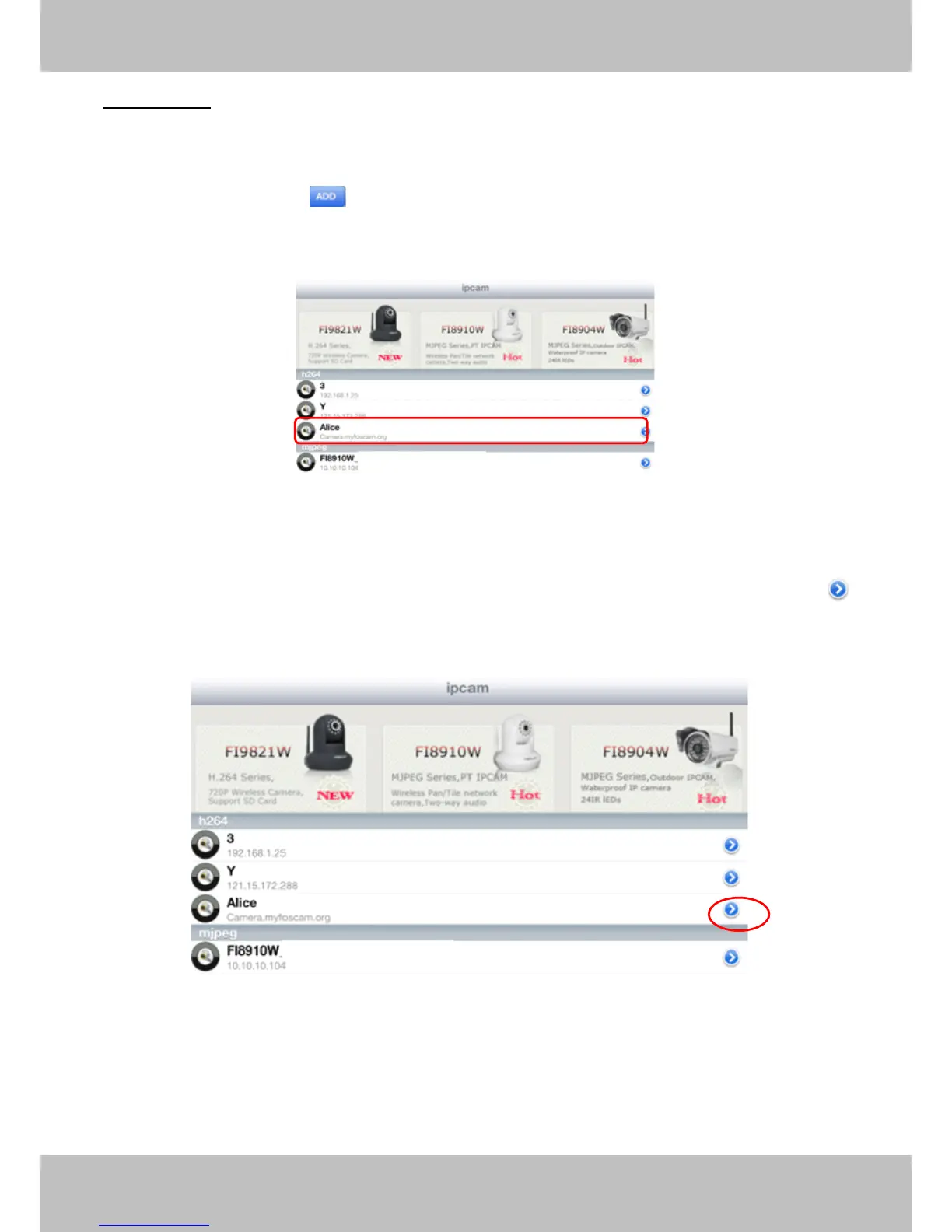
3: Click Add button to add cameras, then you can see the camera name in the “ ip
cam table ” page.
Figure 4.15
Surveillance
Surveillance
Surveillance
Surveillance windows
windows
windows
windows
Back to “ ipcam table ” page and you can see all cameras that have added. There is a icon
after one camera name, click this icon and you can alter the camera ’ s user name, password,
media port and http port.
Figure 4.16



 To Next Page