NVR User Manual
www.foscam.com
Note
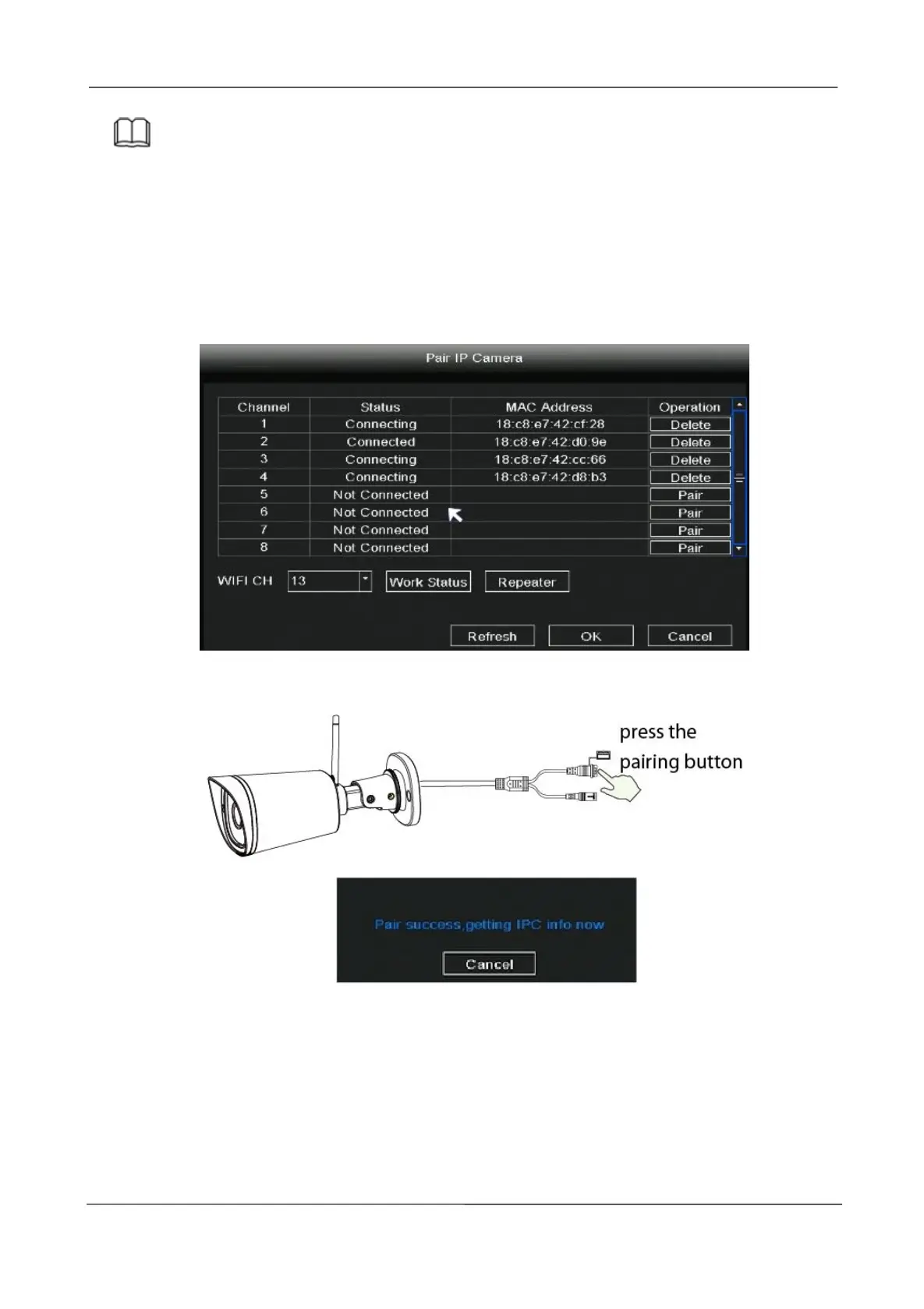
The NVR and IP Camera are already paired. If you need to match more cameras (Only FI9910W),
please refer to the following steps.
Click Pair button and press the Reset button of the camera tail cable at the same time, until it
prompts that the pairing is successful. When finished code matching, The live view interface will
show you the video feed of each IP Camera.
Auto Bridge
By new mesh network auto-bridging function, without any manual setting, wireless camera
in further area will have a judgment about the WIFI signal and auto connect to the camera
which have a better WIFI signal, to achieve more stable and reliable video transmission.
Auto bridging is designed to expand the coverage area of wireless signal, instead of



 To Next Page