NVR User Manual
www.foscam.com
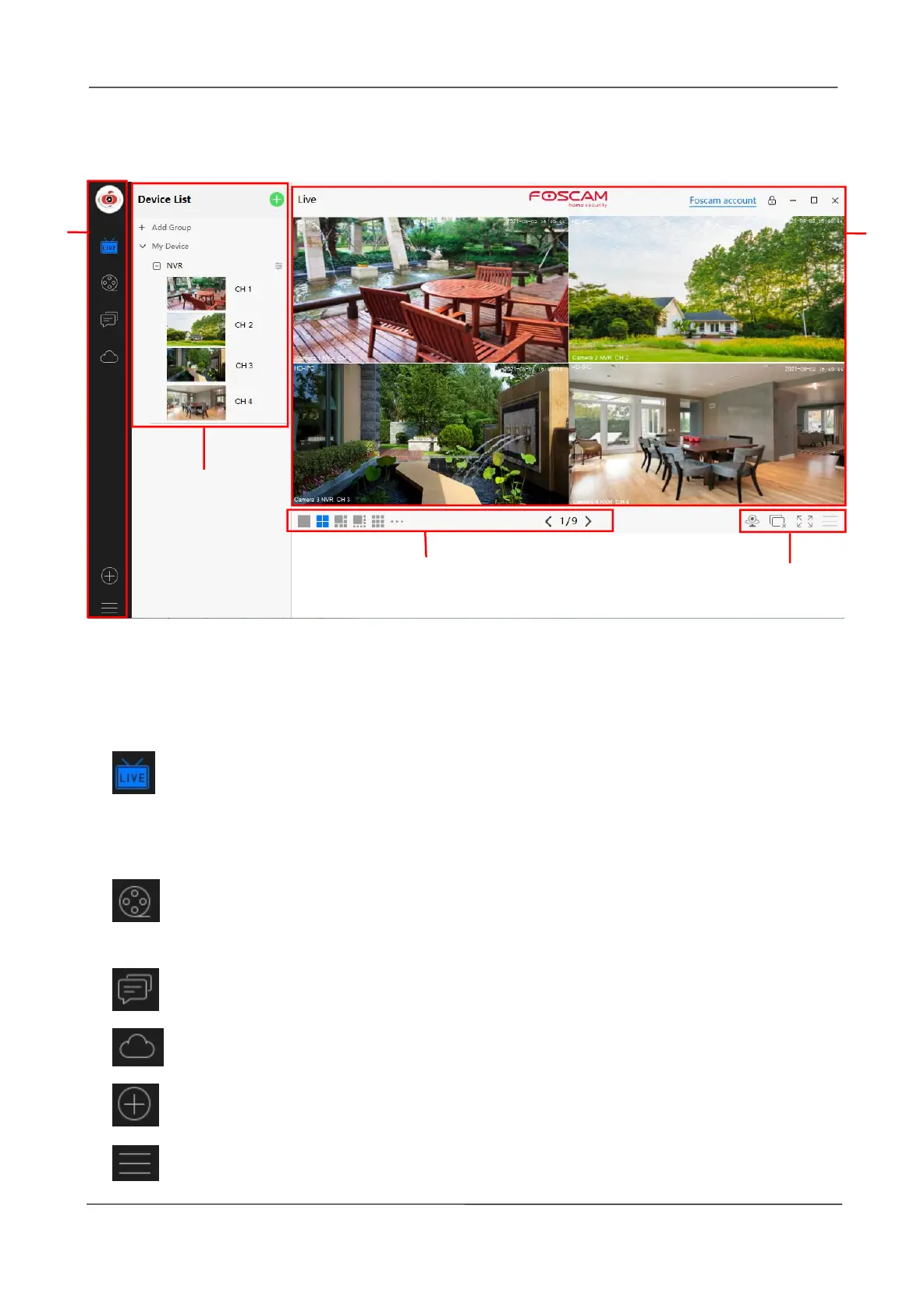
4.4 Surveillance Software GUI
First time you login the software, the whole video window is gray, you need to connect the
NVR and add NVR to it.
Section1 Menu Bar
Path to surveillance window. Click this button enter to Device List and back to the
surveillance
window.
Playback the video recording, you can choose Cloud Playback, SD Card Playback,
NVR HDD Playback or Local Playback.
Login your Foscam cloud account to view alerts.
Login your Foscam cloud account.
Add Device, please refer chapter 4.3 Add Device for the detail setting.
More, You can Setting Personal Account, Preference, My coupon, Log Query, Left



 To Next Page