NVR User Manual
www.foscam.com
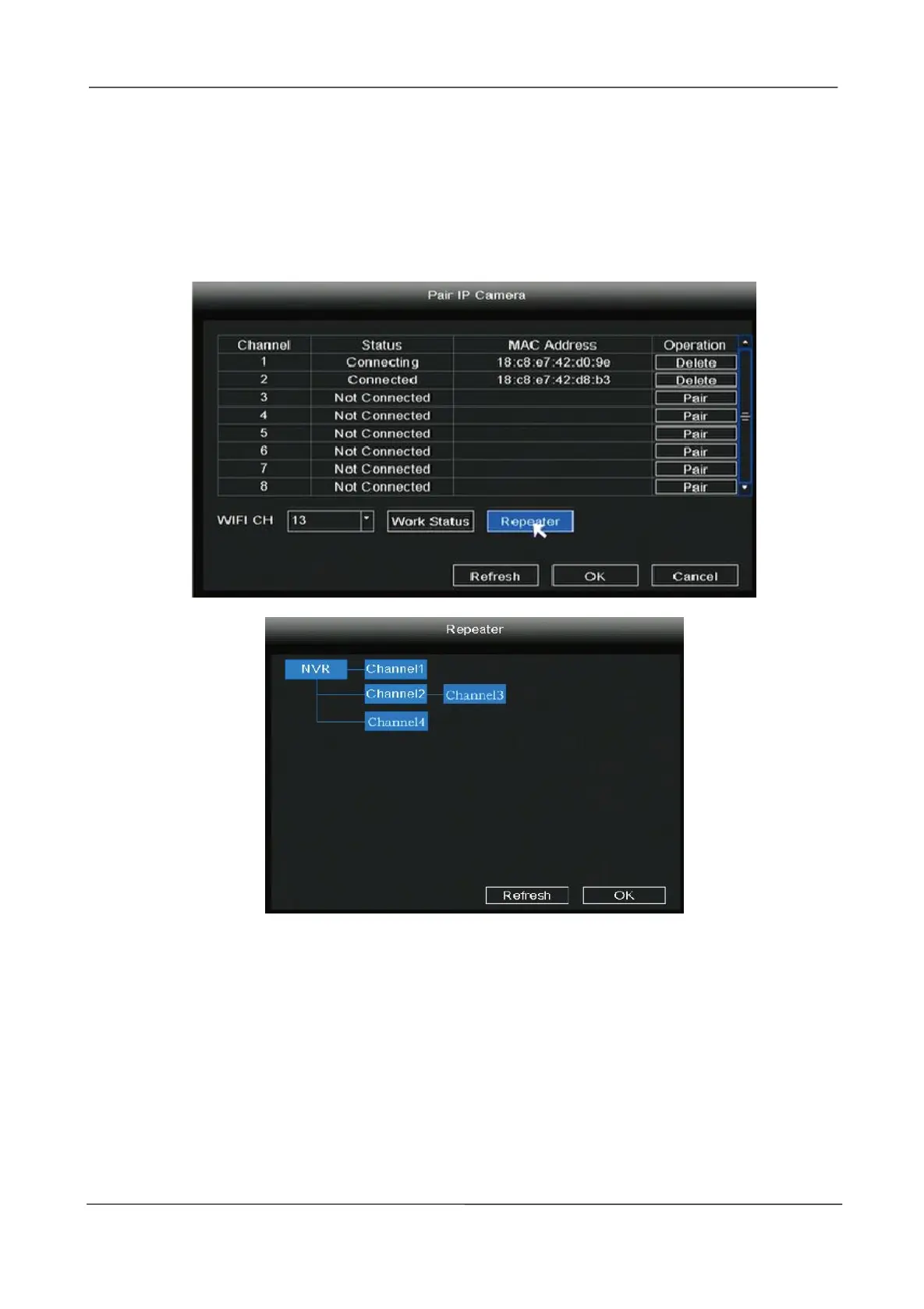
enhancing the signal. When camera is a little far away from NVR, or there are too many
interference factors/sources between them, camera in further area will auto
bridge/connect to the one nearby to transmit the video data.
Right-click in live view mode to enter the Pair IP Camera interface, click Repeater button.Then,
bridging relationship will be showed on the interface automatically.
2.4.2 Main Menu
Right-click in live view mode and select Main Menu to enter the Main Menu interface, it
includes Configuration, Display, Record, Backup, Network, HDD, User, Event, Restore, Upgrade,
IPC Config, please refer to 2.5 Main Menu.



 To Next Page