NVR User Manual
www.foscam.com
Note
If target file can not be searched out, please click Empty →Add. Please remove the files which is no
need before backup. Ensure insert device (like USB) in 30 second, as system reserved searching
time for it is 30 second.
2.5.5 Network
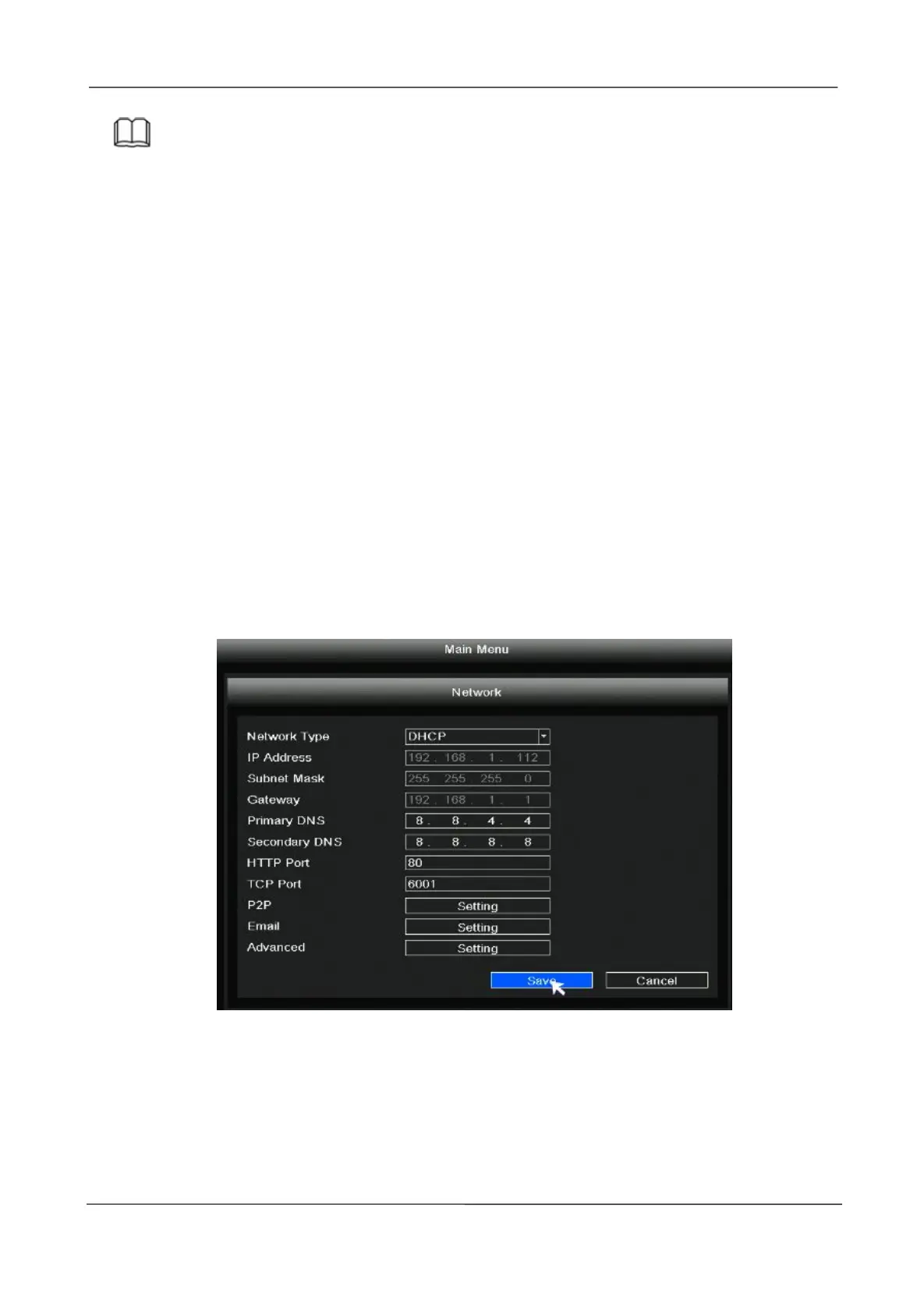
Right-click in live view mode and select “Main Menu > Network” in the Main Menu interface. The
Network interface is displayed.
There are two ways for NVR to connect to Internet.
DHCP: Select DHCP from the Network Type, the device will connect to Internet automatically,
no need data setting.
Manual setting: Select STATIC from the Network Type, fill in IP address, DNS data, and so on,
click Save button.
If user doesn’t familiar about the network environment, please prefer use DHCP first.
2.5.6 HDD
Right-click in live view mode and select “Main Menu > HDD” in the Main Menu interface. The HDD
interface is displayed.



 To Next Page