NVR User Manual
www.foscam.com
Bar and Switch Account.
Section2 Left Bar
Add Group: Click the button, you can group the device list according to
your needs.
Left Bar of Live: You can view the list of connected NVR.
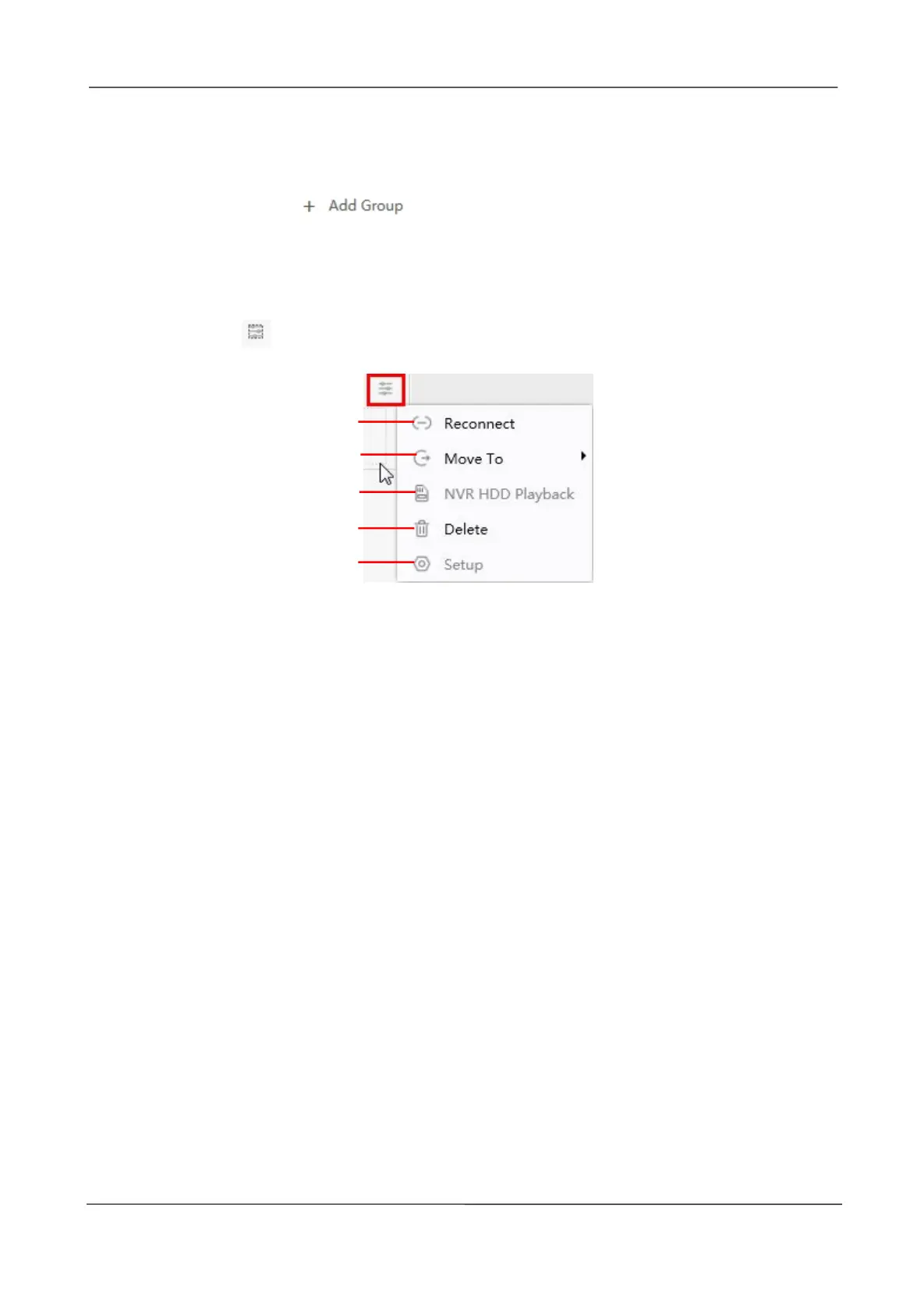
Select the icon on the right side of the NVR list to do the following.
1-----Reconnect
Click Reconnect button and the device will reconnect.
2----- Move To
Click this button, you can move the device to your group list.
3-----NVR HDD Playback
If you have an HDD on your device, click this button to enter the NVR HDD Playback.
You can query the recording information of the hard disk by channel, record type, and date
of record.



 To Next Page