NVR User Manual
www.foscam.com
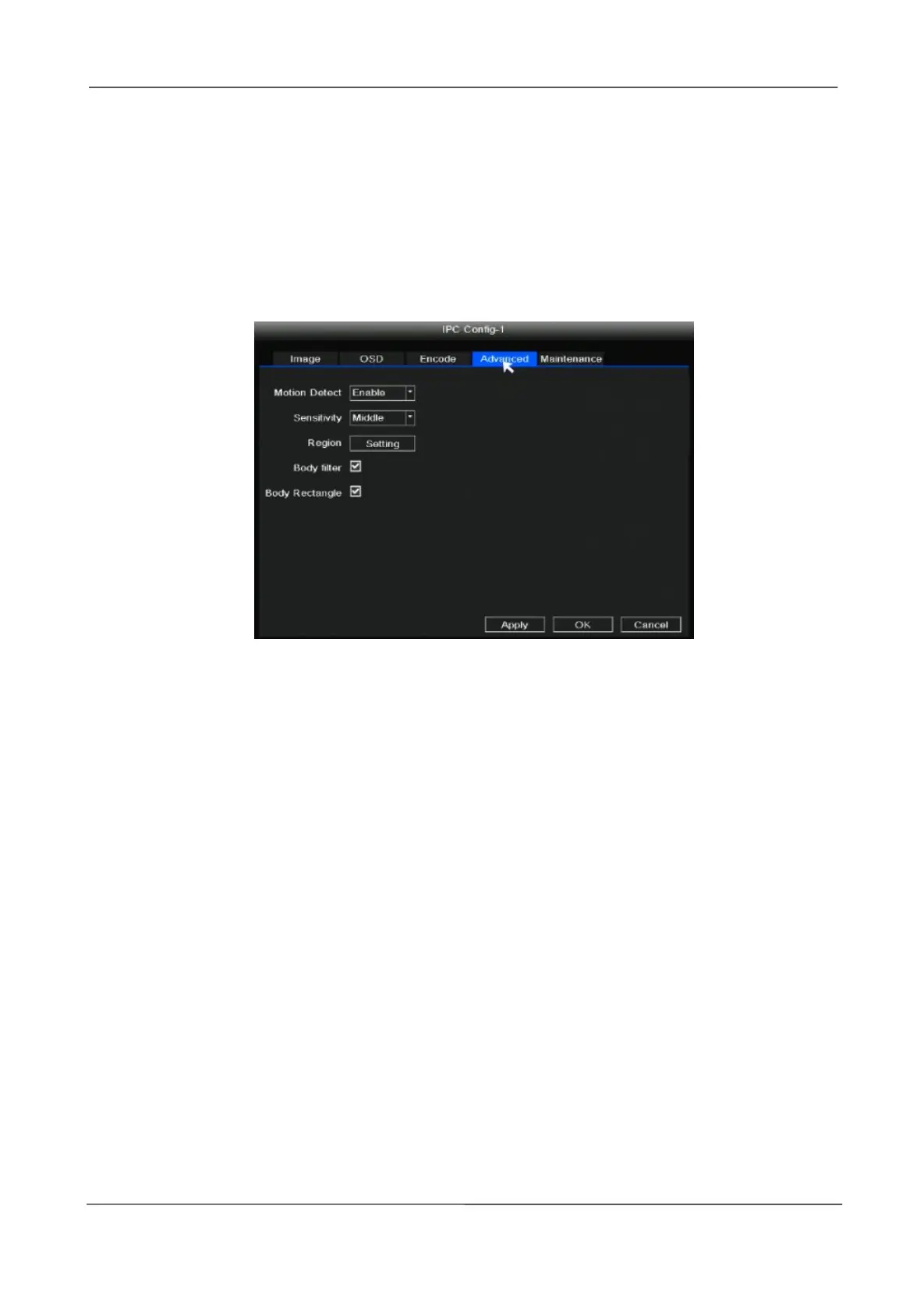
Step 1: Choose Advanced to set the Motion Detection Record for the IPC.
Step 2: Right-click in live view mode and select “Main Menu > IPC Config > Advanced”.
Step 3: Choose Enable from the Motion Detect.
Step 4: Set Sensitivity, Region, Body Filter, Body Rectangle.
Step 5: Click Apply button.
Maintenance
Choose Maintenance to set up the upgrade information for the IPC.
Step 1: Download the firmware to the USB flash drive.
Step 2: Insert USB flash drive to NVR USB port.
Step 3: Right-click in live view mode and select “Main Menu > IPC Config > Maintenance”.
Step 4: Click Refresh button.
Step 5: Choose the channel to update this camera or click Select All to upgrade your all
cameras.
Step 6: Click Refresh button.



 To Next Page