NVR User Manual
www.foscam.com
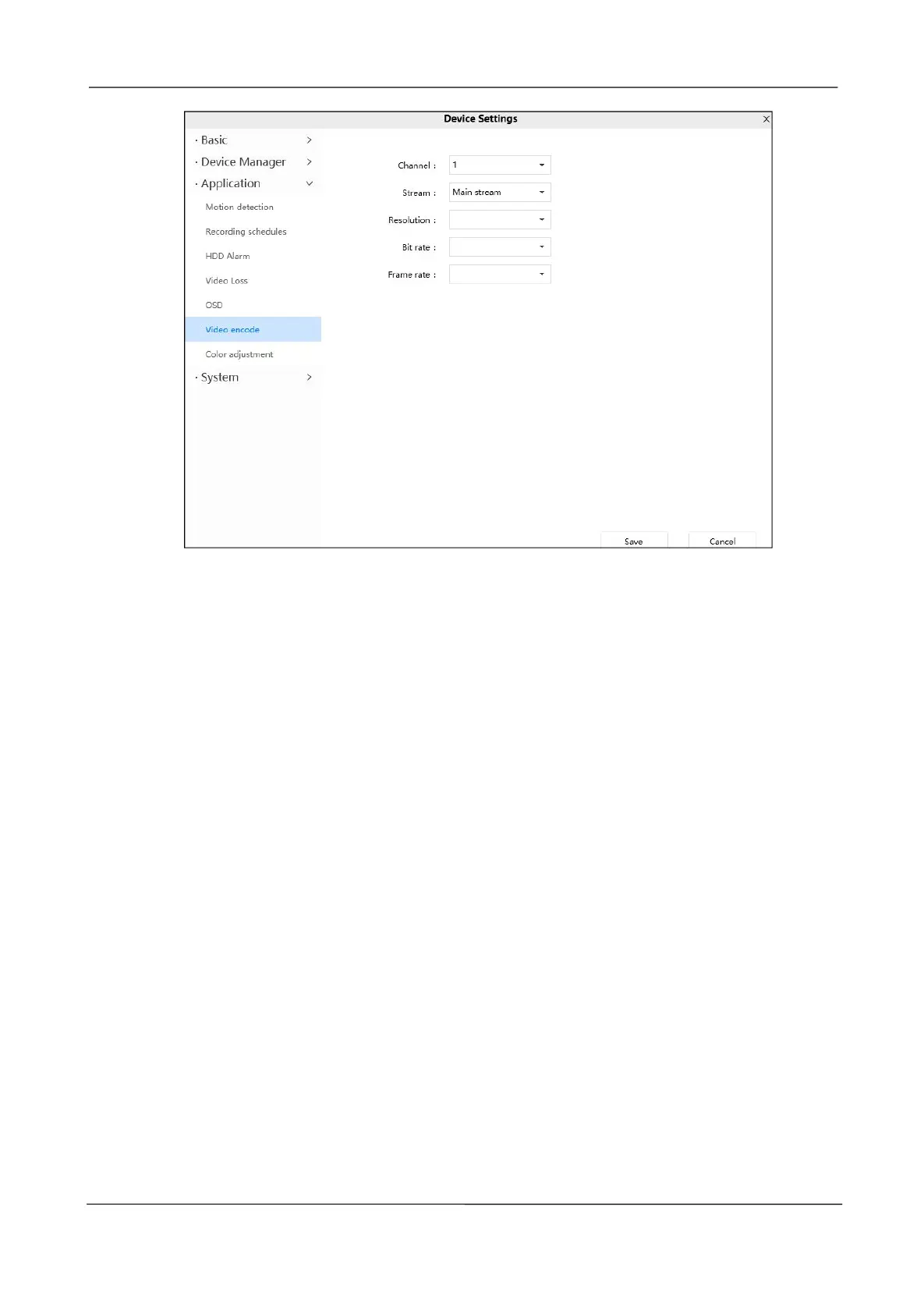
Channel: Select the channel.
Stream: There are two types to identify different streams you have set.
Resolution: The camera supports multiple types in the channel, For example: 2K,3M,1080P, 720P,
VGA. The higher the resolution is, the clearer video will become. But the code flux will become larger
too, and it will take up more bandwidth. (Different models support different specific types. )
Bit Rate: Generally speaking, the larger the bit rate is, the clearer video will become. But the bit rate
configuration should combine well with the network bandwidth. When the bandwidth is very narrow, and
bit rate is large, that will lead to video can not play well.
Frame Rate: Note that a larger frame size takes up more bandwidth. When the video format is 50Hz,
the maximum frame rate is 25 fps. When the video format is 60Hz, the maximum frame rate is 30 fps.
You should lower frame rate when the bandwidth is limited. Normally, when the frame rate above 15,
you can achieve fluently video.
Click Save button to take effect.
Color adjustment
You can adjust the settings to your liking.



 To Next Page