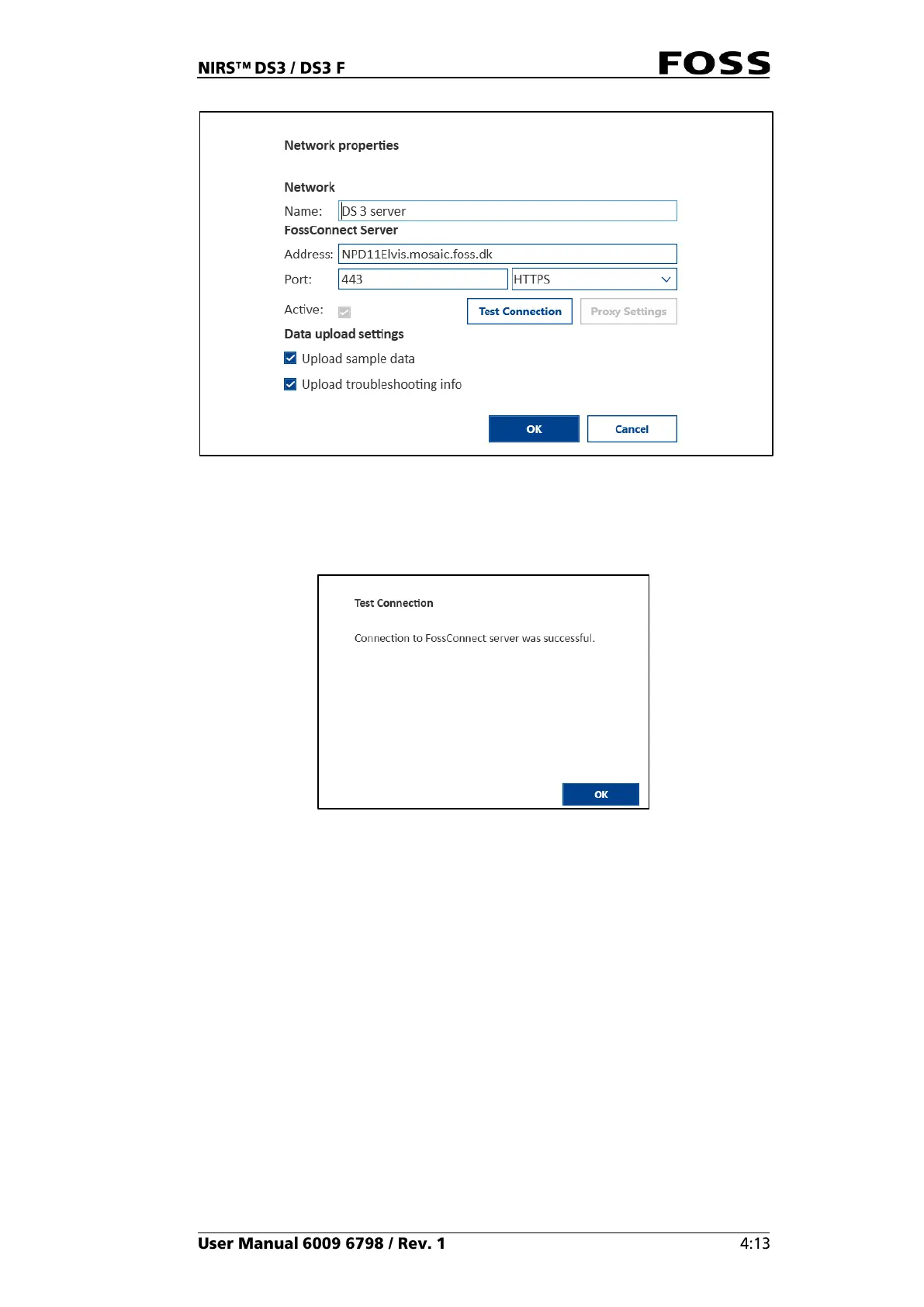
Fig. 53
If the correct address and port number is entered and the internet connection is
OK, the following message is displayed:
Fig. 54
4. Click OK to close it.
5. Click OK once again to save the FossConnect connection.
If an incorrect address or port number is entered or the internet connection does not
allow the instrument to contact the server, an error message will appear.



 To Next Page