10
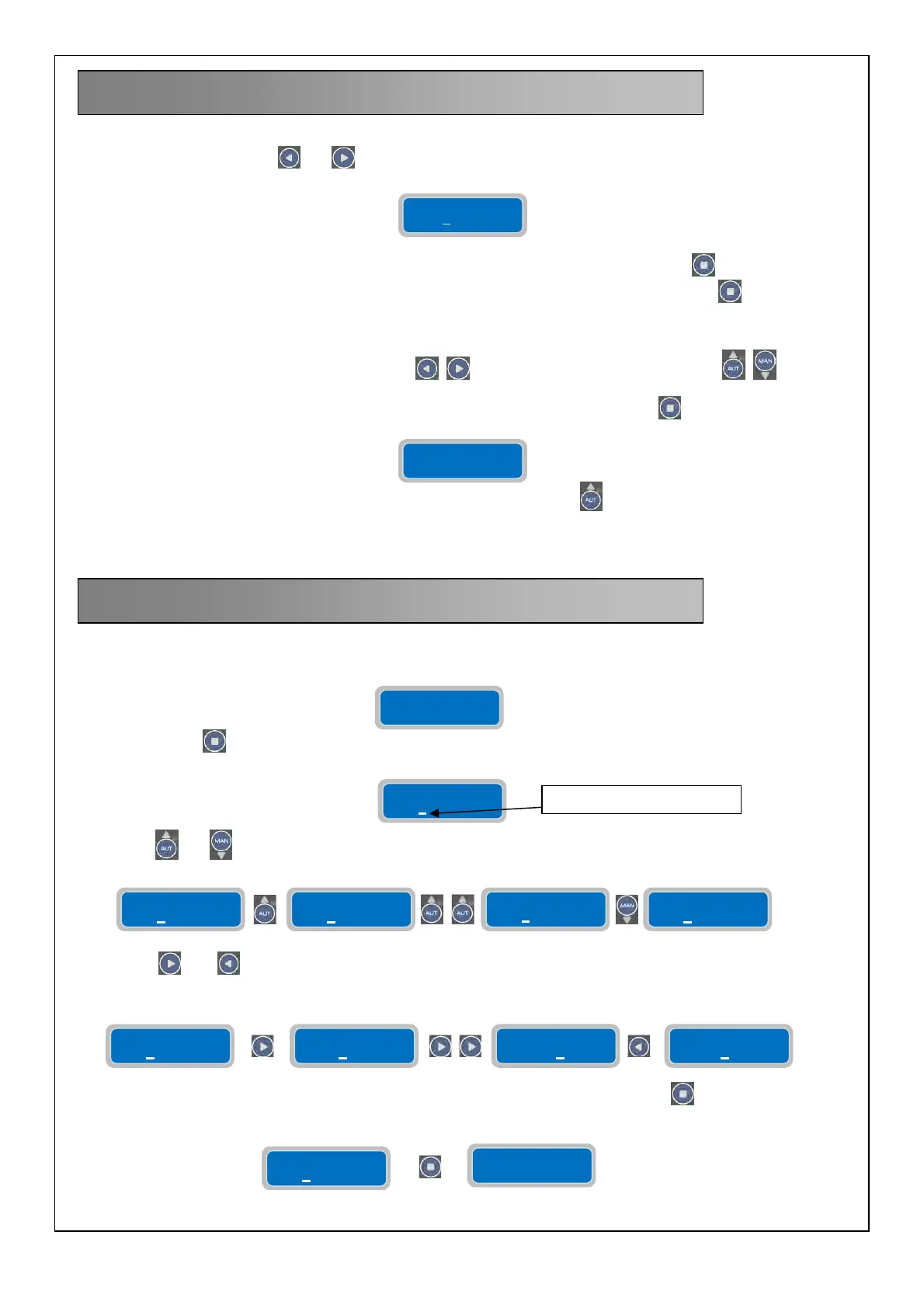
To modify the parameter settings of operation the user will need to enter the programming mode, then you must pressing
simultaneously the two buttons
and until the display shows the following password screen:
To continue the correct password is required (the default password is 0000) and press the button
.
To enter a new password you need to change the parameter "Password Setting" and press the button .
NOTE: When you enter the programming mode the pumps stop.
To navigate the menus horizontally using the buttons
, between the vertical parameters keys .
To exit the programming menu you need to display the following horizontal menu and press
.
To quickly return to the main horizontal menu, just press repeatedly the button
.
NOTE: The exit from the programming menu without saving happens automatically if you do not press any
button for 1 minute.
To modify a parameter the user needs to enter “programming mode” (explained in details in the next chapter) and then
select the desired parameter to be modified:
Pressing the button
will select the digit for modification with a flashing cursor:
The buttons
and will increase or decrease the value of the parameter;
the buttons
and will move the cursor to the appropriate digits to allow their settings to be changed (the flashing
cursor moves to the digit):
Once the specific parameter is set to the desired value it can be saved by pressing the button
. Once the parameter is
saved, the display will show briefly the message “save” as confirmation that the setting has been saved.
8. GENERAL OPERATION
9. PARAMETER SETTING
Password
0000
Press Enter to
Set-up Exit
Parameter
XXXXXX
Parameter
XXXXXX
FLASHING CURSOR
Parameter
XXXXXX
Parameter
XXXXXX
Parameter
XXXXXX
Parameter
XXXXXX
Parameter
000000
Parameter
100000
Parameter
300000
Parameter
200000
Parameter
XXXXXX
save



 To Next Page