3
14
Enter BIOS Setup
The BIOS is the communication bridge between hardware and software, correctly setting up the
BIOS parameters is critical to maintain optimal system performance. Power on the computer,
when the message "Press <Del> to enter Setup, <Esc> to boot menu" appears at the bottom
of the screen, you can press <DEL> key to enter Setup.
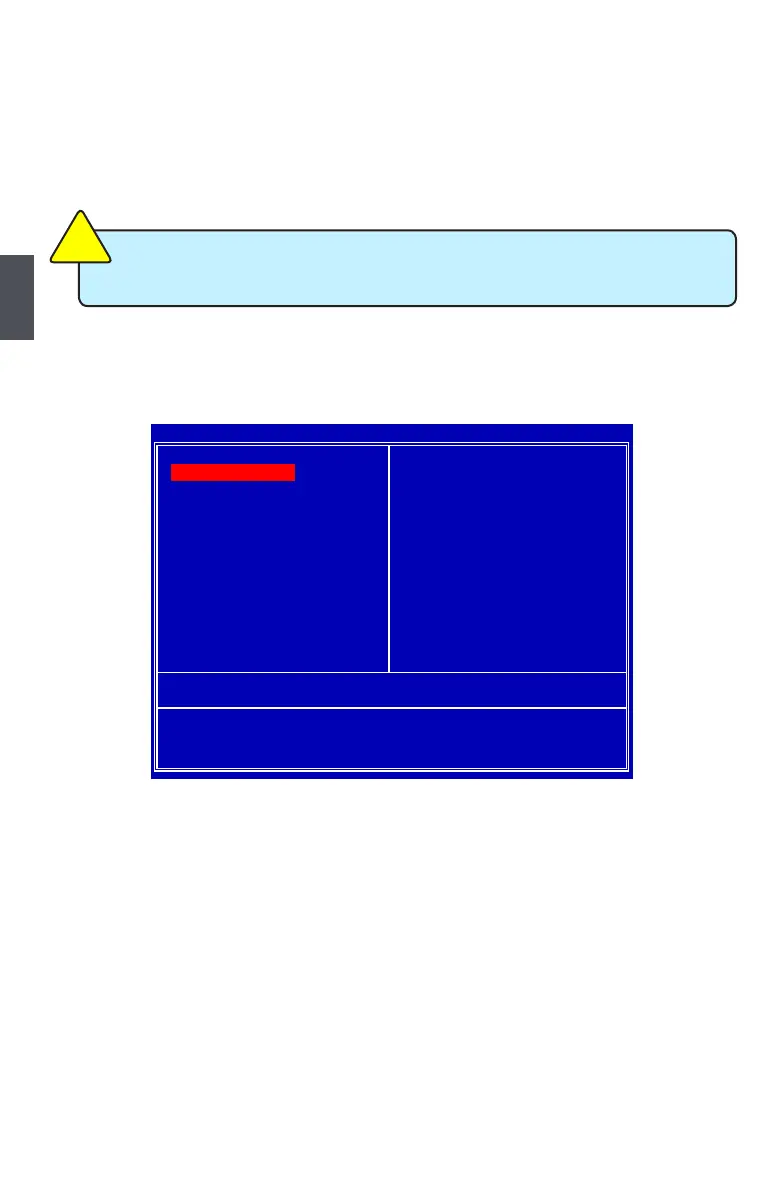
Main Menu
The main menu allows you to select from a list of setup functions together with two exit choices.
Each item in the main menu is explained below:
plus system date, time and Floppy drive. They all can be viewed or set up through this menu.
The advanced system features can be set up through this menu. There are boot up settings.
Some special proprietary features can be set up through this menu.
The values for the chipset can be changed through this menu, and the system performance
can be optimized.
All onboard peripherals can be set up through this menu. There are Super I/O devices such as
Serial I/O and other USB devices... etc.
CMOS Setup Utility - Copyright (C) 1985-2008, American Megatrends, Inc.
Load Optimal Defaults
Exit Without Saving
F1:General Help
F9:Optimized Defaults
Configure Time and Date. Display System Information...Configure Time and Date. Display System Information...
v02.61 (c) Copyright 1985-2008, American Megatrends, Inc.
We do not suggest that you change the default values in the BIOS Setup, and we
shall not be responsible for any damage which resulted from the change you made.
C
A
U
T
I
O
N
!












 To Next Page