21
3
Smart BIOS
Smart Power LED is a feature built on your motherboard to indicate different states during
Power-On Self-Test (POST). The LED is located at the front panel, and it displays POST state
by different long-short blinking intervals. You can always leave this state enabled.
prevents user without password trying to get into your computer through smart boot menu.
This item displays the current CPU speed.
This item displays the current Front Side Bus clock.
This item displays the current CPU Ratio.
This item displays the current DRAM Speed.
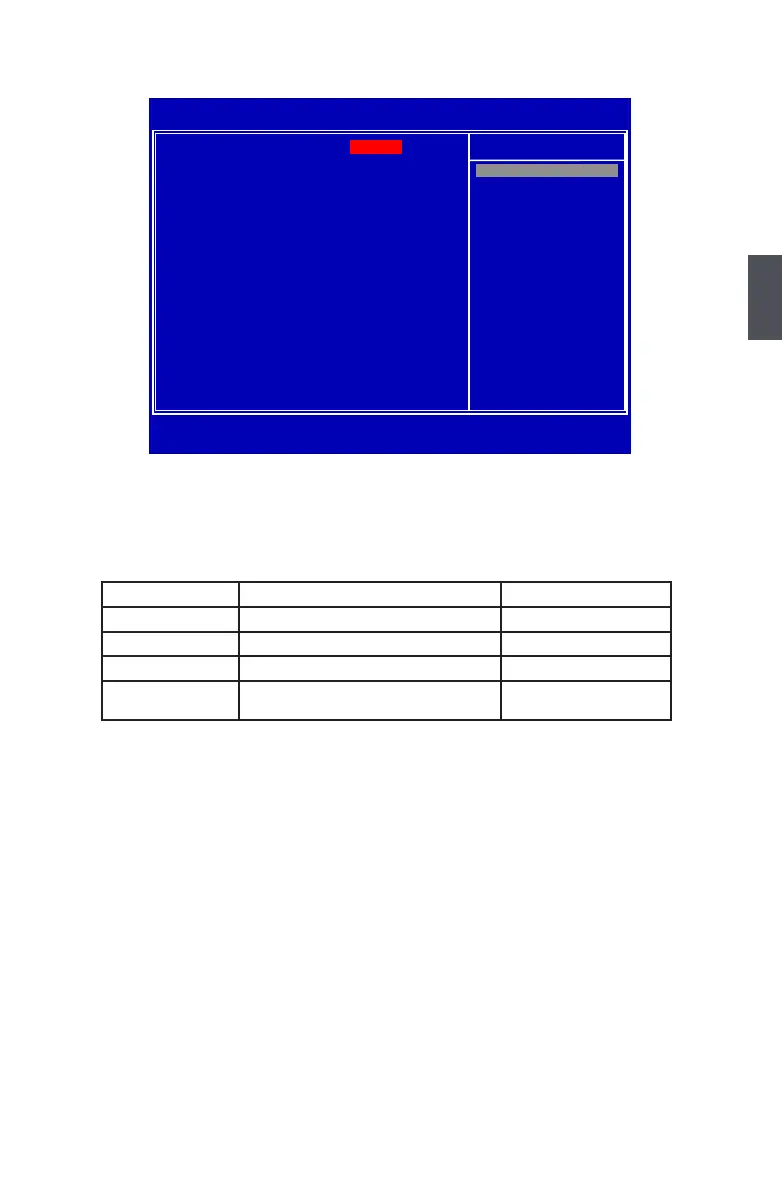
CMOS Setup Utility - Copyright (C) 1985-2008, American Megatrends, Inc.
Smart BIOS
Help Item
Current CPU Speed : 1.60GHz 1.60GHz1.60GHz
Current FSB Speed : 533MHz
Current CPU Multiplier : 12x DisabledDisabled
Current DRAM Speed : 533MHz Enabled
F9:Optimized Defaults
Options
System Status Power LED Status Stop Blinking Condition
Normal Always On Always On
No Memory Continue blinking On (1sec.), Off (1sec.) Reboot & Memory OK
No Display Continue blinking On (2sec.), Off (2sec.) Reboot & Display OK
Post Error Message
Quick blinking twice (1/3sec. On, 1/3sec. Off),
one long On (1sec.), continuously.
Enter Setup or Skip












 To Next Page