3
32
BIOS Security Features
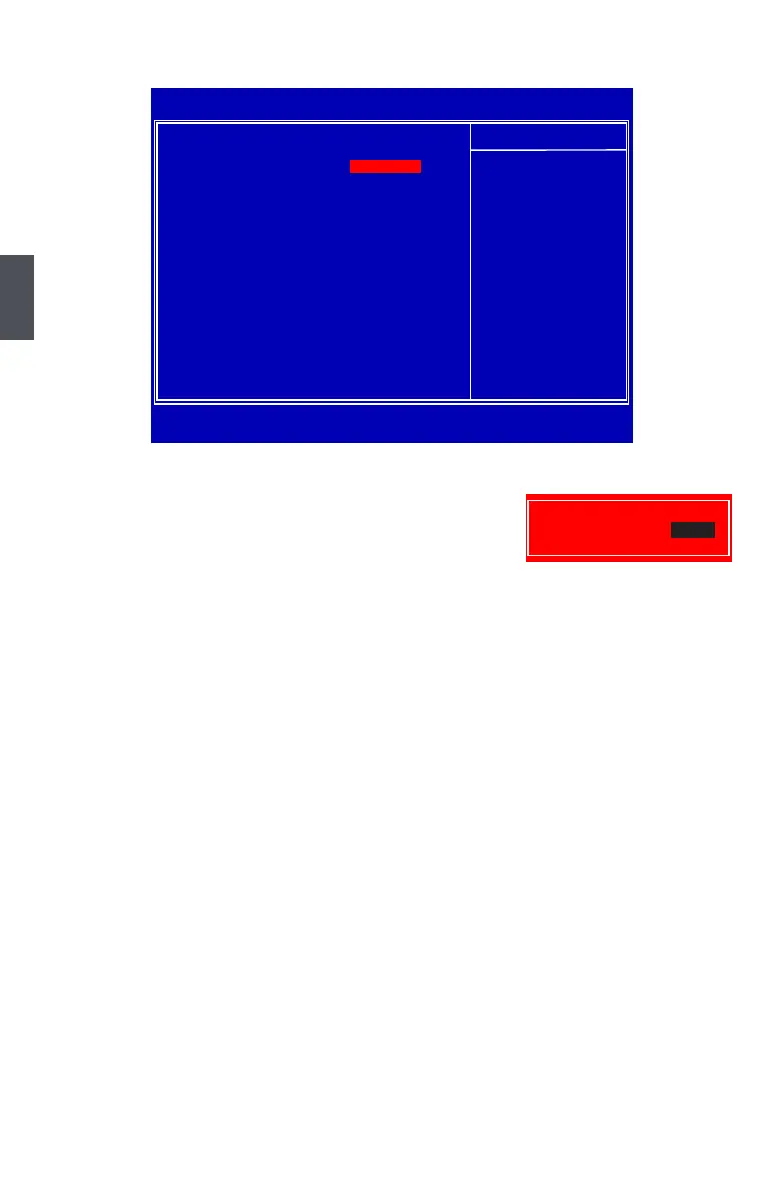
This item is used to install or change supervisor password.
After you input Supervisor password, it then will ask you to
input user password optionally.
If you have installed the supervisor password, the following items will appear:
This item is used to set user access level.
The available settings are:
This item is used to install or change user password.
This item will be displayed only when a User Password was set before. It is used to clear the
user password.
password is required not only to enter BIOS setup, but also on each boot of your PC.
This item is used to enable/disable boot sector virus protection.
CMOS Setup Utility - Copyright (C) 1985-2008, American Megatrends, Inc.
BIOS Security Features
Supervisor Password : Installed Help Item
User Password : Installed
Change Supervisor Password Install or change the
password.
Change User PasswordChange User Password
Clear User PasswordClear User Password
F9:Optimized Defaults
Enter New Password :












 To Next Page