Foxtech DA16 Radio Control System User Manual
©
2018 FOXTECH All Rights Reserved
19
When you select a requiring model type, all data in current model will be reset automatically.
It’s better to save model data through model select function before switching to another model type.
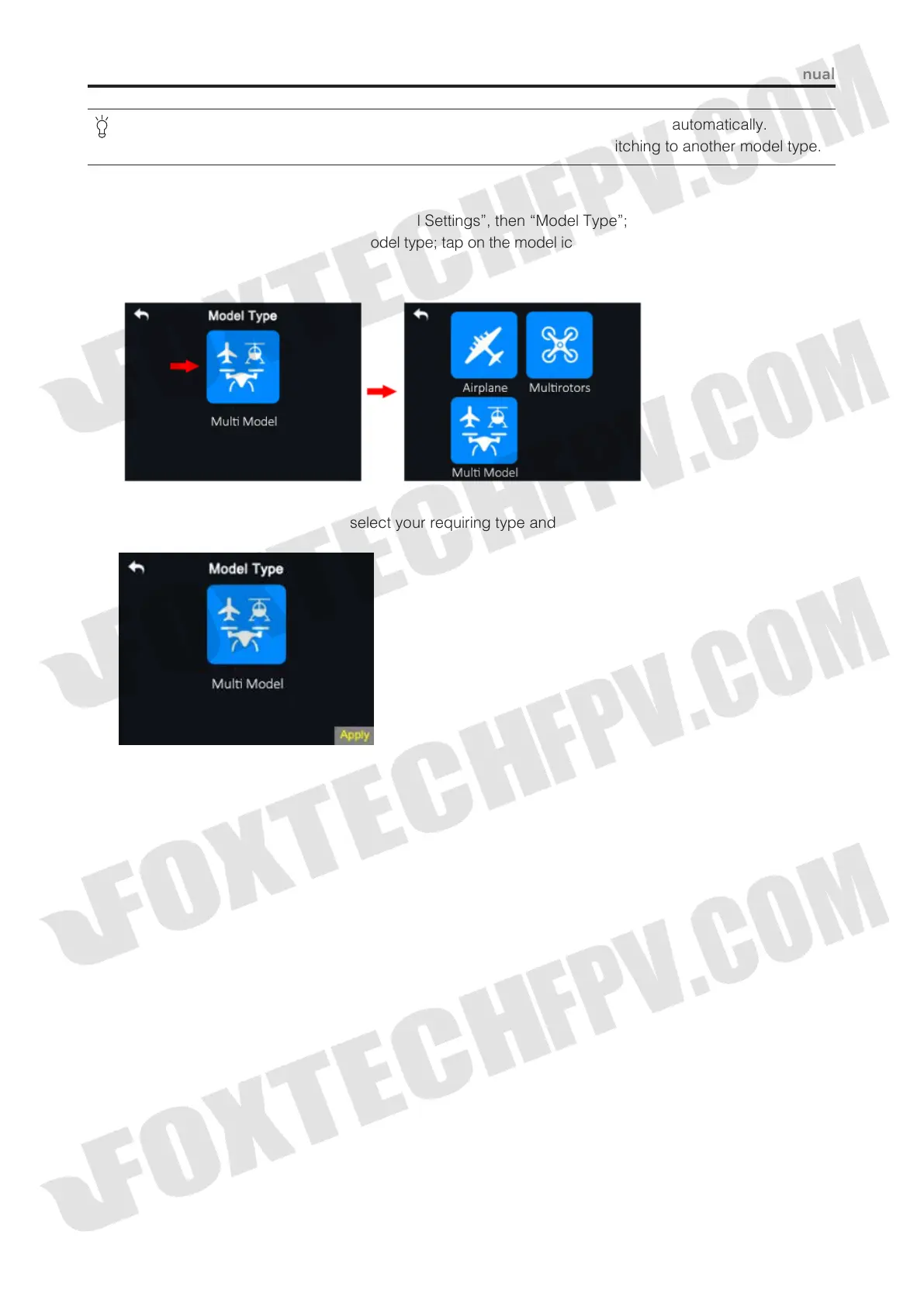
Steps to Select a Model Type
(1) In “transmitter settings” menu, tap on “Model Settings”, then “Model Type”;
(2) In screen, first it displays the current model type; tap on the model icon, screen menu is switched to “Model
Type” menu;
(3) Tap on your requiring model type; select your requiring type and tap on “Apply” to finish.



 To Next Page