Foxtech DA16 Radio Control System User Manual
©
2018 FOXTECH All Rights Reserved
25
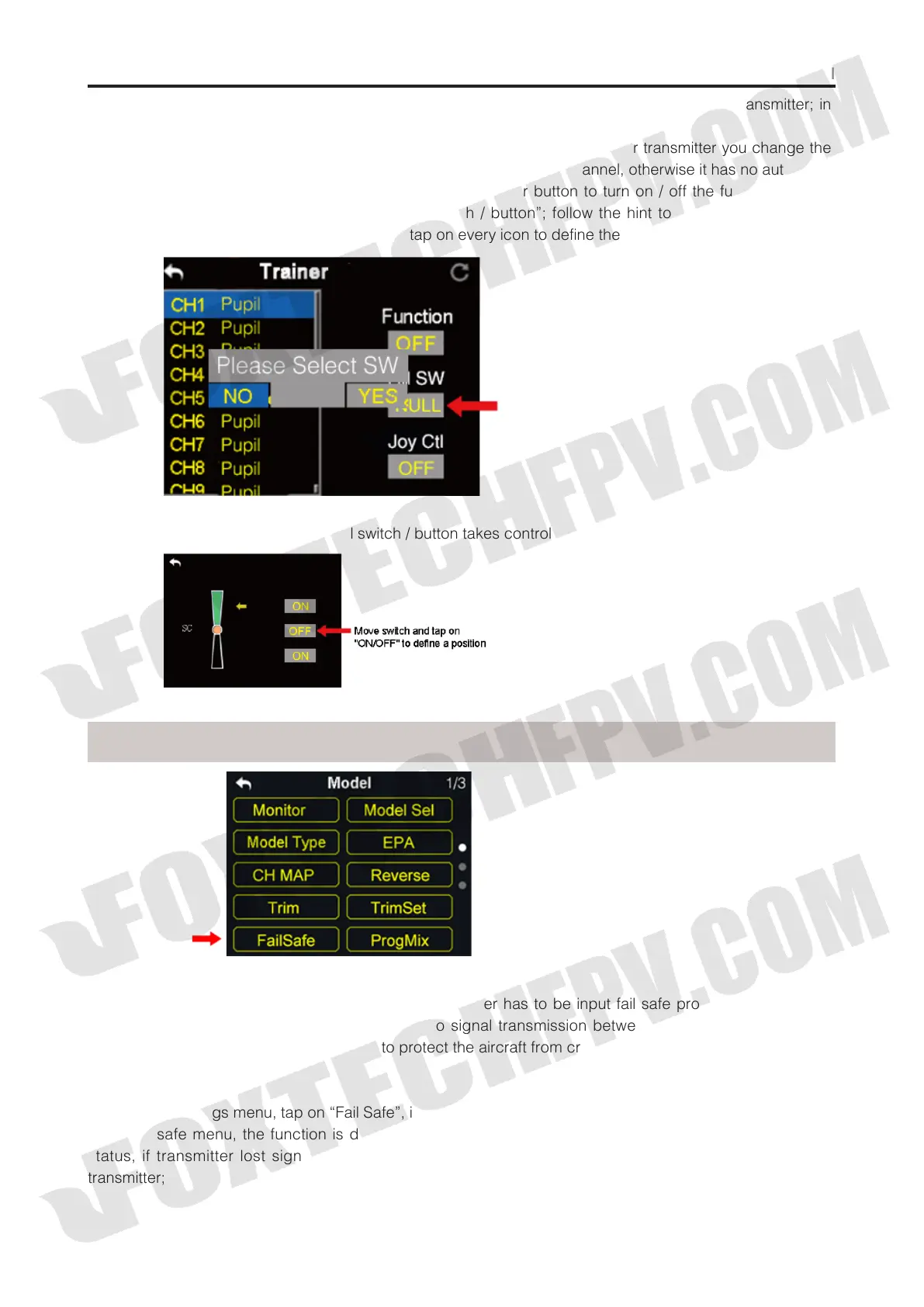
(4) The transmitter with trainer mode turned on is master transmitter, the other one is slave transmitter; in
master transmitter the channel is default to be “Trainer”;
(5) Each channel in the list has two status, trainer and student; when in master transmitter you change the
status to “Student”, slave transmitter gets authority to manipulate the channel, otherwise it has no authority;
(6) In trainer mode menu, you can define a physical switch or button to turn on / off the function; tap on
“NULL”, in screen menu it pops up “Choose a switch / button”; follow the hint to manipulate a switch /
button, in screen it shows switch status menu; tap on every icon to define the switch / button;
7.When definition is done, the physical switch / button takes control of turning on / off trainer mode.
FailSafe
Before linking DA16 transmitter to DA16 receiver, receiver has to be input fail safe program to turn on fail
safe function.Thus if in some moments there’s no signal transmission between transmitter and receiver,
receiver runs on the program immediately to protect the aircraft from crash in flight.
Step to Set Fail Safe
(1) In model settings menu, tap on “Fail Safe”, in screen it shows fail safe menu;
(2) In fail safe menu, the function is default to be off and in every channel it displays “HOLD”; in default
status, if transmitter lost signal from receiver, receiver outputs the last group of channel values from
transmitter;



 To Next Page