Foxtech DA16 Radio Control System User Manual
©
2018 FOXTECH All Rights Reserved
32
(4) Hold joysticks and main them in middle position (joystick’s tick mark aligns with transmitter’s tick mark),
then tap on “Next”;
(5) Transmitter starts detecting joysticks’ middle position automatically, do not move joysticks while you are
waiting;
(6) When detecting is finished, push both joysticks to their maximum positions, moving and circling them for
several times;
(7) Tap on “Finish Calibrating” to finish.
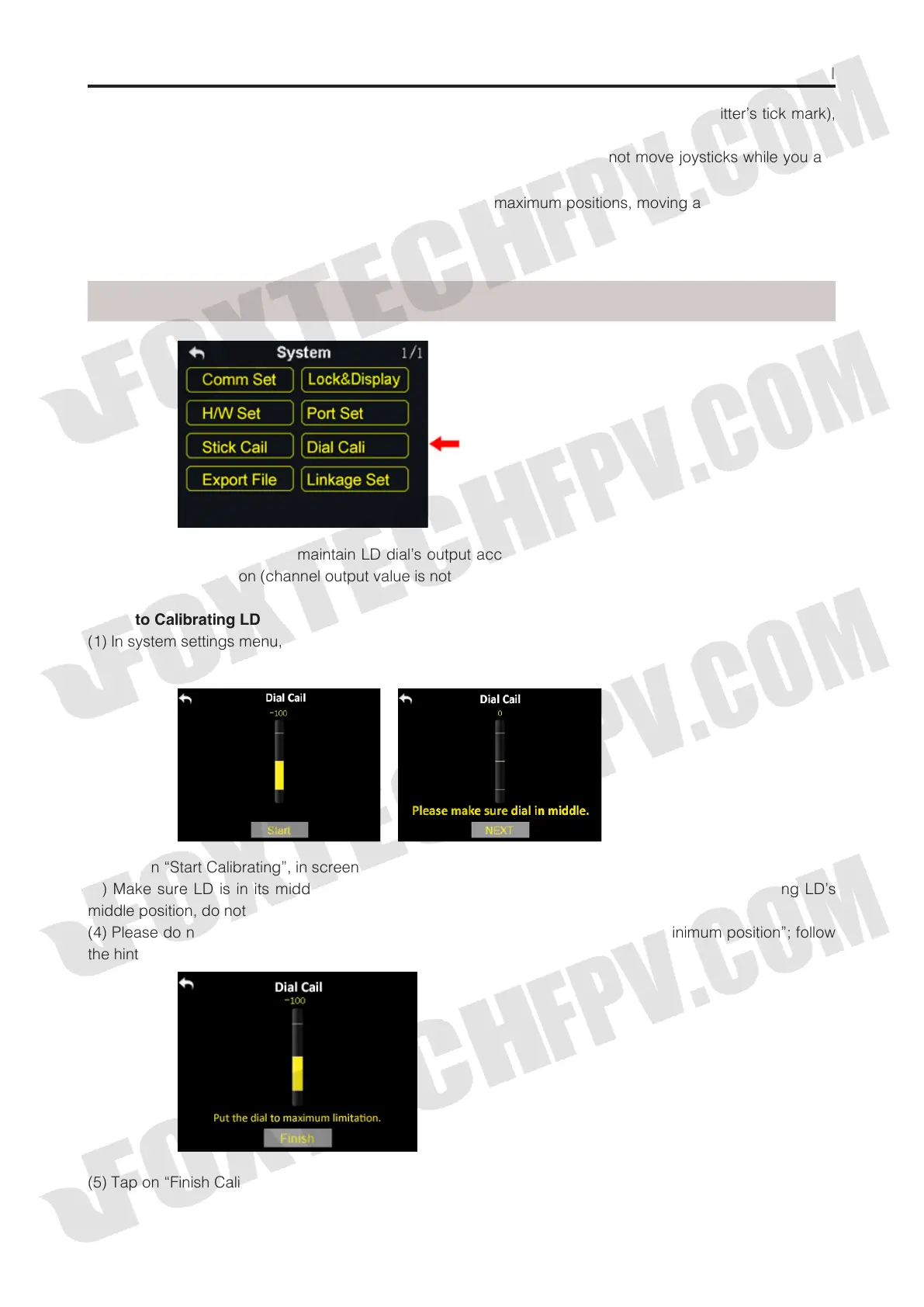
Dial Cali function helps users maintain LD dial’s output accuracy. LD dial requires calibrating when it stays
out of its middle position (channel output value is not 0) or fail to reach its maximum / minimum position.
Steps to Calibrating LD
(1) In system settings menu, tap on “LD Calibrating”, in screen it shows LD calibrating menu;
(2) Tap on “Start Calibrating”, in screen menu it shows “Please confirm if LD is in its middle position”;
(3) Make sure LD is in its middle position, then tap on “Next”; in screen menu it shows “Calibrating LD’s
middle position, do not move LD”;
(4) Please do not touch LD until in screen it shows “move LD to its maximum and minimum position”; follow
the hint and repeat several times;
Dial Cali
(5) Tap on “Finish Calibrating” when it is over.



 To Next Page