Foxtech DA16 Radio Control System User Manual
©
2018 FOXTECH All Rights Reserved
33
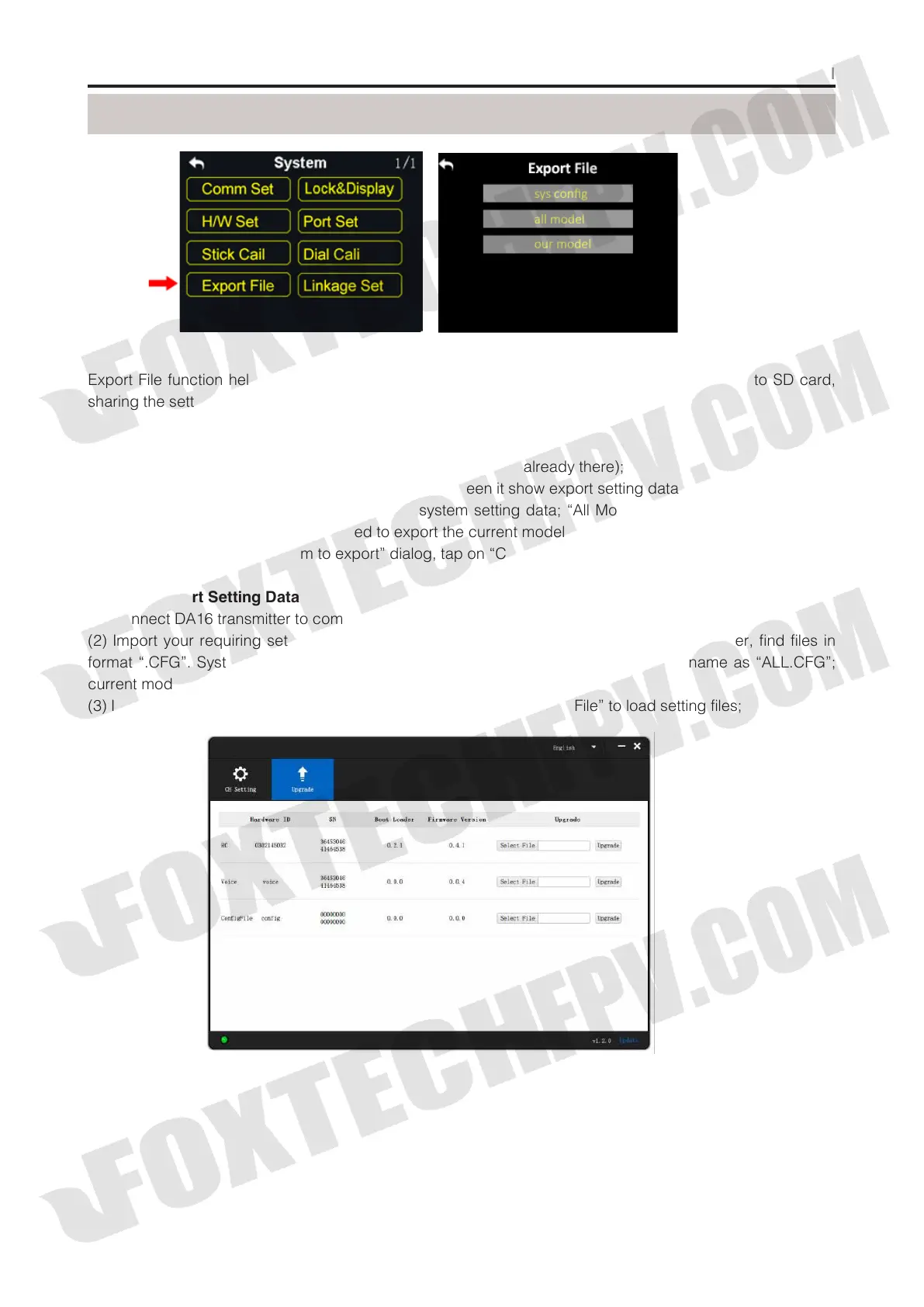
Export File function helps user export DA16 transmitter’s system settings, model settings data to SD card,
sharing the settings to other DA16 transmitters.
Steps to Export Setting Data
(1) Insert SD card to DA16 transmitter (ignore this step if it was already there);
(2) In system settings menu, tap on “Export File”, in screen it show export setting data menu;
(3) Tap on “Sys config” to export transmitter’s system setting data; “All Model” to export all model setting
data saved in transmitter; if you just need to export the current model’s setting data, tap on “Our Model”;
(4) In screen it pops up “Confirm to export” dialog, tap on “Confirm” to finish exporting.
Steps to Import Setting Data
(1) Connect DA16 transmitter to computer via USB cable, and open the software;
(2) Import your requiring setting data saved in SD card to computer through SD card reader, find files in
format “.CFG”. System setting data is name as “SYS.CFG”, all model setting data is name as “ALL.CFG”;
current model setting data is name as “MODEL+number.CFG”;
(3) In the software, tap on “Upgrade”; in “Setting Files”, tap on “Select File” to load setting files;
Export File
(4) Tap on “Upgrade” to finish.



 To Next Page