Foxtech DA16 Radio Control System User Manual
©
2018 FOXTECH All Rights Reserved
21
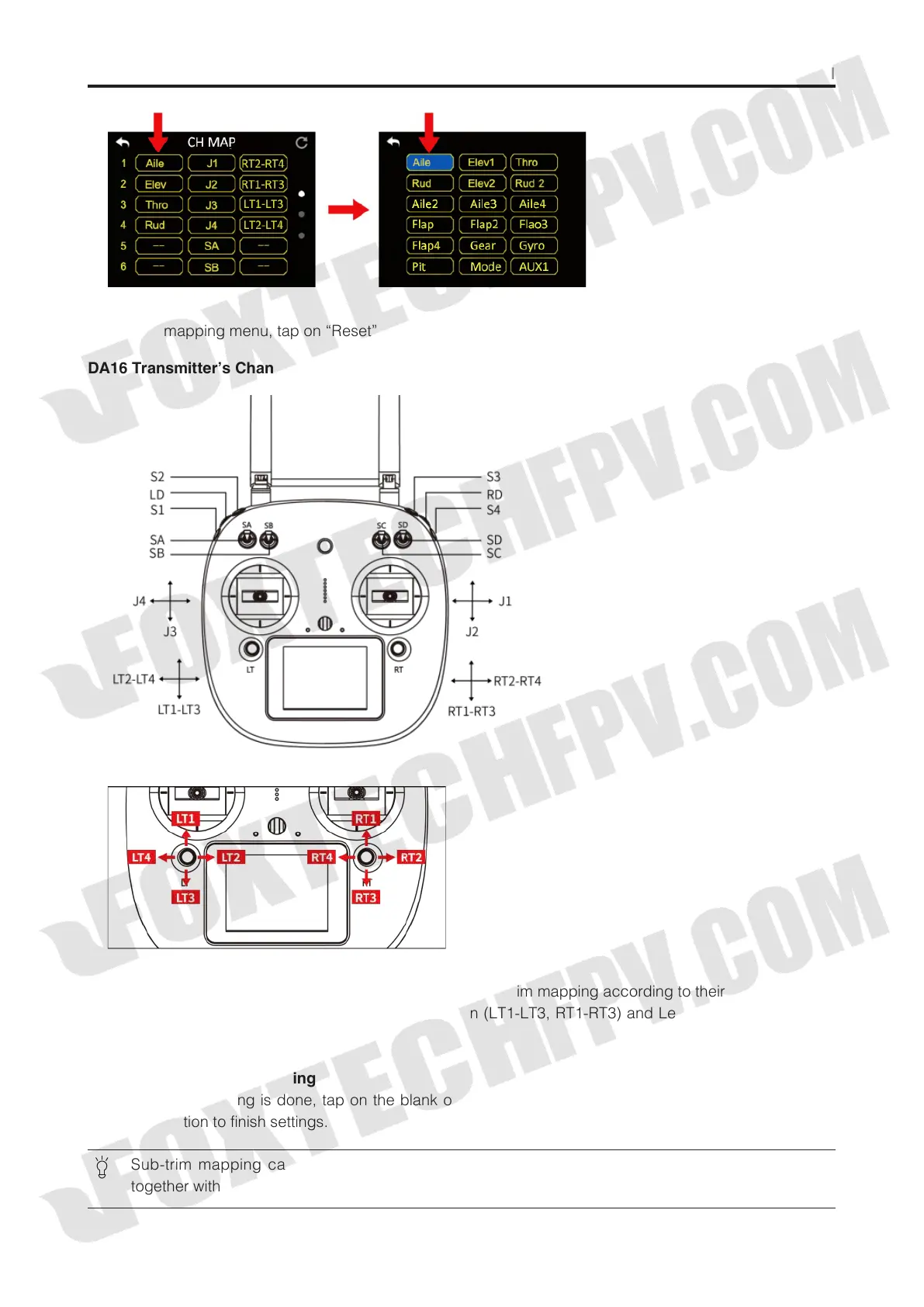
In channel mapping menu, tap on “Reset” to rest all channel data.
DA16 Transmitter’s Channel Definition Introduction
Sub-Trim Mapping
When channel mapping is finished, users can set digital sub-trim mapping according to their preference.
Digital sub-trim channel definition is default to Up-Down (LT1-LT3, RT1-RT3) and Left-Right (LT2-LT4, RT2-
RT4).
Steps to Set Sub-trim Mapping
When channel mapping is done, tap on the blank option next to your requiring channel, select your target
sub-trim direction to finish settings.
Sub-trim mapping can be repeatedly used in different channels; sub-trim mapping data is reset
together with channel mapping data, please make backup in advance.



 To Next Page