Foxtech DA16 Radio Control System User Manual
©
2018 FOXTECH All Rights Reserved
7
2. Button/Switch Types
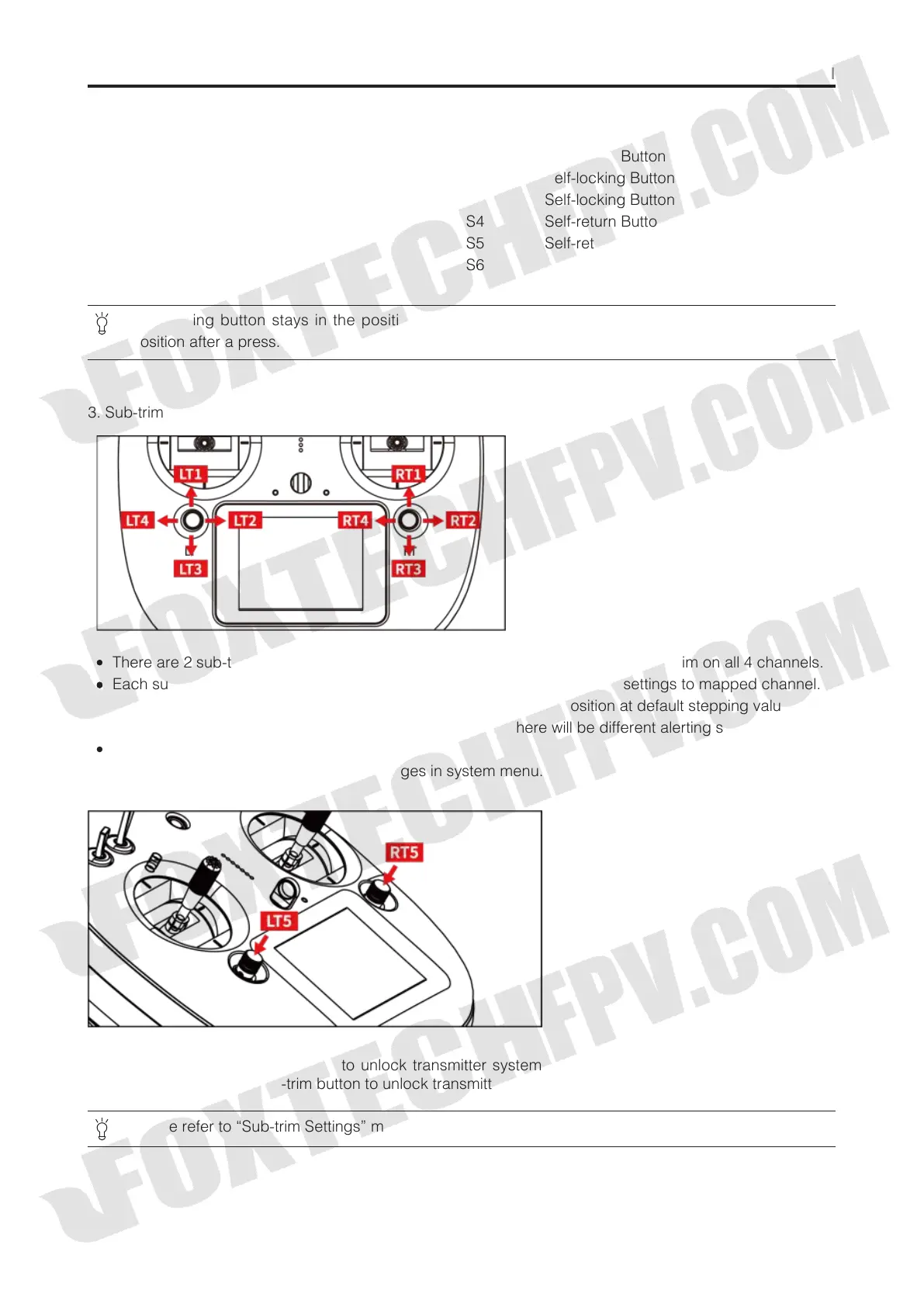
3. Sub-trim Button (This function is shut off in default setting.)
There are 2 sub-trim buttons on DA16 transmitter, which support continuous sub-trim on all 4 channels.
Each sub-trim button has 2 dimensions (up-down, left-right) for direct trim settings to mapped channel.
Every push on sub-trim button leads to a movement from former position at default stepping value. Keep
pushing on sub-trim button will speed up the movement. There will be different alerting sound when sub-
trim button is in neutral position.
Sub-trim position shows as dynamic changes in system menu.
Sub-trim buttons can also be used to unlock transmitter system menu when transmitter lock is activated.
Press and hold left/right sub-trim button to unlock transmitter.
Name Type
SA 3 Positions; Alternate; Short Lever
SB 3 Positions; Alternate; Long Lever
SC 3 Positions; Alternate; Long Lever
SD 3 Positions; Alternate; Short Lever
LD Self-centering Dial
RD Thumb-slide Dial
Name Type
S1 Self-return Button
S2 Self-locking Button
S3 Self-locking Button
S4 Self-return Button
S5 Self-return Button
S6 Self-return Button
Self-locking button stays in the position you press them to; Self-return button rebound to original
position after a press.
Please refer to “Sub-trim Settings” menu to adjusting settings of Sub-trim button.



 To Next Page