The Effects
35
MASTER FREQ - Scales all the frequencies.
MASTER LEVEL - Scales all the output levels.
MASTER PAN - Scales all the output pans.
MASTER Q - Scales all the bandpass filter Q’s.
FREQUENCY n - Sets the resonant frequency of the selected filter.
FEEDBACK n - Sets the resonance of the selected filter by varying the feedback.
FILTER LOC. n - Selects the position of the bandpass for the selected filter.
FILTER Q n - Sets the Q of the selected bandpass filter.
LEVEL n - Sets the output level of the selected filter.
PAN n - Sets the panning of the selected filter.
Chorus
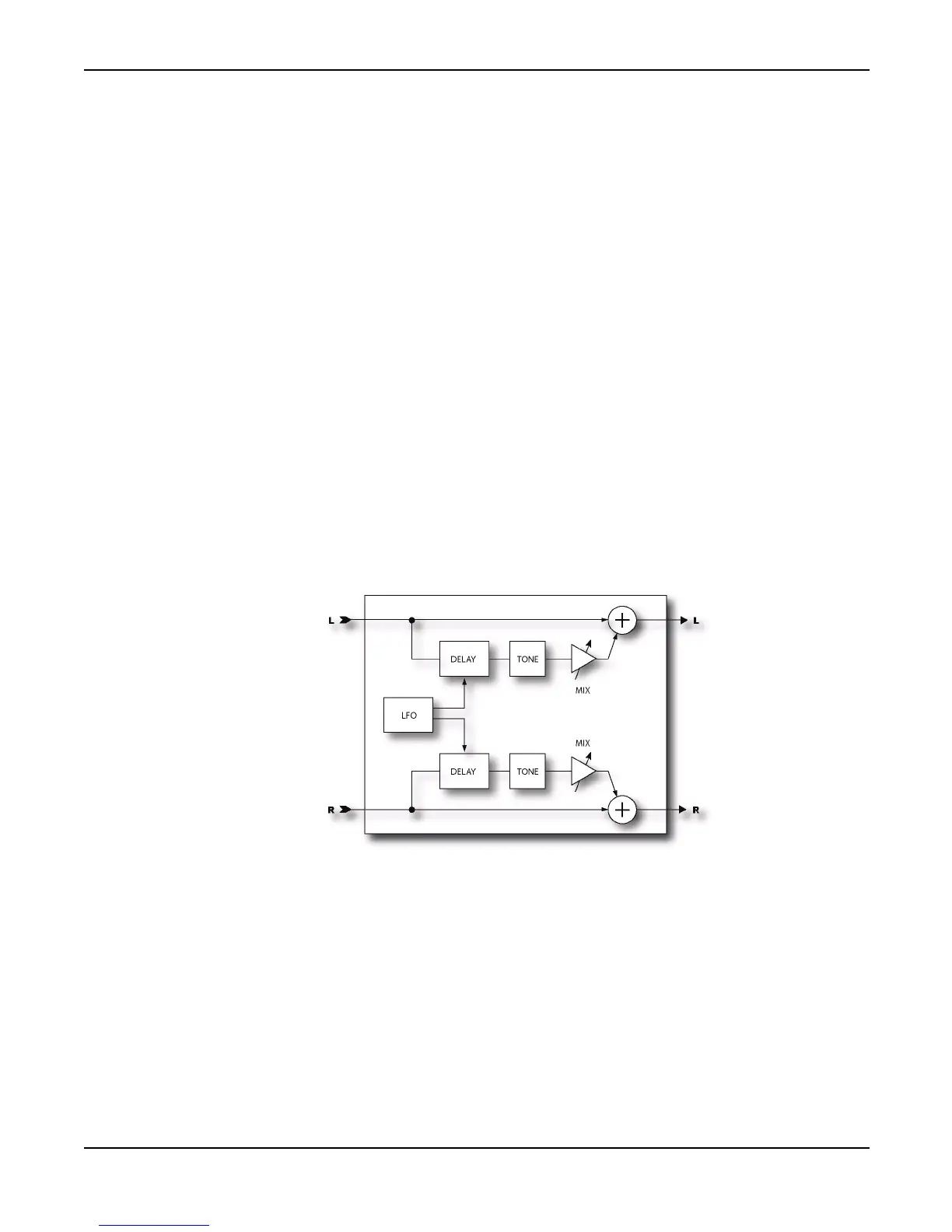
A chorus subtly delays the input signal by a varying amount and mixes it with the undelayed signal.
The varying delay slightly detunes the signal so the result is one of multiple instruments playing in
unison. The Axe-Fx Chorus is a stereo multi-voice chorus. It uses a very computationally
demanding algorithm but delivers exceptionally smooth sounding ensemble effects. Each stereo
channel in the chorus can have from one to four voices. Increasing the number of voices increases
the fullness of the effect. For classic chorus sounds use two voices (one per side). For thick, full
chorus effects use four or more voices.
Basic Parameters
VOICES - Sets the total number of voices used in the effect. For example, a setting of 4 uses two
voices per side.



 To Next Page