36
M. FACSW90IU-00 ITA-ENG 13/03/2023
FD
EN
22.2 Control panel
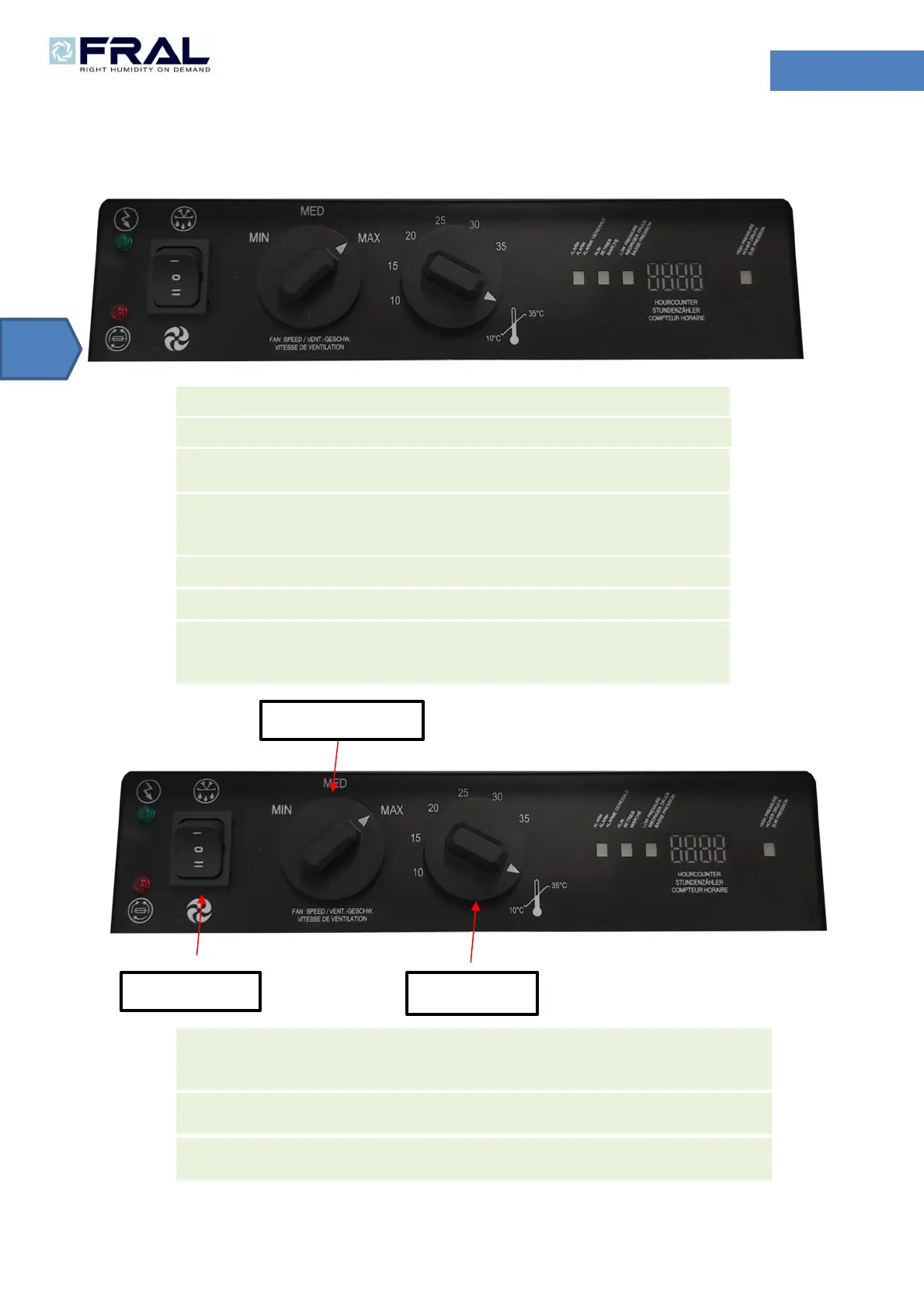
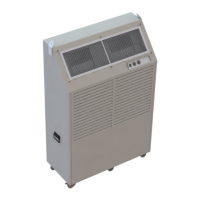
The units are provided with a panel with signaling lights due to monitor the status of the machine.
Hereafter are reported a brief description of the meaning of the lights.
LED POWER: This green LED is on when the machine is supplied.
LED ALARM: This red LED is on when the machine is in alarm.
LED ALARM CONTROL: indicates an incorrect power phase sequence. Switch two phases on
the power supply.
LED RUN: This LED is turn on when the compressor is functioning. It blinks if compressor is
waiting to start, it’ on if compressor is running. It’s off if compressor is off (temperature in the
room under the set point). In FAN mode, this led is always off.
LED LOW PRESSURE: it’s on if machine exceeds the minimum value of low pressure.
LED HIGH PRESSURE: it’s on if machine exceeds the maximum value of high pressure.
DISPLAY: this display indicates the number of hours of compressor working. When machine is
in defrost it shows “dEFr”. When machine is in alarm, it indicates the type of alarm (see alarm
table).
MAIN SWITCH:
allows to choose among: OFF position (nothing works) – FAN position (only indoor fan
works in pre-set speed) – COOL position (the machine is cooling according with preset room
temperature).
FAN SPEED SWITCH:
also located in the front control panel, allows to choose among 3 differents
THERMOSTAT:
located in the front control panel allows to choose the desired room temperature with
range 10-35 °C.
SPEED FAN SWITCH
THERMOSTAT
MAIN SWITCH


 To Next Page