Franka Emika GmbH ©October 2018
75
Step back & check - Check whether the task is being executed correctly
Safety operaon:
• Emergency Stop must always be installed within easy reach
• The user has le the Safety Area (step back)
• the user must check, that no other persons are in the Safety Area.
• the user must direct his full aenon to the pending roboc movement
(awareness)
Precondions for operaon:
• the Control must be switched on and booted up
• the safety locking system has to be unlocked (via the buon “Unlock joints“ in Desk)
• Emergency stop must be in the open posion
• The external enabling device has to be connected to X4 and half pressed
in order to acvate the automac execuon of robot programs and enable
robot movements
• X3 – Inputs
• in this state no device needs to be connected to X3
• the external acvaon device can, however, be connected to X3. If it is
connected, it must be in “closed” state, therefore pressed down.
• If a safeguard is connected to X3, then this should not be in acve state
In addion the emergency stop device could be used in order to cut o the power
supply completely, should this become necessary in an emergency.
--> Only now can a movement of the Arm be executed, e.g. using the play buon in Desk.
Brief description
Preconditions
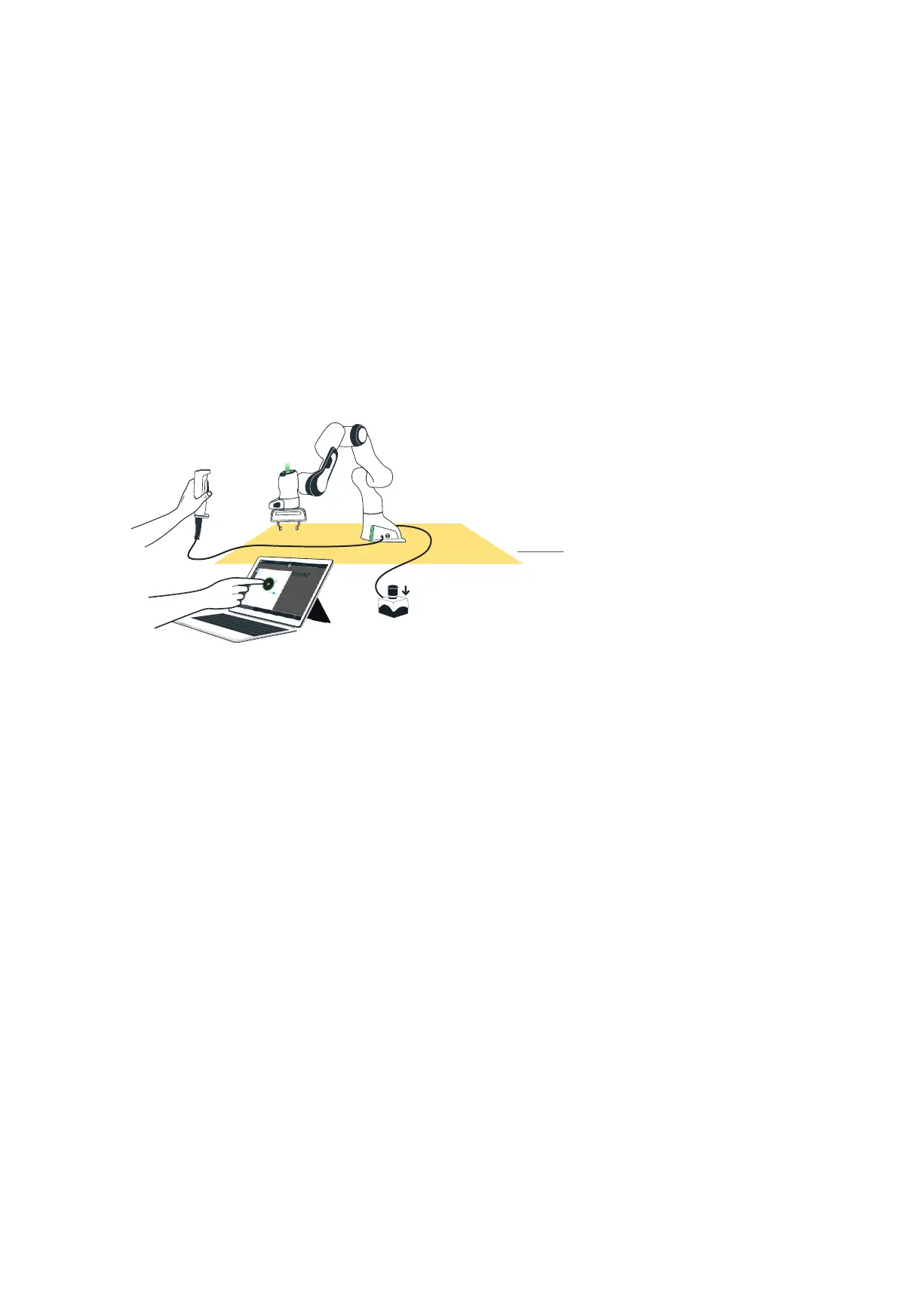
Aer teaching a robot movement you usually want to check the learned move-
ment. To do this, step back outside the Safety Area. Using the external enabling
device, you can acvate the robot for movements. Do this only if your full aen-
on is directed to the pending robot movement (awareness). If you determine any
abnormal behavior during the running of the automac roboc movement, then
use the external enabling device to stop the robot’s movement. In addion, the
Emergency Stop device is always available, to turn o all energy supply to the
system, should this be necessary in case of emergency.
Ext. Enabling Device
Safety Area
Ext. Acvaon Device



 To Next Page