Franka Emika GmbH © October 2018
116
INTERACTING & PROGRAMMING
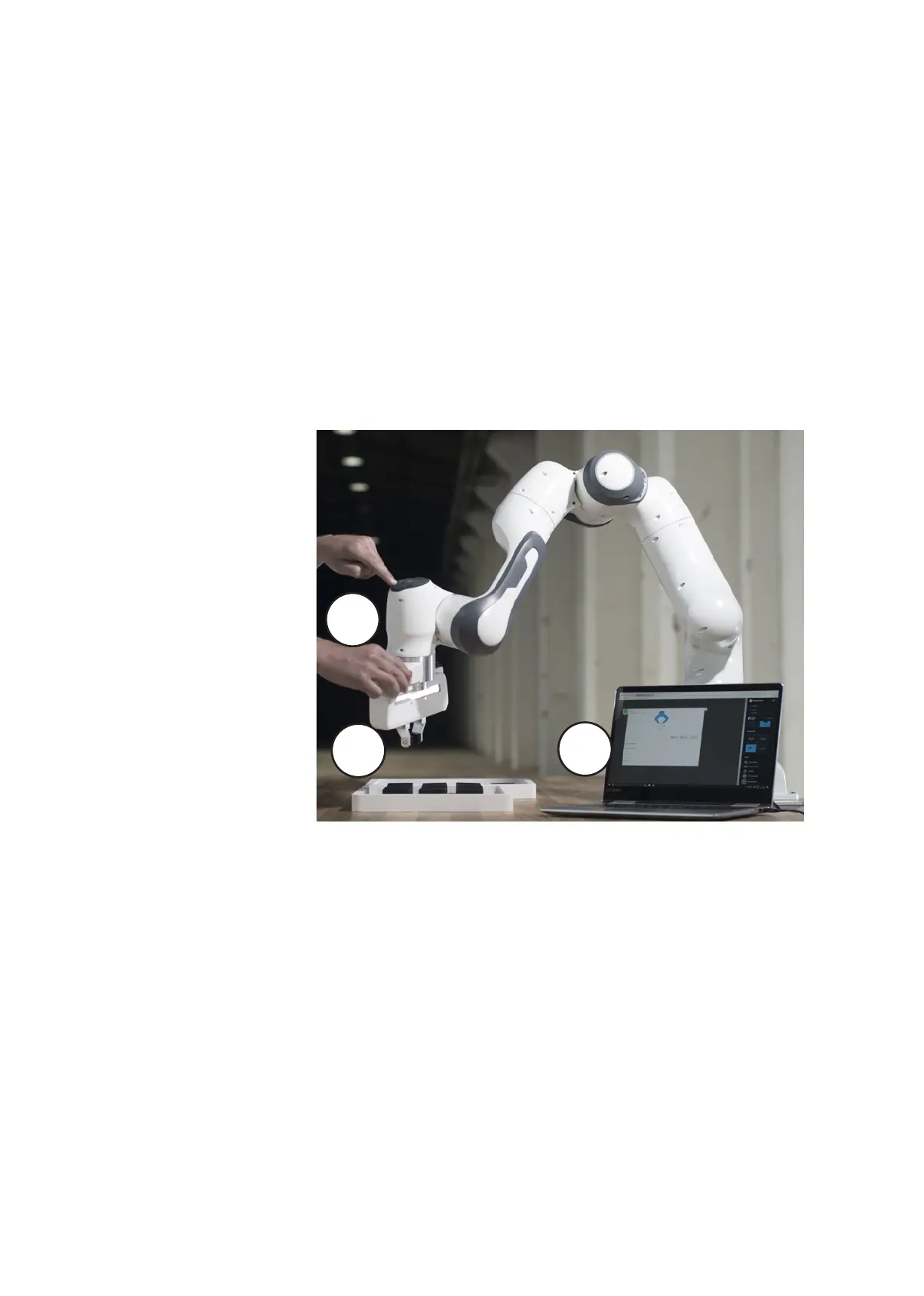
We provide several soware and hardware components that interact smoothly
with each other to oer you intuive and eecve usability for Panda. You can
purchase robot apps in the Franka Store and arrange them in Desk to form Tasks.
These Tasks can then be saved and archived. You can operate Desk directly on the
computer or from the Pilot disc on the Arm.
The Pilot is the user interface integrated directly into the Arm for smooth interac-
tion with Panda and Desk.
Interacon concept
Pilot
1
3
2
1. On the grip of the Pilot there are two grey buons, one on each side. By
pressing them, the guiding mode is acvated. Once the buons are released
the Arm can no longer be moved.
Note: The left button is a three-stage enabling button and needs to be half-pres-
sed for guiding. When pressed all the way Panda will stop the guiding mode and
make the Arm immovable.
2. Using the disc on top of the Pilot, dierent entries for programming can be
made. Disc can be used to navigate in Desk (3), select individual Apps and
parametrize, e.g. by adjusng the slider or acvang/deacvang certain
funconalies. In addion, robot poses can be entered by manually guiding
the Arm using the set buon.



 To Next Page