Franka Emika GmbH © October 2018
118
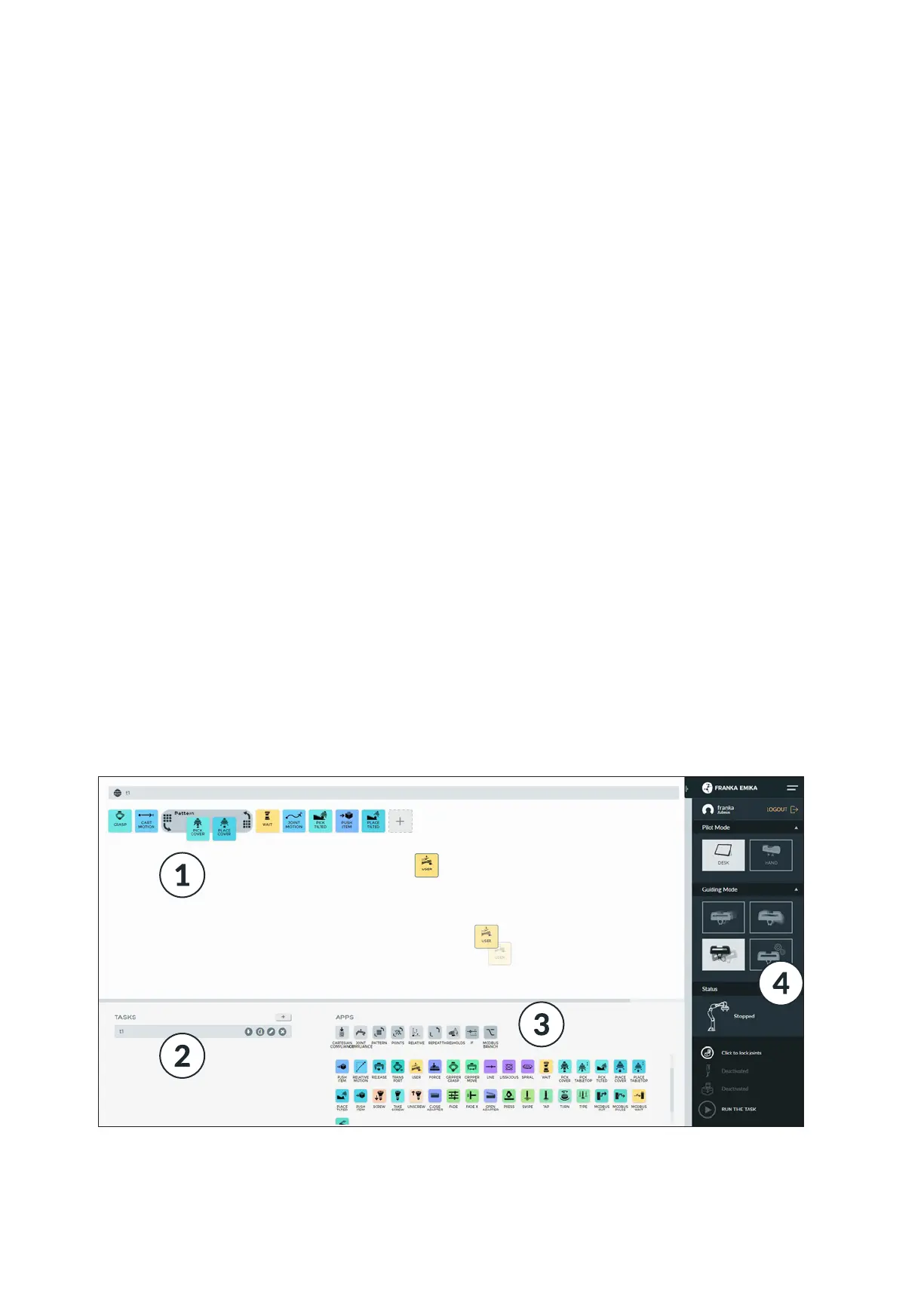
Desk overview Panda is programed using the web applicaon Desk. This is opened by entering the
URL hps://robot.franka.de. Desk allows you to create Tasks. Tasks are program
sequences and consist of a chronological sequence of Apps. Apps are the building
blocks of a Task and describe the basic capabilies of Panda, such as “grip”, “put
down”, “push buon”. The Apps within a Task need to be parametrized, meaning
that parameters such as poses, orientaons, speeds etc. need to be set. This pro-
cess is called “teaching”.
A list with a brief descripon of apps, app packages and soluons can be found at:
hps://www.franka.de/apps/
1. The meline is the area in which you can line up your apps in order to pro-
gram your task.
2. In the task area, you can store your programed tasks, perform administraon,
or click on already-programed tasks, in order to acvate them.
3. The app area is to be found here, i.e. the collecon of installed apps avail-
able to you for programming. You can simply drag them onto the meline via
Drag-and-Drop, in order to congure them for the next step.
4. In the side bar you can see which guiding mode Panda is in. In other words,
whether, for example, translaonal or rotaonal movements are enabled in
guiding Panda. Thereunder are situated important noces on Panda’s status,
such as, for example, whether the external acvaon switch is on or o, or
whether there is an error.
List of available apps, app packages
and soluons
First steps
INTERACTING & PROGRAMMING



 To Next Page