Franka Emika GmbH © October 2018
36
Equipment overview
Basic set-up
The Arm
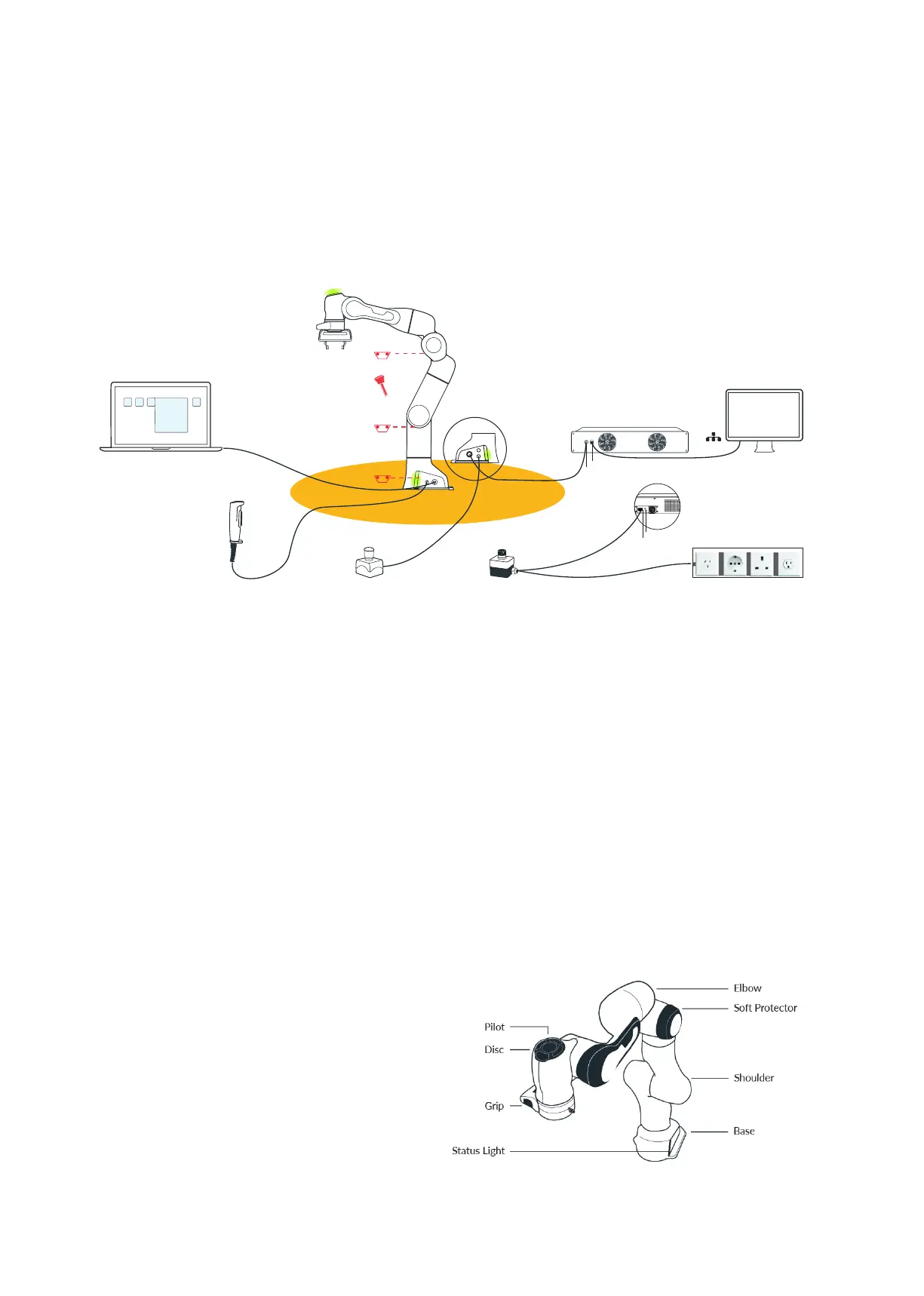
The basic set-up of Panda looks like this:
• between the controller and the net supply is situated an emergency stop de-
vice, which in cases of emergency safely removes the supply from Panda
• the 3-way external enabling device is connected at the base of the Arm (con-
nector X4). Half pressing it will acvate Panda (Aenon – always step out of
the safe area rst) and programs can be started via Desk.
• The external acvaon device is connected at the base of the Arm (socket
X3), in order to consciously authorize movements of the Arm from outside
the Safety Area.
• the Arm is connected via a connecon cable to the Control
• at the base of the Arm (socket X5) the interface device is connected, with
installed web browser in order to program via Desk.
• if you wish to program Panda via FCI, the shopoor network ethernet inter-
face on the front side of the Control should be used.
The Arm has the following components:
External enabling device
Interface device with Desk
External acvaon device Emergency stop device Power supply
Australia/
China
Germany USAUK
X4 X5
Hand
Control
Power Cable
Power switch
Connecon cable
Ethernet (network)
X1
X2
X3
Arm
Safety Area
EMERGENCY
UNLOCK
EMERGENCY
UNLOCK
EMERGENCY
UNLOCK
Unlocking tool
Network/PC
THIS IS PANDA



 To Next Page